EN – 21
ATTACHMENT BRAKE REPLACEMENT
Remove Attachment Brake
IMPORTANT: Save all hardware for reinstallation.
1. Stop engine, remove key and wait for all moving parts
to stop and for hot parts to cool.
2. Disconnect spark plug wire from engine.
3. Remove auger housing. See Separate Housing From
Frame on page 7.
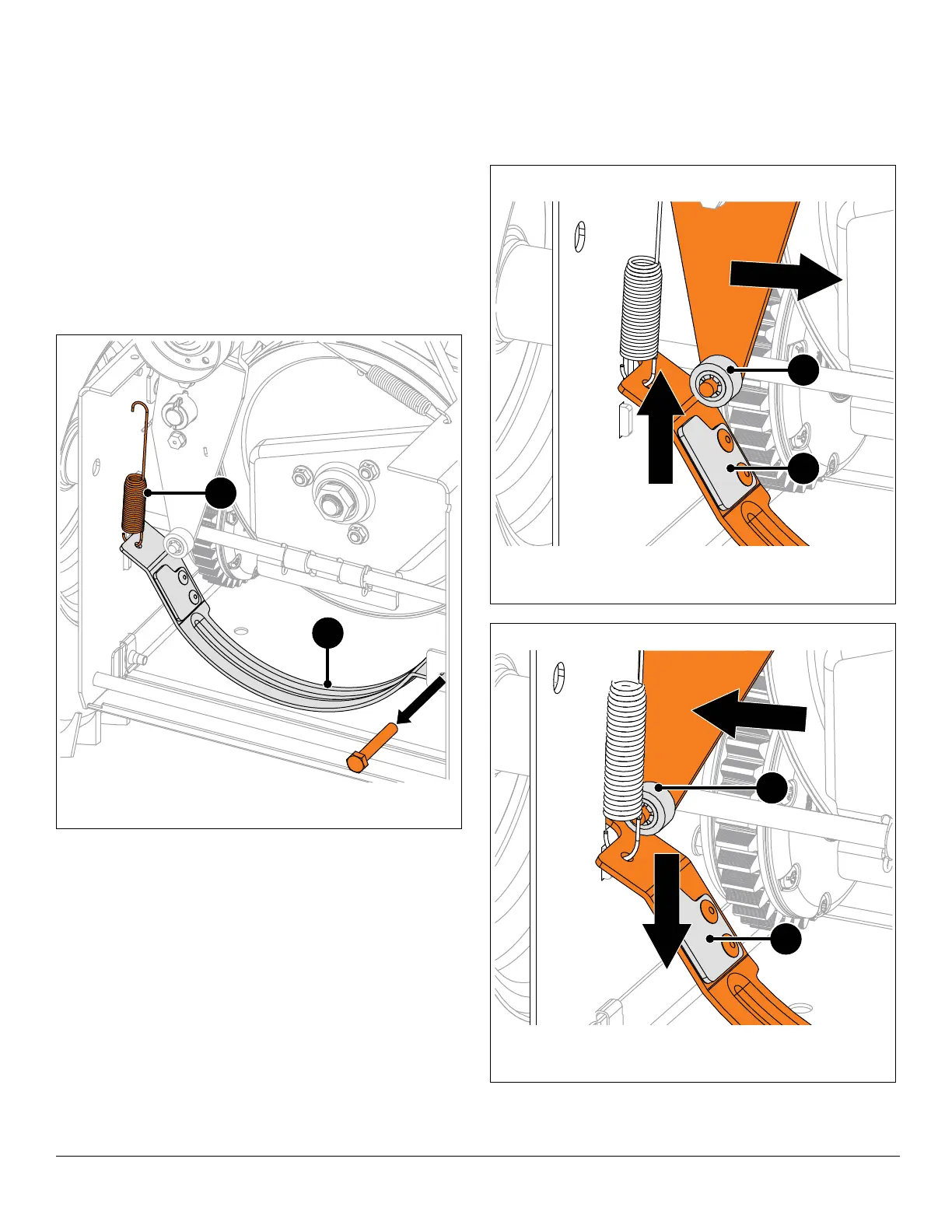
See Figure 41.
4. Disconnect extension spring from frame.
5. Remove hardware retaining attachment brake arm to
brake mount bracket and remove brake arm.
Install Attachment Brake
1. Secure attachment brake arm to brake arm bracket
with original hex bolt and top locking flange nut, but
DO NOT overtighten.
2. With flathead screwdriver or similar pry bar, reinstall
extension spring hook onto attachment brake arm.
See Figures 42 and 43.
3. Engage and disengage attachment clutch to verify
brake roller on attachment idler does not interfere with
brake pad.
IMPORTANT: Ensure brake roller does not bind.
4. Reinstall auger housing to frame. See Reinstall Auger
Housing on page 11.
Figure 41
1. Attachment Brake Arm
2. Extension Spring
2
1
Figure 42
Attachment Clutch Disengaged / Brake Engaged
1. Brake Pad
2. Brake Roller
1
2
Figure 43
Attachment Clutch Engaged / Brake Disengaged
1. Brake Pad
2. Brake Roller
1
2




 To Next Page