EN – 36
TRACTION DRIVE CABLE
REPLACEMENT
Remove Traction Drive Clutch Cable
IMPORTANT: Save all hardware for reinstallation.
1. Stop engine, remove key and wait for all moving parts
to stop and for hot parts to cool.
2. Disconnect spark plug wire from engine.
3. Loosen traction drive clutch cable.
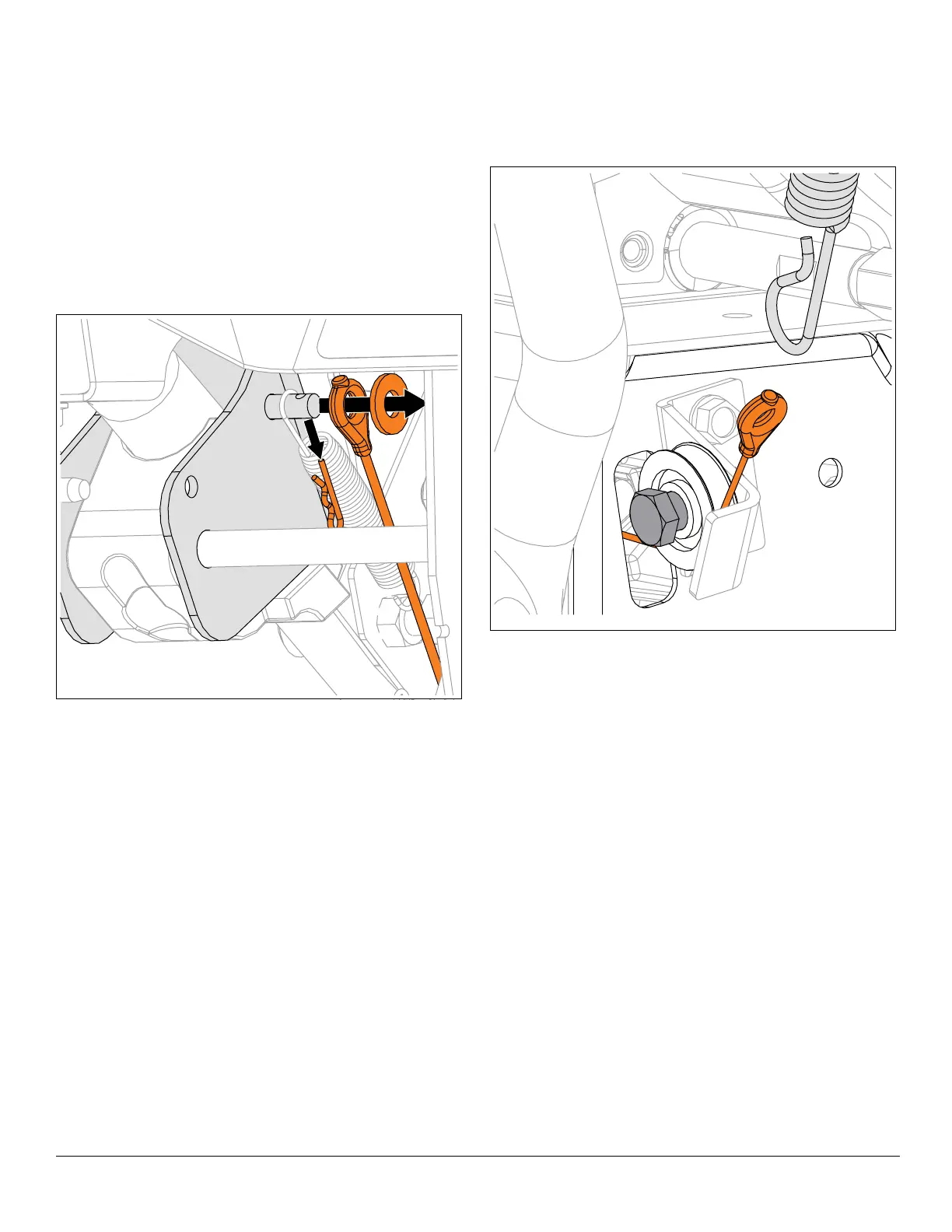
4. Under dash panel, remove hardware retaining upper
traction clutch cable to clutch lever and remove cable.
See Figure 86.
See Figure 87.
5. Disconnect lower traction drive cable from upper
traction drive cable.
6. Loosen, but DO NOT remove shoulder bolt retaining
cable pulley to cable pulley bracket.
7. Remove belt cover. See Figure 9.
8. Remove lower traction clutch cable from swing gate.
See Figure 88.






 To Next Page