FastPak EXP Operating Manual 103
Creating New Batches
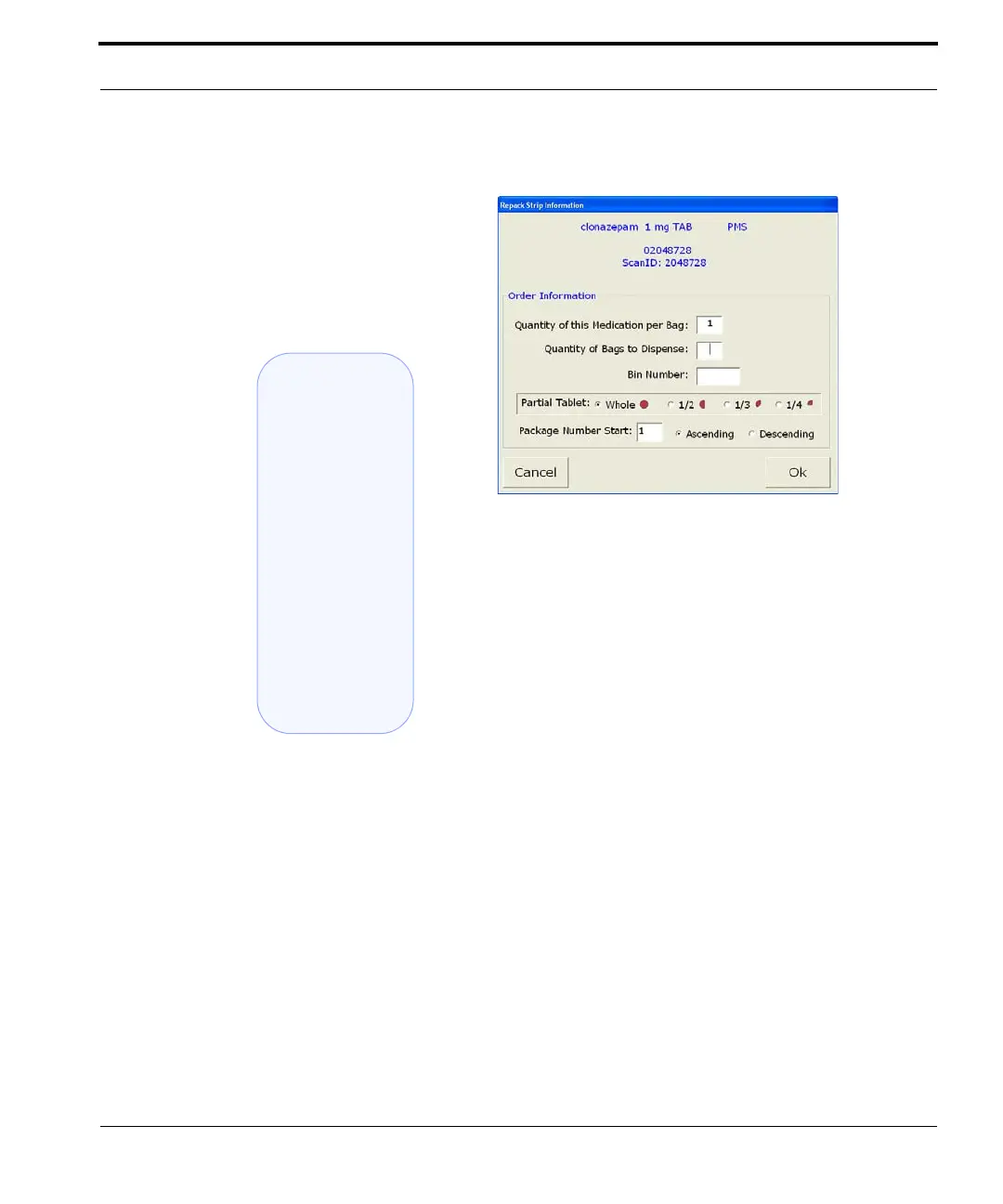
Figure 7-24 Repack Strip Information
Use this window to define the new batch. Complete
the order information in each of the following text
boxes:
• Quantity of medication per bag
• Quantity of bags to dispense
• Bin number (if pertinent)
• Whole or partial tablet (if partial, select size)
• Package number to start at
• Dispensing order (ascending or descending)
3. When these options have been chosen, select
OK. The Repack window redisplays, showing
the new repack batch.
ARxIUM Tip:
You can search
for specific
medications to
include in a
repack order by
typing the first
several letters
of the medication
name in the
Search field of
the Repack
window.


 To Next Page
 Loading...