Filling Canisters
116 FastPak EXP Operating Manual
4. Scan the canister.
5. Scan the medication bottle.
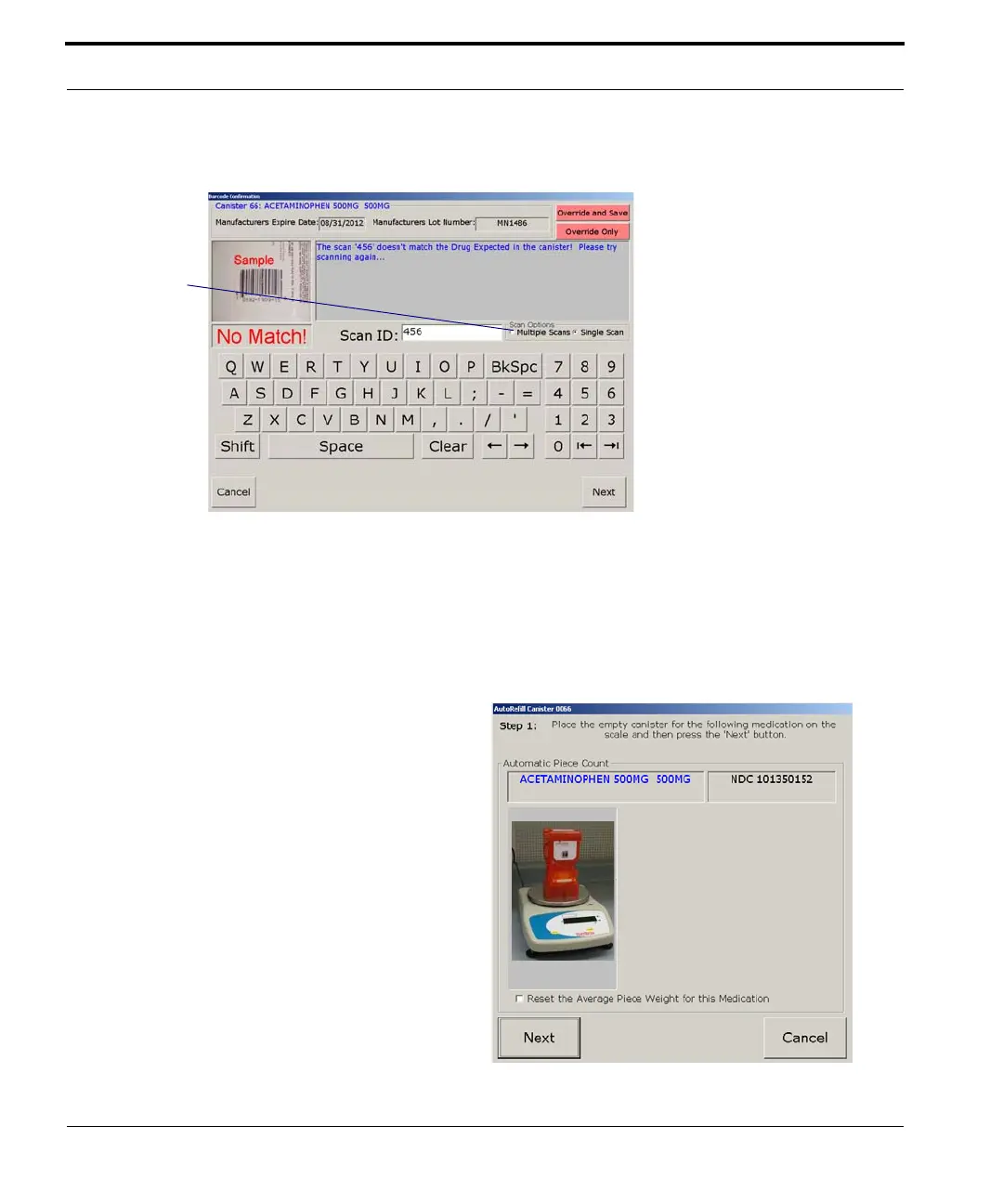
6. If you are using the AutoScale, a window like
that shown here appears. Place the empty
canister on the scale and press Next.
Override and Save: Ignores the
mismatch and updates the
medication database with the
UPC from the product bottle that
was scanned
Override Only: Ignores the
mismatch and does not update
the medication database
If the incorrect product bottle was
scanned, the correct bottle can be
scanned to continue. See page
118.
Note: These override options only
appear when the Save/Override
option is selected in
Maintenance.
Choose multiple scans
if you want to scan
multiple bottles of the
same bulk medication
to be added to the
canister. Click OK
(which appears when
you select the multiple
scan option) to indicate
the last bottle has been
scanned.
The multiple/single
scanning option you
choose remains in effect
until changed.



 To Next Page