Chapter 2. Setup
NR xCell 46116A User Guide 6
Copyright © 2023, All Rights Reserved.
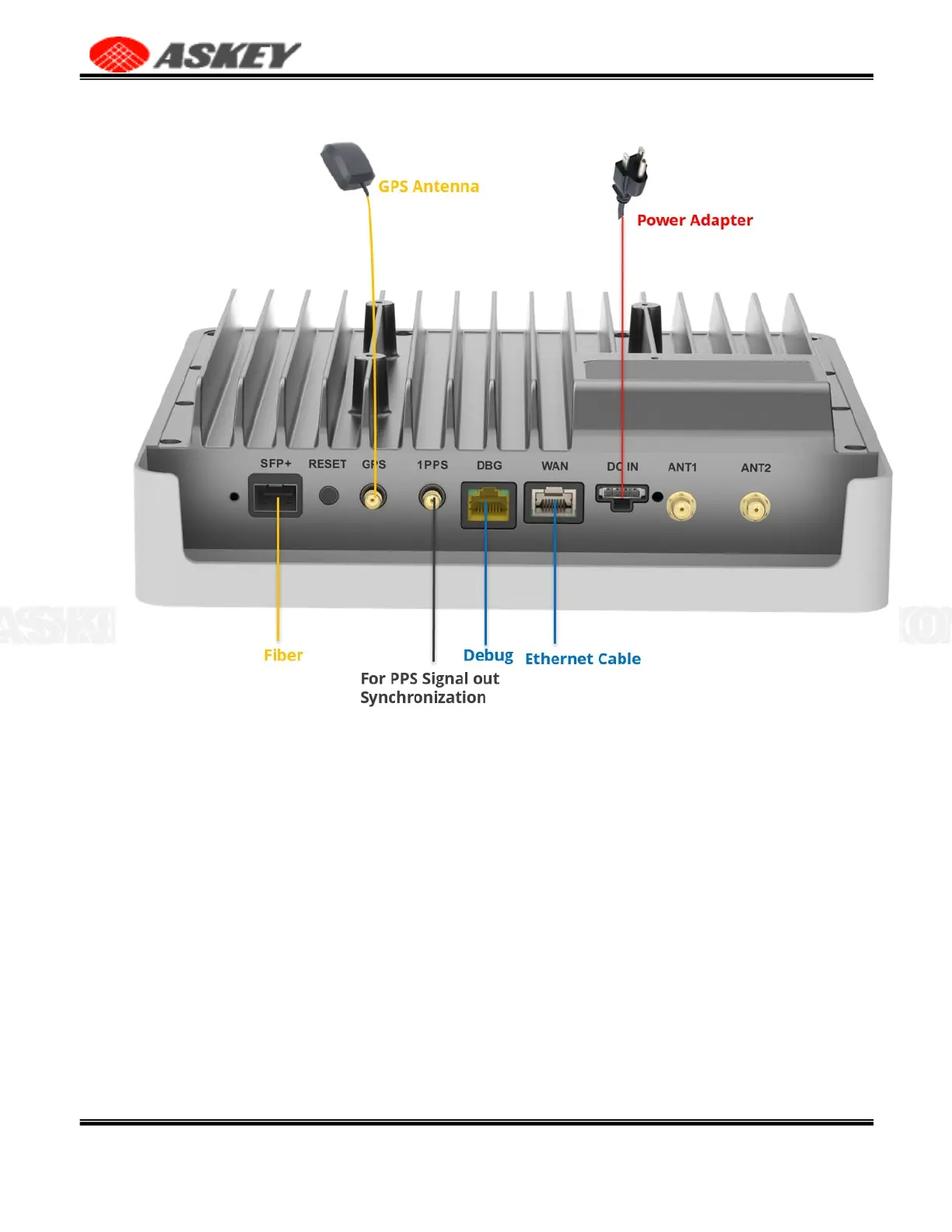
Figure 4. Cable Connection
2.3 LED Status
After all the connections are connected and the NR xCell 46116A is powered on, please check the status
of LED on the device. The LED will flash according to the LED description provided in Table 4.
If the NR xCell 46116A is operating as expected, continue to Section 2.4. If the NR xCell 46116A is not
functioning properly and you have to carefully check all steps.



 To Next Page