ASKEY COMPUTER CORPORATION
Chapter 3. The Askey 5G NR Small Cell Admin Website
NR xCell 46116A User Guide 30
Copyright © 2023, All Rights Reserved.
Table 12. The Askey 5G NR Small Cell Sync Source
It indicates the current sync state. It should be INIT, HARD_SYNC, DISP, RESYNC, or
HOLDOVER. The cell processes will start until the sync state is DISP
It indicates the sync source choice mechanism. The Auto type will try the multiple sync sources
based on the priority value. For the Manual type, it should specific the sync source be GPS or PTP.
(For the small cell with network bridge mode, the sync source is only GPS)
If the sync type is Auto, the higher priority value will be tested earlier. The priority value should be
the integer from 1 to 255.
It indicates the sync status for source GPS or PTP. The status will be Standby or Active.
It indicates which network interface the gNB connects to the PTP server.
Specific the PTP clock domain by an integer in the range of 0 to 127.
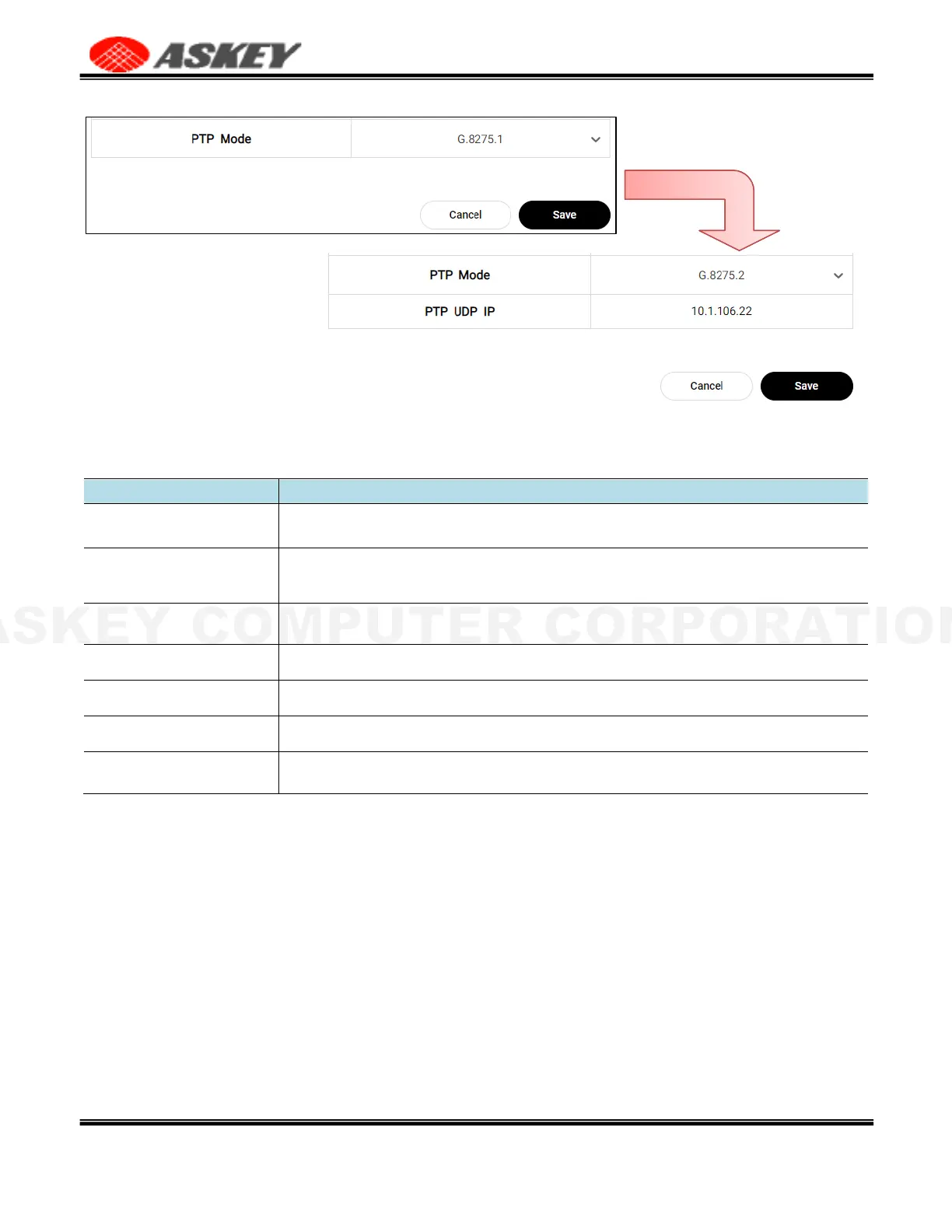
It indicates the current PTP mode, which supports G.8275.1 and G.8275.2. If the mode
is G.8275.2, it should also specify the PTP UDP IP.
3.4.4 Time Zone
The Askey 5G NR Small Cell Time Zone page allows the user to adjust the Time Zone Offset for the data
refresh time on the Admin Website
Figure 29. The Askey 5G NR Small Cell Time Zone Page



 To Next Page