ASKEY COMPUTER CORPORATION
Chapter 1. Introduction
NR xCell 46116A User Guide 3
Copyright © 2023, All Rights Reserved.
10G SFP+, please note that the highest
operating temperature specification of 10G
SFP+ module must be workable at minimum
75°C .
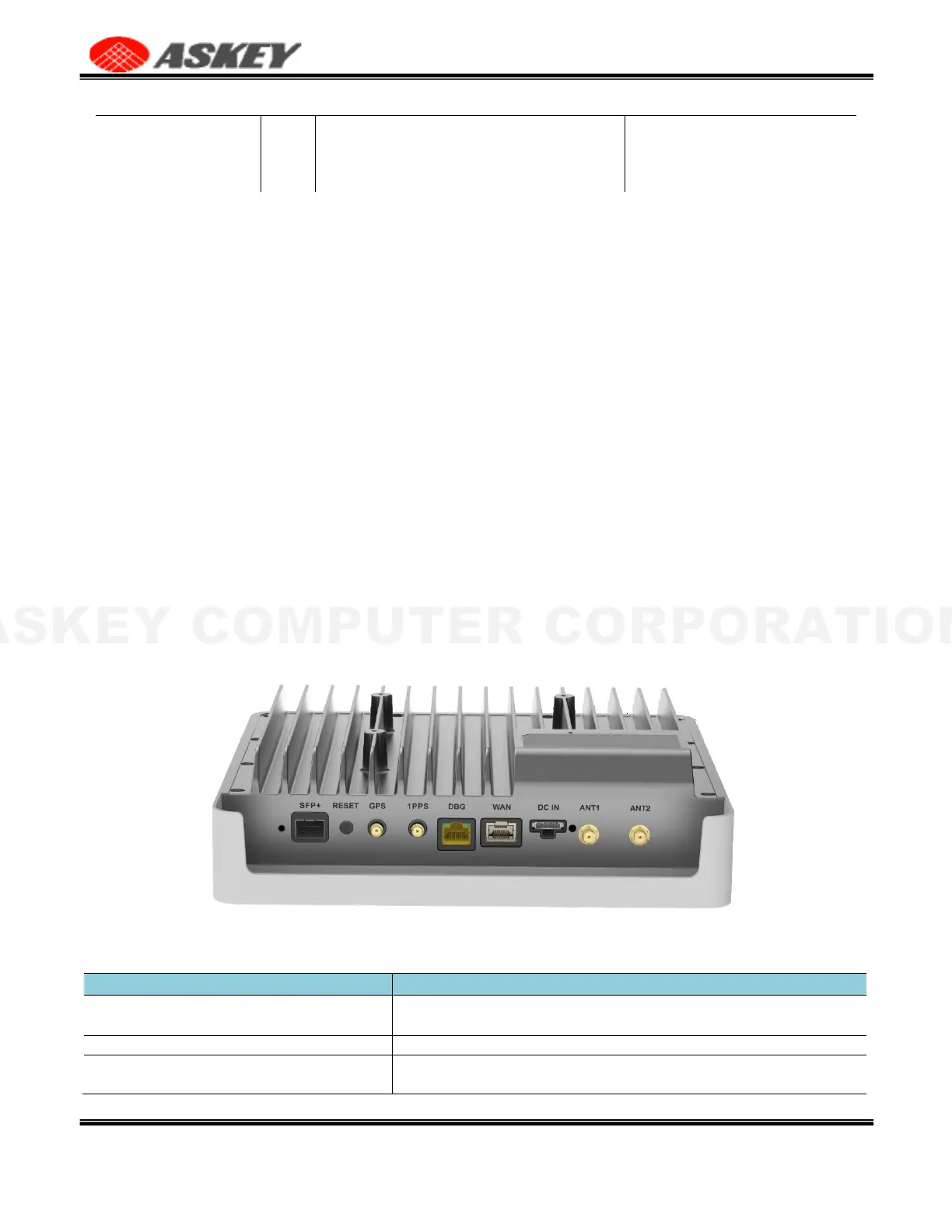
1.4 IO Interfaces
This section will guide you through the interfaces and functions of NR xCell 46116A.
About the RF Antenna, there are two different scenarios,
•
Internal antenna. Using the embedded antennas in the housing (Default mode).
•
External antenna. If you would like to use the external antennas, you need to connect the external
antennas into the ANT1 & ANT2 port, which are SMA connector. There is the description about the
operation function of antenna switching in Section 3.5.3 RF Antenna. Users can directly operate in
the web UI to switch to the external antenna they want to use.
About Synchronization, there are two different scenarios,
•
With GPS. The GPS antenna is required for the automated setup process and search for the GPS
signal for synchronization.
•
Without GPS. In this scenario, you must have the grand master and BC Switch for synchronization
rather than GPS, so in this scenario the GPS is not necessary.
NR xCell 46116A has a single multicolored LED used to indicate the device connectivity status. Please
review Section 2.3 LED status for the LED guide when attempting to troubleshoot the solution.
Figure 2. IO Interfaces
Table 3. NR xCell 46116A IO Interface
The SFP+ port allows you to connect a fiber to establish communication
between NR xCell 46116A and switch/router.
The Reset allows you to reset the device to factory defaults.
The GPS antenna port provides access to a SMA Female interface for
the external GPS antenna cable. When GM/BC switch is used, no GPS is



 To Next Page