Chapter 2. Setup
NR xCell 46116A User Guide 5
Copyright © 2023, All Rights Reserved.
Chapter 2 Setup
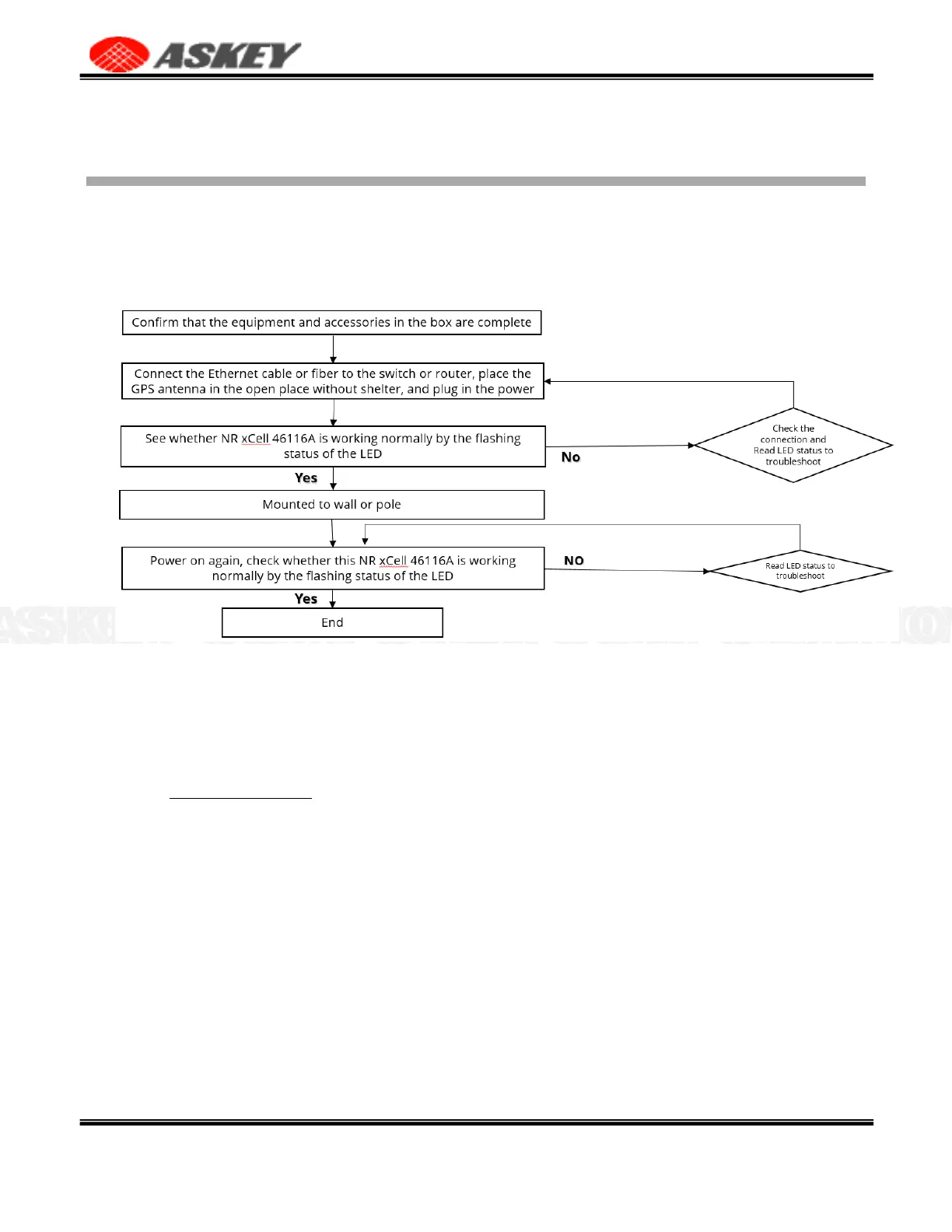
2.1 Setup Procedure
This part outlines the procedures needed to set up NR xCell 46116A.
Figure 3. Setup Procedure
2.2 Cable Connection
Connect the Ethernet cable, power cable and GPS antenna correctly.
•
Indoor GPS antenna
1.
Turn off NR xCell 46116A.
2.
Connect the provided Indoor GPS antenna cable to GPS port on the NR xCell 46116A.
3.
Place the antenna near a window where the GPS signal is stronger.
4.
Turn on the NR xCell 46116A to allow the detection of an available GPS signal.
Noted:
•
If using PTP sync solution. there is no need to connect the GPS antenna to the NR xCell 46116A.
•
If using fiber transmission. 10G SFP+ module and fiber are needed. Please note that the highest
operating temperature specification of 10G SFP+ module must be workable at minimum 75°C.,
otherwise the device will be down.



 To Next Page