Chapter 3. The Askey 5G NR Small Cell Admin Website
NR xCell 46116A User Guide 33
Copyright © 2023, All Rights Reserved.
access the Admin Website by the URL http://[IPv6 Link-Local Address]/ in the same LAN. Please check the
topic “Access the Admin Website by IPv6 Link-Local Address” in chapter 4. Or, if the Askey 5G NR Small Cell is
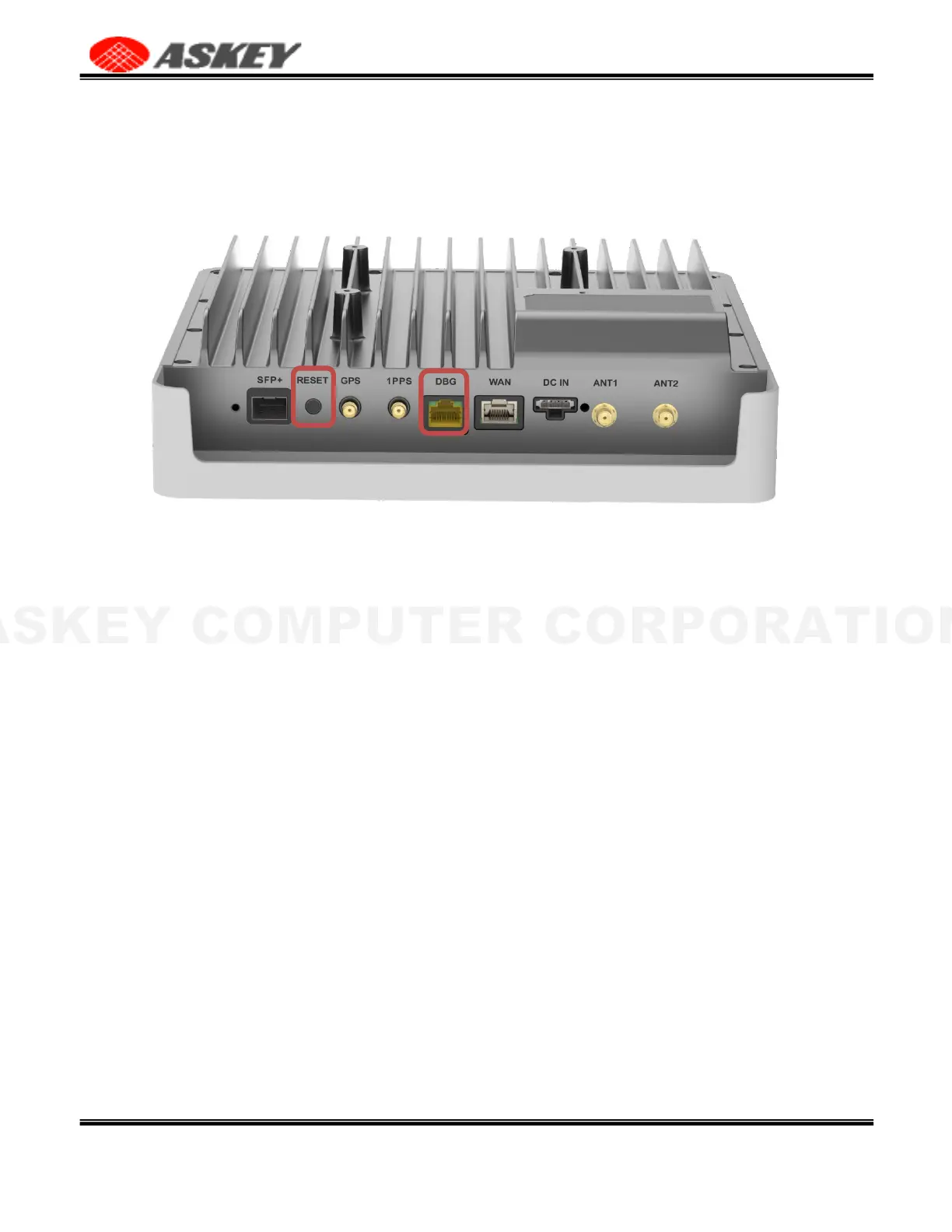
near you, you can hold the reset button for more than 15 seconds and release, it will trigger the device to
perform the factory reset. The following illustration is the reset button location of the device. After
performing the factory reset, the Askey 5G NR Small Cell will get the IPv4 address from the DHCP server.
3.5 Configuration
3.5.1 Dashboard
This Askey 5G NR Small Cell Dashboard page shows the integrated small cell information, including the
service and location data.
Figure 31. The Askey 5G NR Small Cell Dashboard Page



 To Next Page