Chapter 3. The Askey 5G NR Small Cell Admin Website
NR xCell 46116A User Guide 13
Copyright © 2023, All Rights Reserved.
Chapter 3 The Askey 5G NR Small Cell
Admin Website
This section contains detailed information regarding the Askey 5G NR Small Cell Admin Website, where
you can see the device status and make changes in the configurations.
To access the Askey 5G NR Small Cell Admin Website by following these steps:
1. Use a PC/NB connected to the same network as the Askey 5G NR Small Cell
2. Open a browser and enter the IPv4 address of the Askey 5G NR Small Cell as the following
URL:
http://<ip address>
, or
https://<ip address>
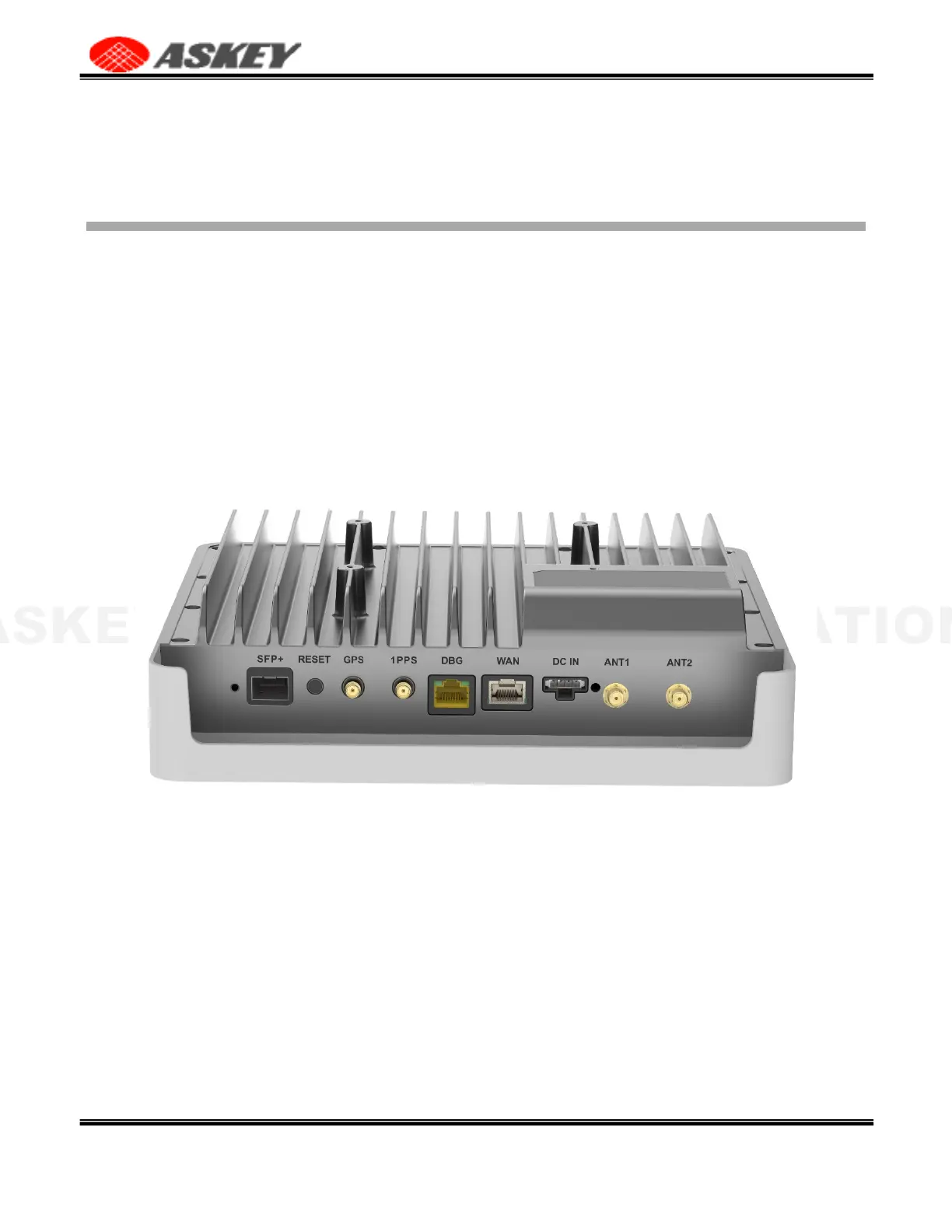
The two primary network ports, WAN and SFP+ in the following Figure, are used to connect the Small Cell
backhaul. All the default IP addressing modes are DHCP, and you can change to the Static IP mode on the
Settings: Network page.
Figure 11. The Network Interfaces of the Askey 5G NR Small Cell
The DBG port is a debug or rescue interface with the default Static IP 192.168.8.100. You can connect
directly to a PC/NB and surf the Admin Web by the URL http://192.168.8.100 on PC/NB. The network setting
of the DBG port could be modified if surfing the Admin Web by the method. But it only supports the Static IP
mode starting with 192.168.8. and doesn't support the gateway and name server.
The IP address of the DBG port will be reset to 192.168.8.100 if performing the factory reset on the
Admin Web or holding the RESET button for more than 15 seconds.
The browser might display a warning message for the HTTPS access as the following illustration because
the HTTPS server uses a self-signed certificate not signed by the Certificate Chain of Trust. Please click the
"Advanced" button and continue surfing the website.
Figure 12. Access the Askey 5G NR Small Cell Admin Website via HTTPS



 To Next Page