Chapter 2. Setup
NR xCell 46116A User Guide 12
Copyright © 2023, All Rights Reserved.
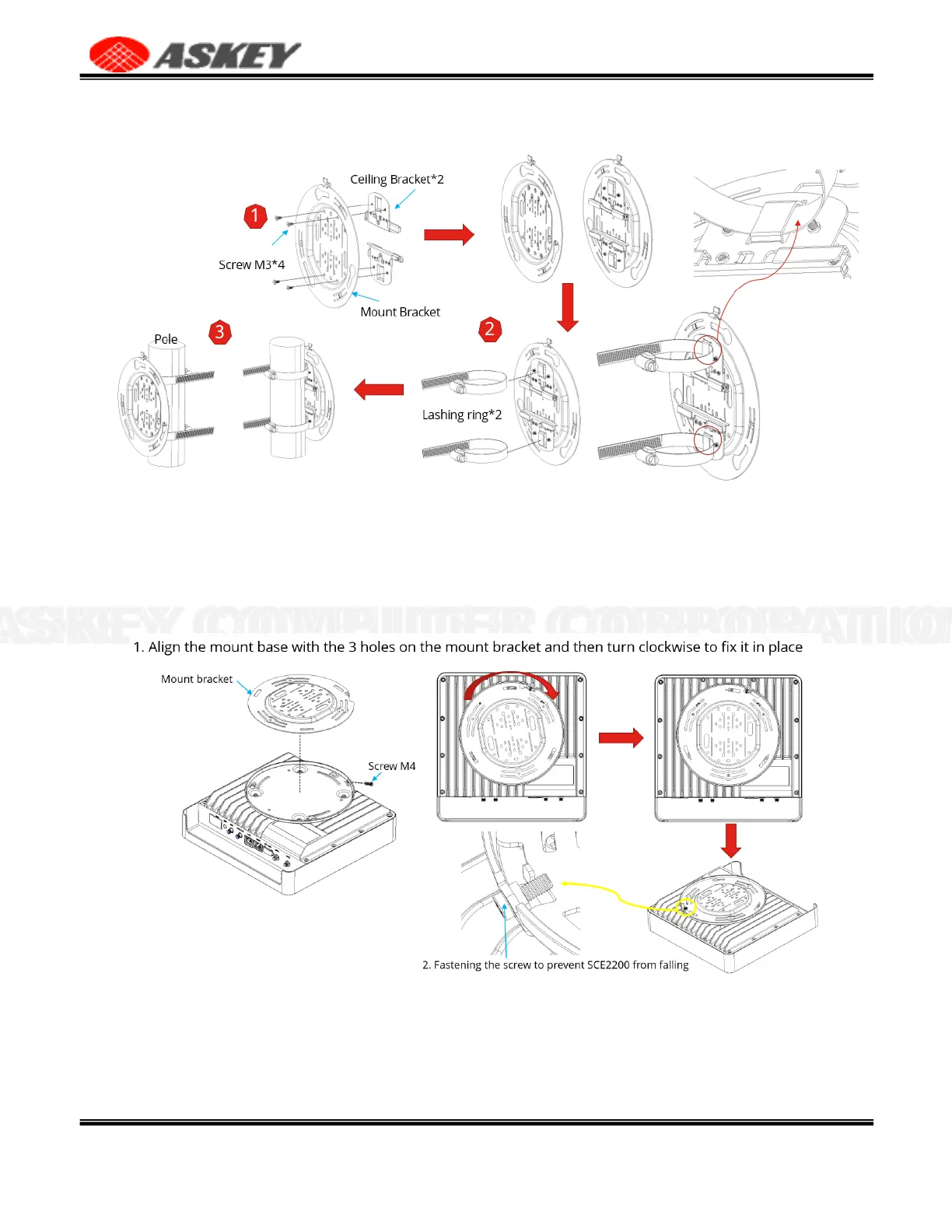
Figure 9. Pole Mount Overview
2.4.5 Align the mount base and the mount bracket
1.
Align the mount base with the 3 holes on the mount bracket and then turn clockwise to fix it in place.
2.
Please note to fasten the screw to prevent NR xCell 46116A from falling.
Figure 10. Align the Mount Base and the Mount Bracket
2.5 Route the Cables
After finishing the installation, please connect various cables to the NR xCell 46116A according to Section
2.2, and route the cables in a standard way to keep them looking good. Power on the NR xCell 46116A again,
and check the NR xCell 46116A work properly by the status of LED.



 To Next Page