EasyManua.ls Logo

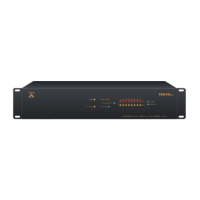
Ateis IDA8 - User Manual

Ateis IDA8
559 pages
Print Icon
To Next Page IconTo Next Page
Loading...
IDA8
TM
User Manual
v3.09
Global-Net

Table of Contents

Questions and Answers

  • T
    Teresa WoodsAug 4, 2025
    What to do if the Ateis IDA8 power supply does not deliver voltage on the outputs?
    • S
      Sarah Glenn MDAug 4, 2025
      If the Ateis Controller power supply isn't providing voltage, you can try the following: * Check for mains presence on the mains terminal strip. * Inspect the fuses. * Verify the voltage value on the output terminals. * Ensure the voltage on the battery cables matches the load. * Confirm each 12 Vdc battery has a voltage of at least 11.5 Vdc. * Repeat the measurement after disconnecting the load and the battery. * Recheck the indicator lights (see chapter 5). * Verify the compatibility of your load.
  • J
    Jimmy GibbsAug 11, 2025
    Why is the yellow LED signaling mains fault (normal source) on my Ateis Controller?
    • T
      thomaswilliamsAug 11, 2025
      The yellow LED on your Ateis Controller signals a mains fault (normal source) because: * The mains is not available or is less than 185 V +/-5% when the charger was switched off, or less than 165 V +/-5% if it was switched on. * The mains fuse is blown. * The charger is faulty. * The internal temperature is too high.
  • B
    bonniewilliamsAug 16, 2025
    What to do if the Ateis IDA8 battery does not take over after a mains fault?
    • T
      turnerdesireeAug 16, 2025
      If the Ateis Controller's battery isn't taking over after a mains fault, you should: * Check the voltage on the battery terminals. * Check the battery fuse. * Check the voltage on output terminals.
  • L
    Leslie JonesAug 22, 2025
    What to do if the Ateis IDA8 indicator lights are not illuminated?
    • E
      Elizabeth EvansAug 23, 2025
      If the indicator lights on your Ateis Controller aren't lit, try these steps: * Check for mains presence on the mains terminal strip. * Check the battery connection. * Ensure the flat cable is properly connected. * Check the voltage on output terminals.
  • N
    Nicole AllenAug 28, 2025
    Why is the yellow LED signaling a battery fault (back-up source) on my Ateis IDA8?
    • R
      Randy HamptonAug 28, 2025
      The yellow LED signals a battery fault (back-up source) on your Ateis Controller if: * The battery is not serving. * The internal impedance is too high. * The battery voltage is less than 23,5 V ±3 % or 47,0 V ±3 % when mains is present.

Ateis IDA8 Specifications

General IconGeneral
Input Channels8
Output Channels8
Sampling Rate48 kHz
Bit Depth24-bit
Network ProtocolTCP/IP
Ethernet Ports1
Power Supply100-240VAC, 50/60Hz
Audio ProcessingDSP
NetworkYes
Control InterfaceRS-232
GPIO8
USB Ports1

Related product manuals