System Functionality 331
© 2017, ATEÏS, member of PAX ProAV Group
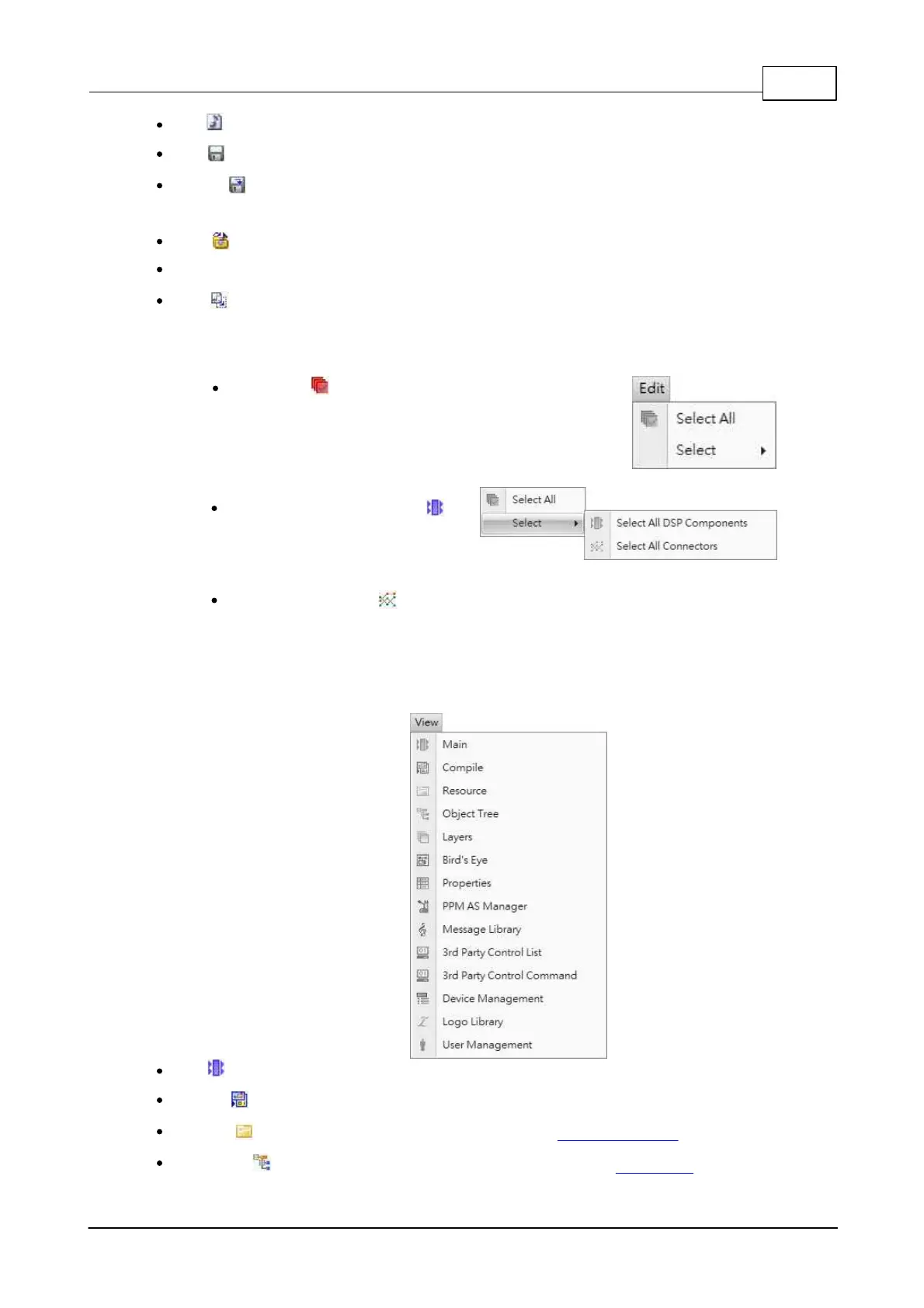
New : Opens a new blank project.
Save : Saves the current file you are currently working with.
Save As : Opens the “Save as…” dialog box to save the current working project with a different
name and/or path.
Open : Opens the “Open...” dialog box which allows you to select a path and open a saved file.
Recent Files: Quick access to the last opened file.
Close : Close the opened files.
4.1.5 Edit
Select All : Select all the
components and wiring pins.
Select All DSP Components :
Select all DSP components in the
graphic editor.
Select All Connectors : Select
all wiring pins in the graphic
editor.
4.1.6 View
Main : Contain various devices and DSP components for system designing.
Compile : Compile the current configuration.
Resource : To manage resource files in the software. See [Resource Manager] chapter.
Object Tree : To see the whole structure of configuration file. See [Object Tree] chapter.


 To Next Page