ATI Series D12 Toxic Gas Transmitter with H10 Smart Sensor
Revision N (7/15) 29
OPERATION
OPERATOR INTERFACE
Interface Panel
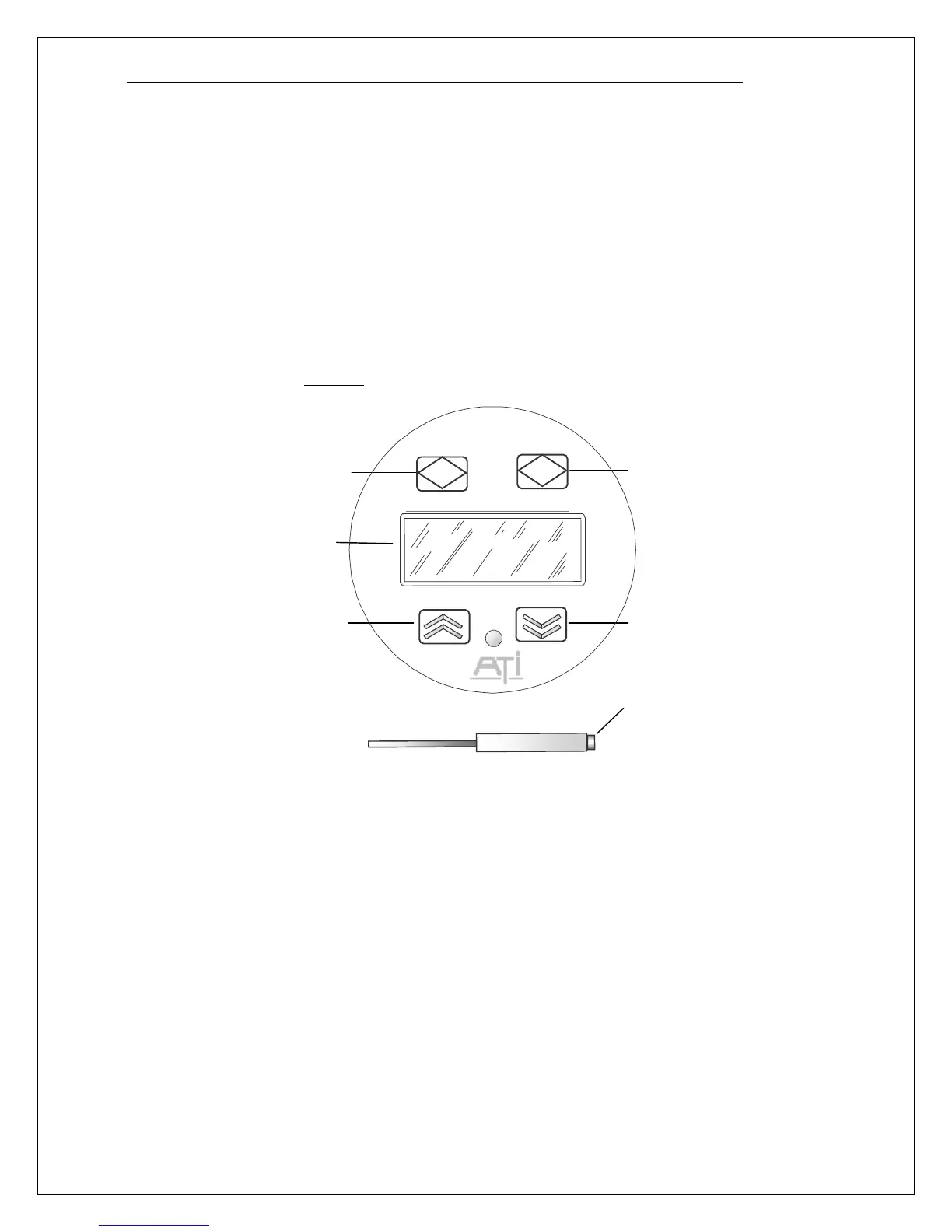
The D12 operator interface is non-intrusive, so you do not have to remove the housing cover to view
the display, configure the transmitter, or calibrate the sensor. It features a backlighted*, 96x32 dot
LCD display, and four “keys”. The keys are implemented as four magnetic switches, each centered
below a graphic icon, and activated when a magnet is held approximately ¼” above the icon. The
transmitter is provided with a powerful, magnetic-screwdriver, designed specifically for activating the
switches through the housing’s thick, glass window. Throughout this manual, activating keys in this
manner is referred to as, “touching” the keys, even though it is not necessary to make physical contact.
Figure 24. Operator interface panel
The operator interface is organized into pages that consist mostly of text objects representing readings,
indicators, variables, functions, and links to other pages. Navigating the pages of objects is simplified
through the use of a “point-and-click” interface, using an arrow cursor that may be moved from one
object to the next by “touching” the up or down key. While the cursor is “pointing” at an object,
touching the magnet to the Enter key is said to “select” the object, and the action performed depends on
the type of object. If the object is a function, the Enter key executes the function. If a variable is
selected for editing, the Up and Down keys change its value, and the Enter key saves it. Touching the
Esc key aborts the edit and restores the previous value. If not executing a function, or editing a
variable, touching the Esc key returns to the previous page.
(* back-lighting available in 3- or 4-wire mode, only)
Enter Key
(Magnetic Switch)
Down Key
(Magnetic Switch)
Up Key
(Magnetic Switch)
Escape Key
(Magnetic Switch)
LCD Display
Special Tool
(Magnetic-Screwdriver)
D12 GAS TRANSMITTER



 To Next Page