ATI Series D12 Toxic Gas Transmitter with H10 Smart Sensor
Revision N (7/15) 78
Example: Charting a Data Log Report
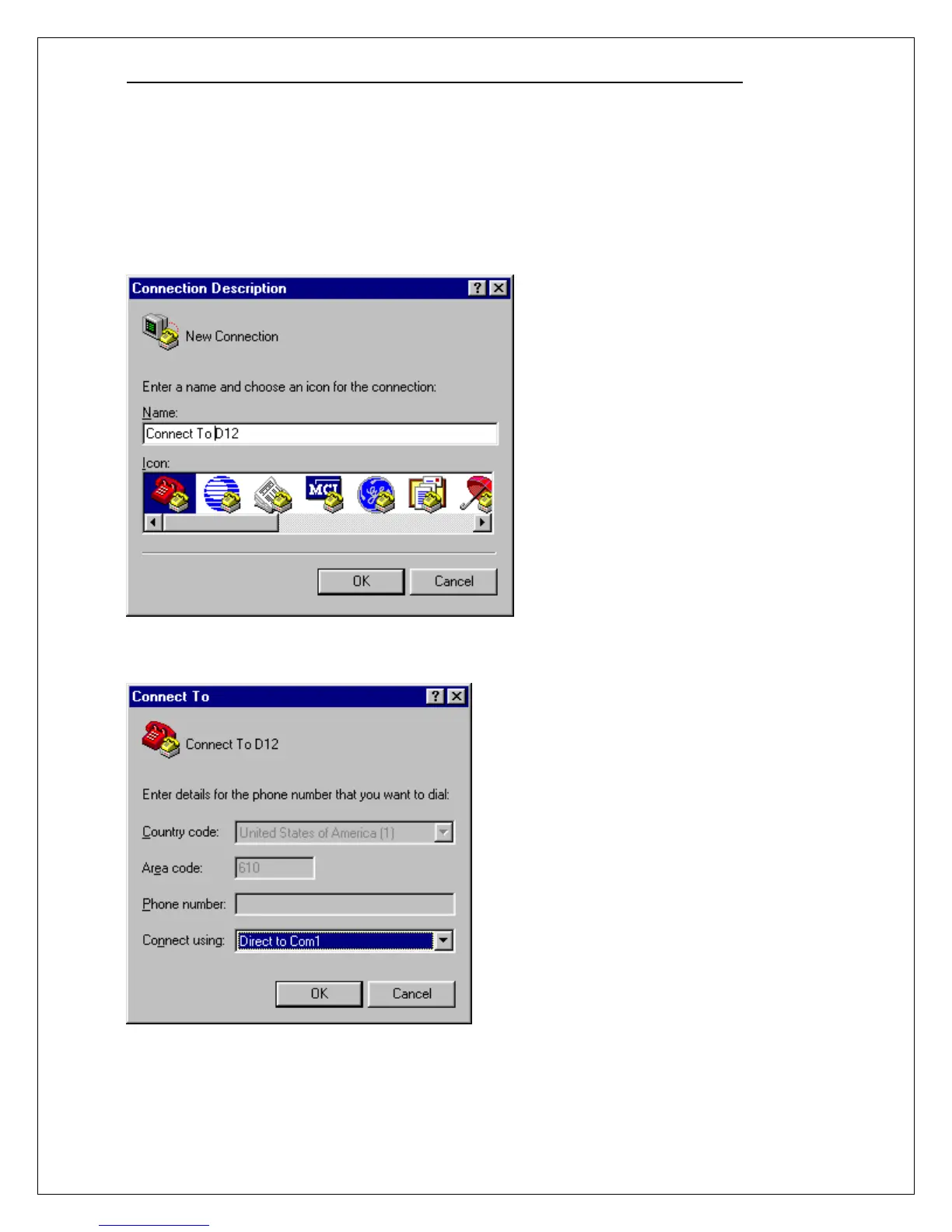
Start HyperTerminal by clicking Start, pointing to Programs, pointing to Accessories, pointing to
Communications, clicking HyperTerminal, and then double-clicking Hypertrm.exe.
When the Connection Description dialog box appears, type in Connect To D12. If you wish, choose
an icon by sliding the horizontal scroll bar over and clicking one of the selections. Click OK when
ready.
When the Connect To dialog appears, set Connect using: to Direct to Com1 (or Direct to Com2 if
you are using COM2) and click OK.



 To Next Page