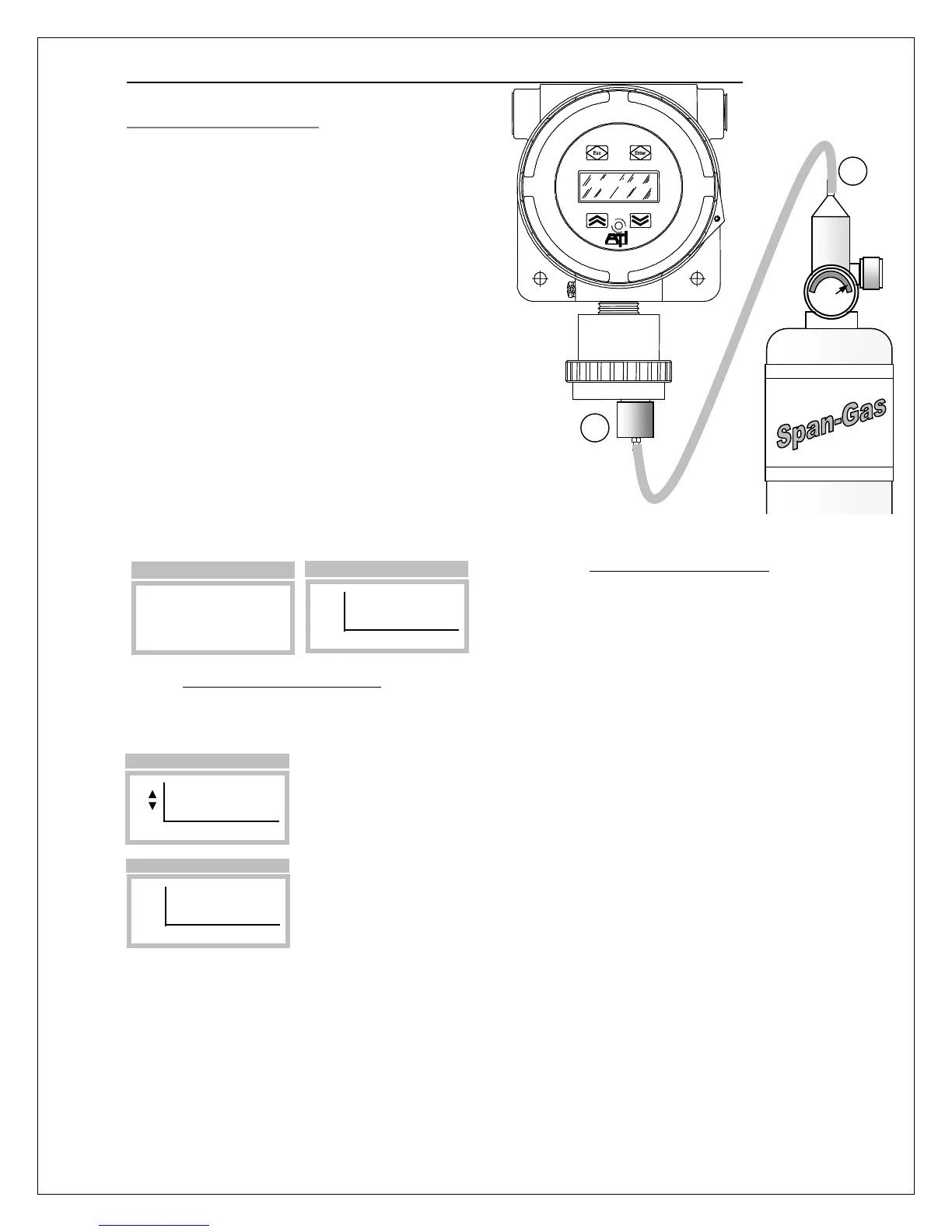
ATI Series D12 Toxic Gas Transmitter with H10 Smart Sensor
Revision N (7/15) 40
Span Calibration Procedure
Span calibration* requires a bottled “span-gas” with a
500 cc/min regulator, calibration adapter, and a
convenient length of ¼” tubing. The gas type and
concentration used depends on the type of sensor
installed. Check with the factory if you are uncertain
about which gas to use.
Referring to Figure 36, slip the calibration adapter
onto the exposed end of the sensor and connect one
end of the tubing (1), connect the other end of tubing
to the cylinder’s regulator (2). Do not open the gas
valve until instructed below.
* Perform the Zero calibration prior to the Span
calibration.
From the Main Display, select Menu, then
Span_Sensor, as shown in Figure 37. This will clear
and inhibit alarms at the transmitter, and hold the
current loop output at 4mA (17.4mA for Oxygen
sensors).
Figure 36 Span calibration
Figure 37. Span_Sensor page
Open the regulator and allow span gas to flow to the sensor. The displayed reading should begin to
increase, and stabilize after 5 to 10 minutes, depending on the gas type and range of the sensor.
Select Span, the concentration reading will become fixed, and the blinking
Up/Dn edit cursor will appear just to the left of the reading. Touch the Up or
Down key to correct the reading to match the known concentration of gas,
then touch Enter.
The ‘Cal’ message will appear briefly at the bottom of the page. The
procedure may be cancelled by selecting Undo. The Undo function is only
possible while remaining on the Span_Sensor page. Leaving the page will
disable the possibility of canceling the span calibration.
Touch the Escape key twice to leave the Span_Sensor page and return to the Main page. Disconnect
the calibration adapter from the sensor and permit the readings to return to zero. By default, alarms will
remain inhibited and the current loop fixed for 15 more minutes (the default value). Once the reading is
below any of the alarm set points, you may terminate the alarm inhibit (and fixed loop output) using the
Esc key on the Main Display, see Esc Key Operation (Main Display Page).
Zero_Sensor
►Span_Sensor
View_Log
Setup
>Menu
PPM
H2S
►Span Undo
>Span Sensor
PPM
H2S
►Span Undo
>Span Sensor
PPM
H2S
►Span Cal Undo
1
2
D12 GAS TRANSMITTER



 To Next Page