ATI Series D12 Toxic Gas Transmitter with H10 Smart Sensor
Revision N (7/15) 49
ALARMS and RELAYS
Three gas concentration alarms and one fault alarm are standard in the D12 transmitter. Alarm status
flags appear on the Main Display, and status is available over the optional serial interface. Alarms may
be assigned to activate one or more of three optional relays (see Alarm Relays).
Gas Concentration Alarms
The gas alarms are labeled, Caution, Warning, and Alarm, and although not strictly enforced, Alarm
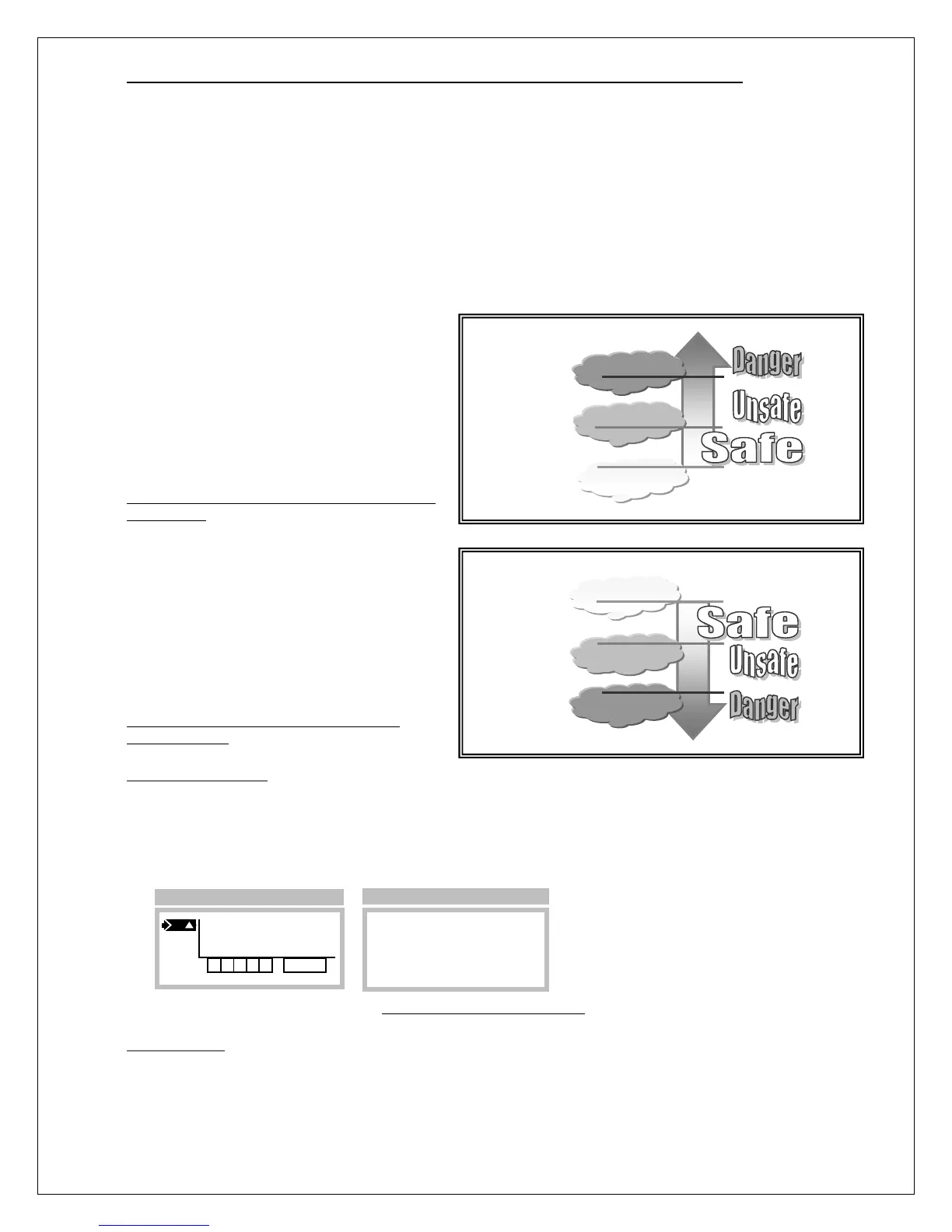
usually has the highest priority, followed by Warning and Caution. Figure 43 depicts the default
relationship between each alarm.
For toxic gas sensors, the typical default
setting for the Warning alarm is the TLV
(threshold limit value) of the target gas.
Alarm is usually set to 2 or 3 times higher
than the TLV, and Caution is typically used to
alarm on negative drift of –10% range or
more (a fault alarm occurs if the reading drifts
to –20% range, or below).
Figure 43. Default alarm relationships for toxic
gas sensors.
Normal atmospheric oxygen is 20.9%.
Oxygen sensor alarms default to: Warning
19.5%, Alarm 16%, and Caution 23%. Note
that Caution is used to trap positive sensor
drift.
Figure 44. Default alarm relationships for
oxygen sensors
Manual Alarm Reset
Alarms programmed for manual reset (see below) are held active, or latched, even after alarm
conditions have subsided, and are reset by selecting the respective flag (A,W, or C) on the Main
Display page. The Alarm Reset page appears and displays the date and time of the alarm. If alarm
conditions have subsided, you may reset just the selected alarm (Reset), or all alarms (ResetAll). A link
to the Alarm Inhibit page is provided for convenience.
Figure 45. Manual alarm reset
Remote Reset
Grounding the “Remote Reset” input (see Figure 8) resets all latched alarms, if the respective alarm
conditions have subsided.
(Caution)
Warning
Alarm
Highest level
alarm
(most dangerous)
Lowest level
alarm
O
2
(Caution)
Warning
Alarm
Highest level
alarm
(most dangerous)
Lowest level
alarm
(least dangerous)
Main Display
PPM
H2S
Date=09/26/06
Time=18:11
►Reset ResetAll
Inhibit_Alarms
>A▲



 To Next Page