ATI Series D12 Toxic Gas Transmitter with H10 Smart Sensor
Revision N (7/15) 79
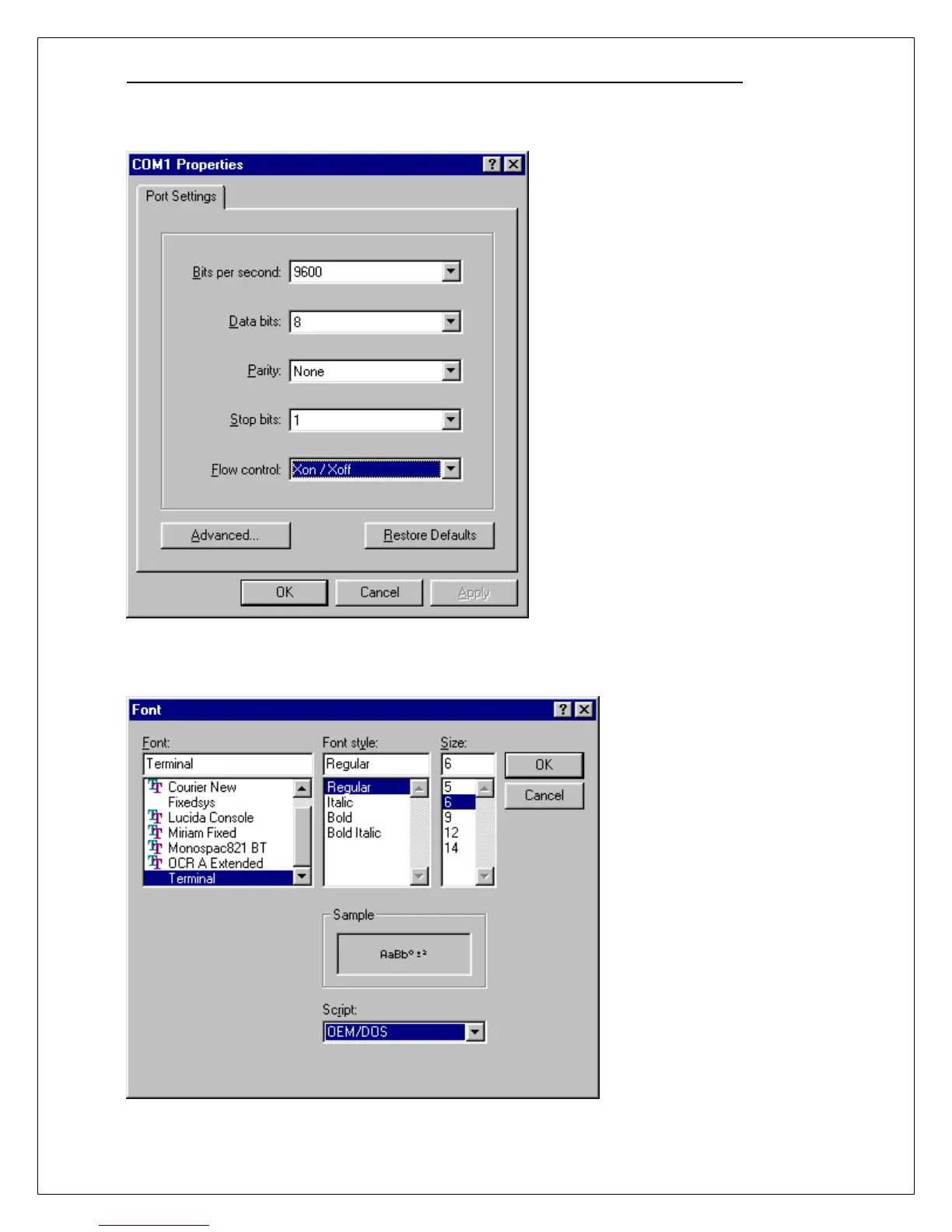
When the COM1 Properties dialog box appears, configure the Port Settings as shown below and click
OK.
Click View, then click Font and configure the font settings as shown. This will insure that the data is
presented in the terminal window without wrapping from line to line. You may need to experiment with
these settings to obtain an acceptable presentation in the terminal window.
Click OK when finished.



 To Next Page