ATI Series D12 Toxic Gas Transmitter with H10 Smart Sensor
Revision N (7/15) 80
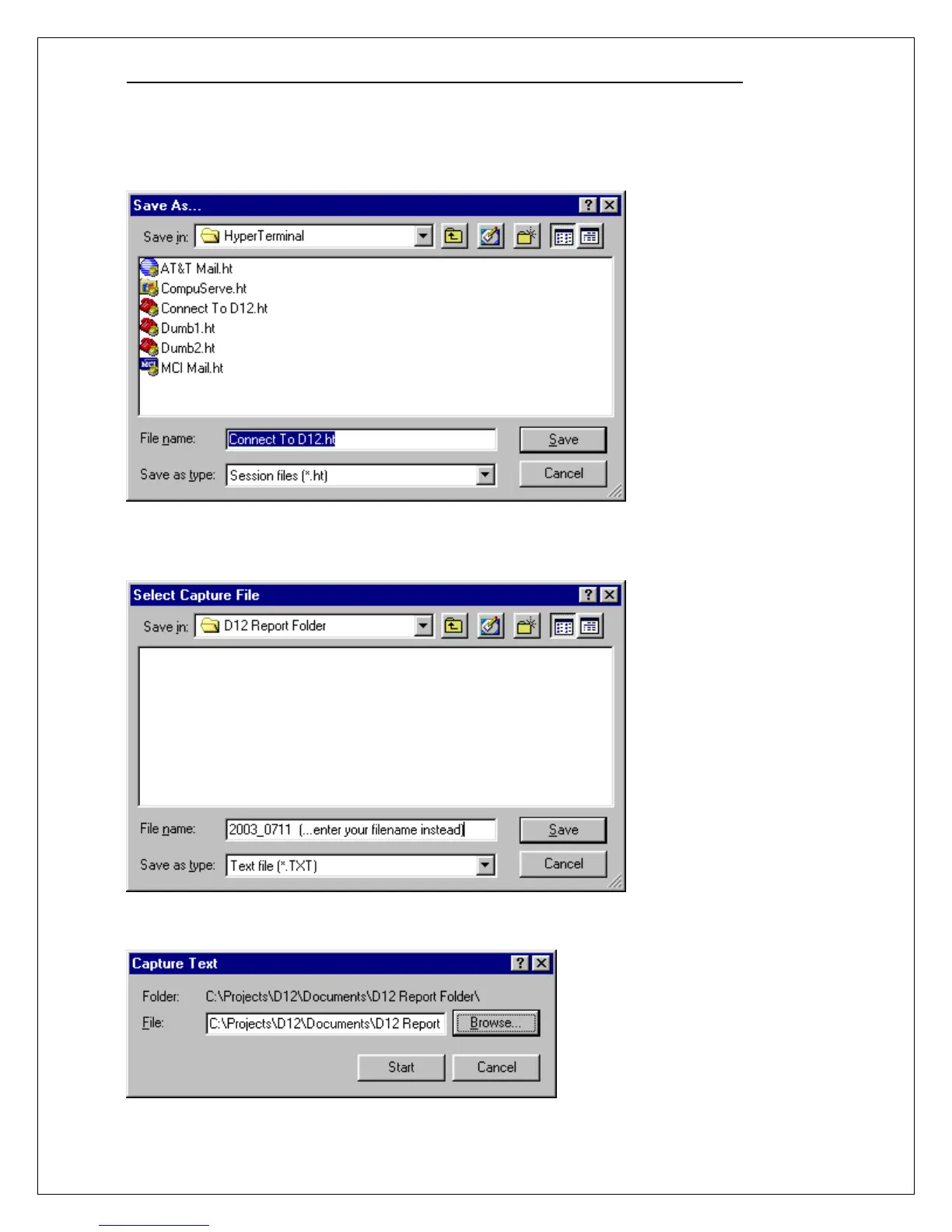
Click File, then click Save As, and click the Save button to store the settings as a HyperTerminal
session file named Connect To D12.ht (the filename should automatically appear). You may later place
this file on your desktop and simply click it to get this point automatically.
In order to chart the report data, it must be “captured” in a file and given a name. Click Transfer on
the menu bar, click Capture Text, and then click the Browse button. Navigate to a folder and type the
name of a file to store the report in (or choose an existing file to append the new report).
Click the Save button to return to the Capture Text dialog box.When the Capture Text dialog box
reappears, click the Start button.



 To Next Page