F/T DAQ Installation and Operation Manual
Document #9610-05-1017-06
ATI Industrial Automation, 1031 Goodworth Drive, Apex, NC 27539 USA +1-919-772-0115 www.ati-ia.com
5
Quick Start
Perform the following steps to get your system installed and running on your Windows
computer
system.
Installing Data Acquisition Card
1. Install the National Instruments data acquisition hardware and software following the
instructions included with the National Instruments product. When finished you should have
installed the data acquisition hardware and the program Measurement & Automation (MAX).
Installing ATI Software
2. Place the ATI Industrial Automation CD in your computer. The installation program should
start automatically. If it does not start automatically you will need to run SETUP.EXE found in
the root directory of the CD. Follow the installation instructions given by the program. This
software is for Windows
95 and later Windows
operating systems.
3. View the README.TXT file found in the root directory of the CD.
4. Copy your transducer’s calibration file from the CD directory Calibration to the ATI DAQ FT
directory on your computer (this directory was created when you installed the software). The
calibration file name is based on the transducer’s serial number and is in the format
FTxxxx.CAL.
Connecting Transducer Hardware
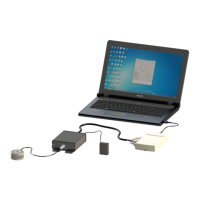
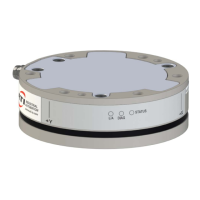
5. Connect the transducer to the Power Supply Box or Interface Box/Power Supply with the
appropriate cable.
6. Connect the Power Supply Box or Power Supply/Interface Box to the data acquisition
hardware using the supplied cable.
7. Run the demo program found in the Start menu under Programs/ATI DAQ FT/ATI DAQ FT
Demo.
8. Click on the menu File, then Open Calibration. Find the calibration data file you saved earlier
and click the Open button.. Select the file with the name similar to FTxxxx.CAL and click on
the Open button.
9. You can find program samples in the CD directory SAMPLES.
Please contact ATI for any information you may need for installation and configuration of your new
system.
CAUTION: Each transducer has a maximum measurement range and a
maximum overload capacity. Exceeding the transducer’s overload capacity
can cause permanent damage. Smaller transducers have lower overload
capacities. Torque in X and Y are usually the easiest axes to accidentally
overload.
!



 To Next Page