Parts Identification
18
2-2.
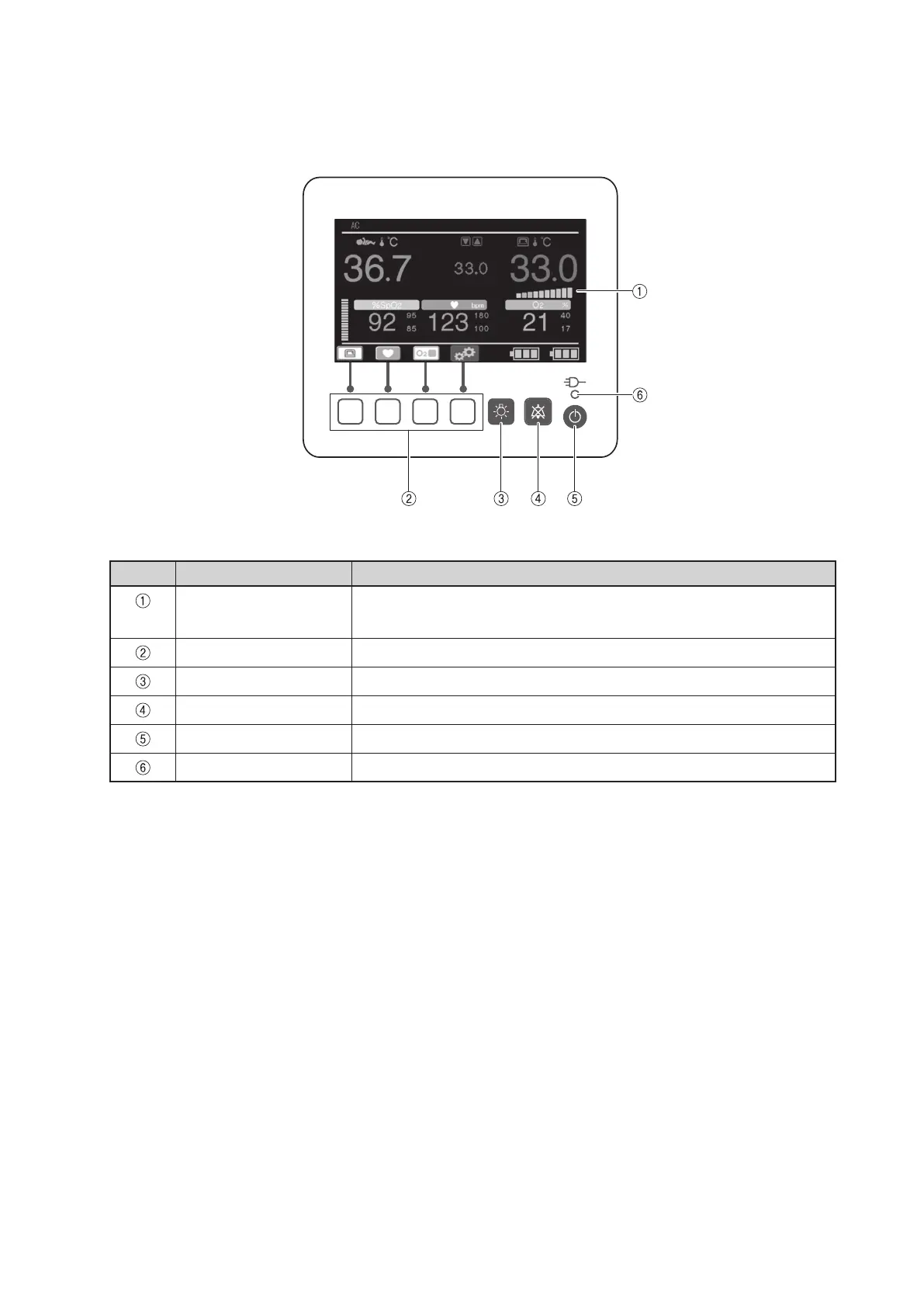
Operation panel
No. Name Description
Display area Displays skin temperature, set temperature, SpO
2
, pulse rate, oxygen
concentration, etc.
Control switches Used to switch display screens or to specify various settings.
Light switch Used to turn the light ON or OFF or to change brightness.
Alarm silence switch Used to silence alarms.
Power switch Used to turn the power ON or OFF.
AC power indicator Lights up when the power cord is connected to an AC outlet.



 To Next Page