Other Operation Procedures
68
9-1-9.
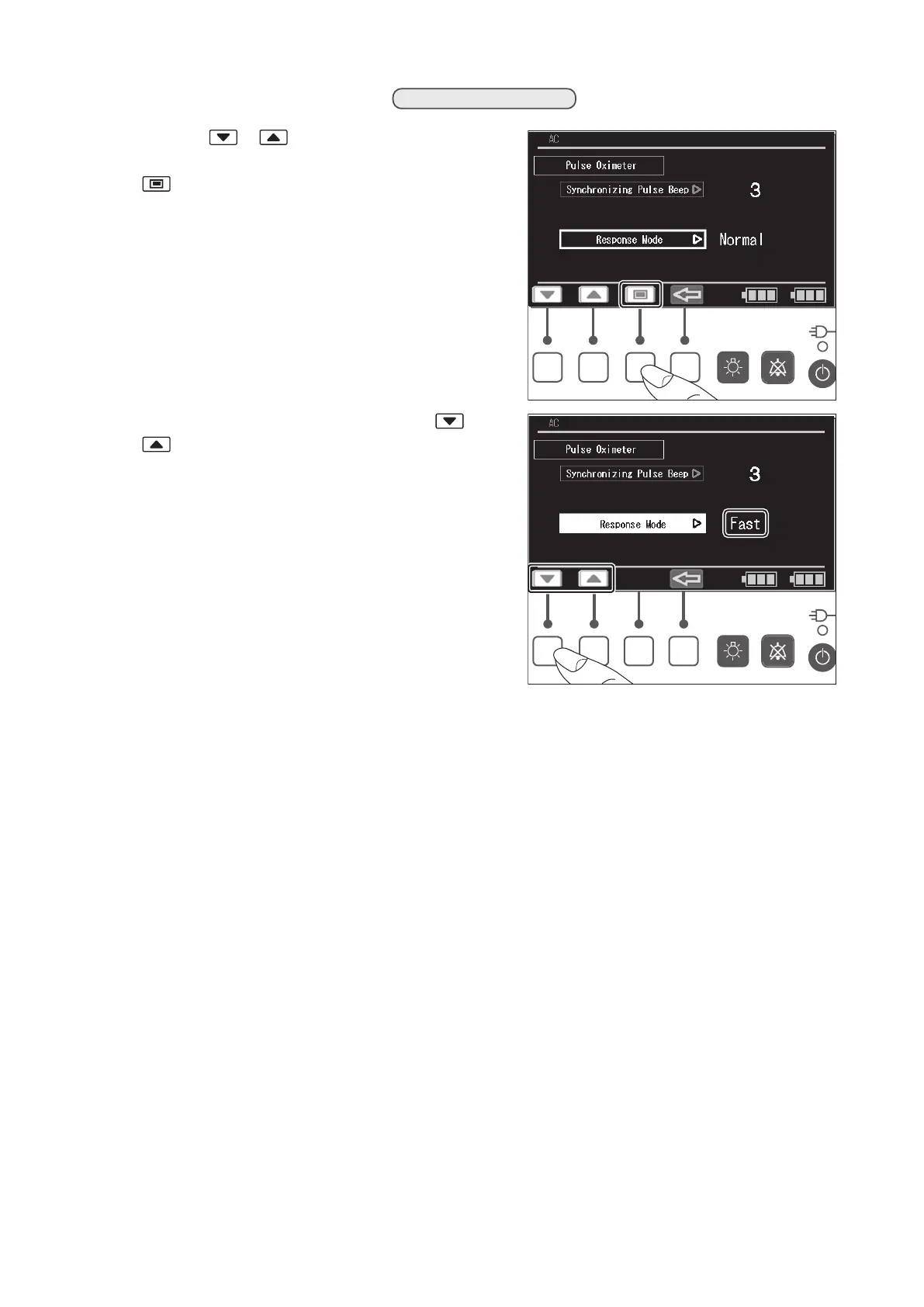
Setting the Response Mode
(1) Press the or switch to place the cursor on
the [Response Mode] menu, and then press the
switch. The menu is then highlighted.
(2) While the menu is highlighted, press the or
switch to select either [Normal] or [Fast] as
the response mode.
✽
✽ OxiMax™ Algorithm
The advanced signal processing of the OxiMax algorithm automatically extends the amount of data
required for measuring SpO2 and pulse rate depending on the measurement conditions.
During normal measurement conditions in the Normal Mode, the SpO2 averaging time is six (6) to
seven (7) seconds or approximately three (3) seconds in Fast Mode.
Equivalently, the typical pulse rate averaging time is approximately five seconds, independent of
response mode.
The OxiMax algorithm automatically extends the dynamic averaging time required beyond seven
(7) seconds during degraded or difficult measurement conditions caused by low perfusion, signal
artifact, ambient light, electrocautery, other interference, or a combination of these factors, which
results in an increase in the dynamic averaging beyond the minimum as set by the response mode.
If the resulting dynamic averaging time exceeds 20 seconds for SpO2, the algorithm sets the pulse
search bit while continuing to update SpO2 and Pulse Rate values every second.
As such measurement conditions extend, the amount of data required may continue to increase.
If the dynamic averaging time reaches 40 seconds, and/or 50 seconds for pulse rate, a low priority
alarm state results: the algorithm sets the Pulse Timeout bit and the module reports a zero satura-
tion indicating a loss-of-pulse condition which should result in an audible alarm.



 To Next Page