OPERATION
Other Operation Procedures
65
9-1-6.
Setting the Sensitivity Mode
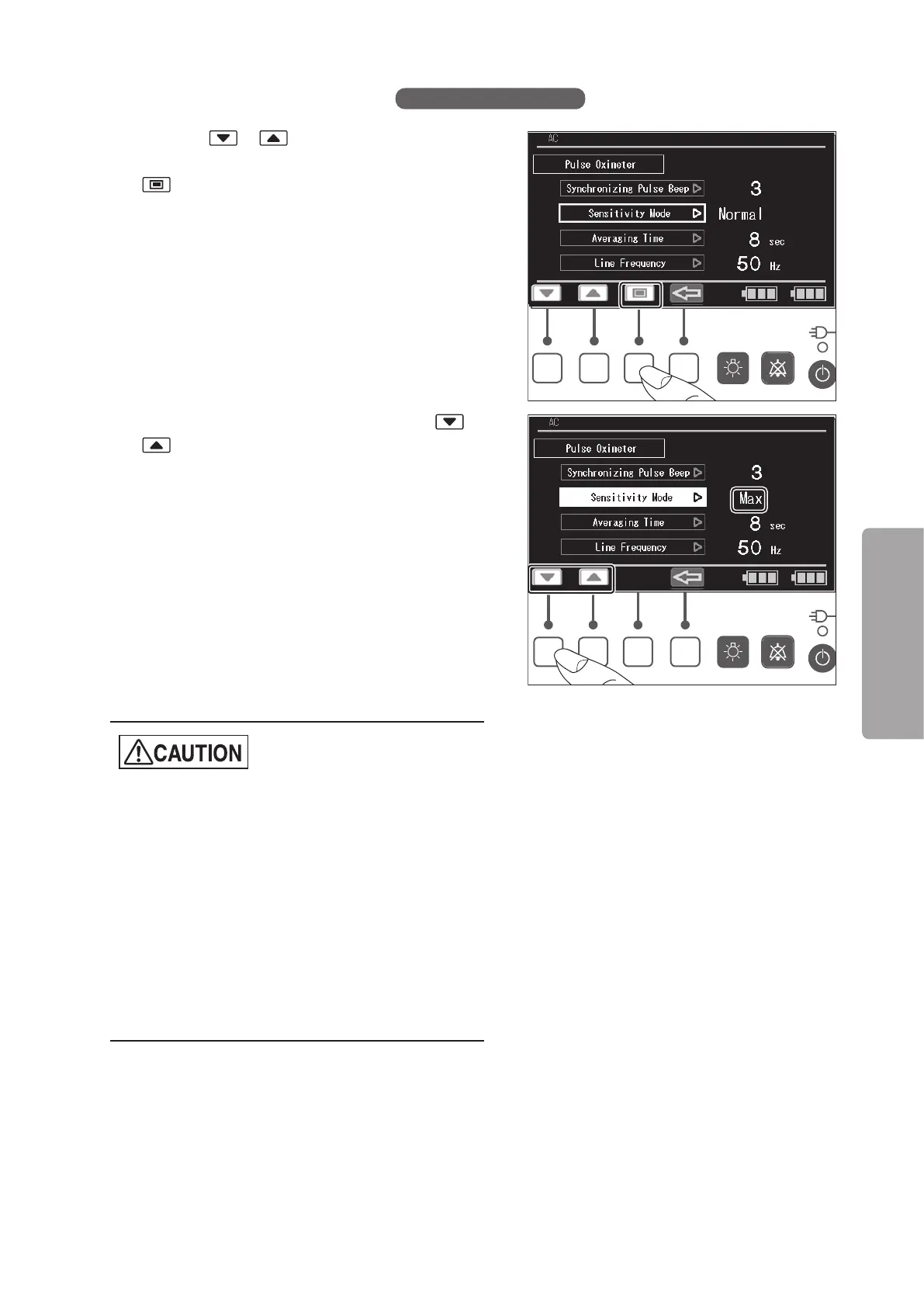
(1) Press the or switch to place the cursor on
the [Sensitivity Mode] menu, and then press the
switch. The menu is then highlighted.
(2) While the menu is highlighted, press the or
switch to select the desired sensitivity mode.
[Normal] is appropriate for monitoring average in-
fants.
[APOD] is appropriate for monitoring infants who
are active and where there is a risk of the
sensor becoming detached.
Selecting [APOD] enhances sensor-off de-
tection performance.
[Max] is appropriate for characteristic improve-
ment against low perfusion. Selecting [Max]
will result in reduced sensor-off detection
performance accuracy.
z
When the sensitivity mode is set to “Max”, the
pulse oximeter becomes susceptible to outside
light and the accuracy of SpO
2
measurements
and accuracy of sensor-off detection may be re-
duced. Whenever the sensitivity mode is set to
“Max”, the patient must be accompanied by a
physician or medical staff.
z
The Max sensitivity setting will not be stored in
the unit.
After a power off and on cycle, the sensitivity will
change from the “Max” to “Normal”.



 To Next Page