Setting the Incubator Temperature and Placing the Infant in the Incubator
41
OPERATION
[6] Setting the Incubator Temperature and Placing the
Infant in the Incubator
6-1.
Setting the Incubator Temperature
Be sure to set the incubator temperature according to orders from a doctor.
Practice and master the operation procedure before placing the infant in the incubator, and
conduct temperature tests while the unit is empty to check that it operates normally.
While the infant is in the incubator, check the heater output, incubator temperature, oxygen
concentration, and the like, and constantly monitor the infant for abnormalities.
Check that the air inlets and outlets are not covered or blocked with obstacles such as diapers
or gauze.
Failure to do so will prevent correct control of the incubator temperature and may affect the in-
fant's skin temperature or damage the main body. (see p.45)
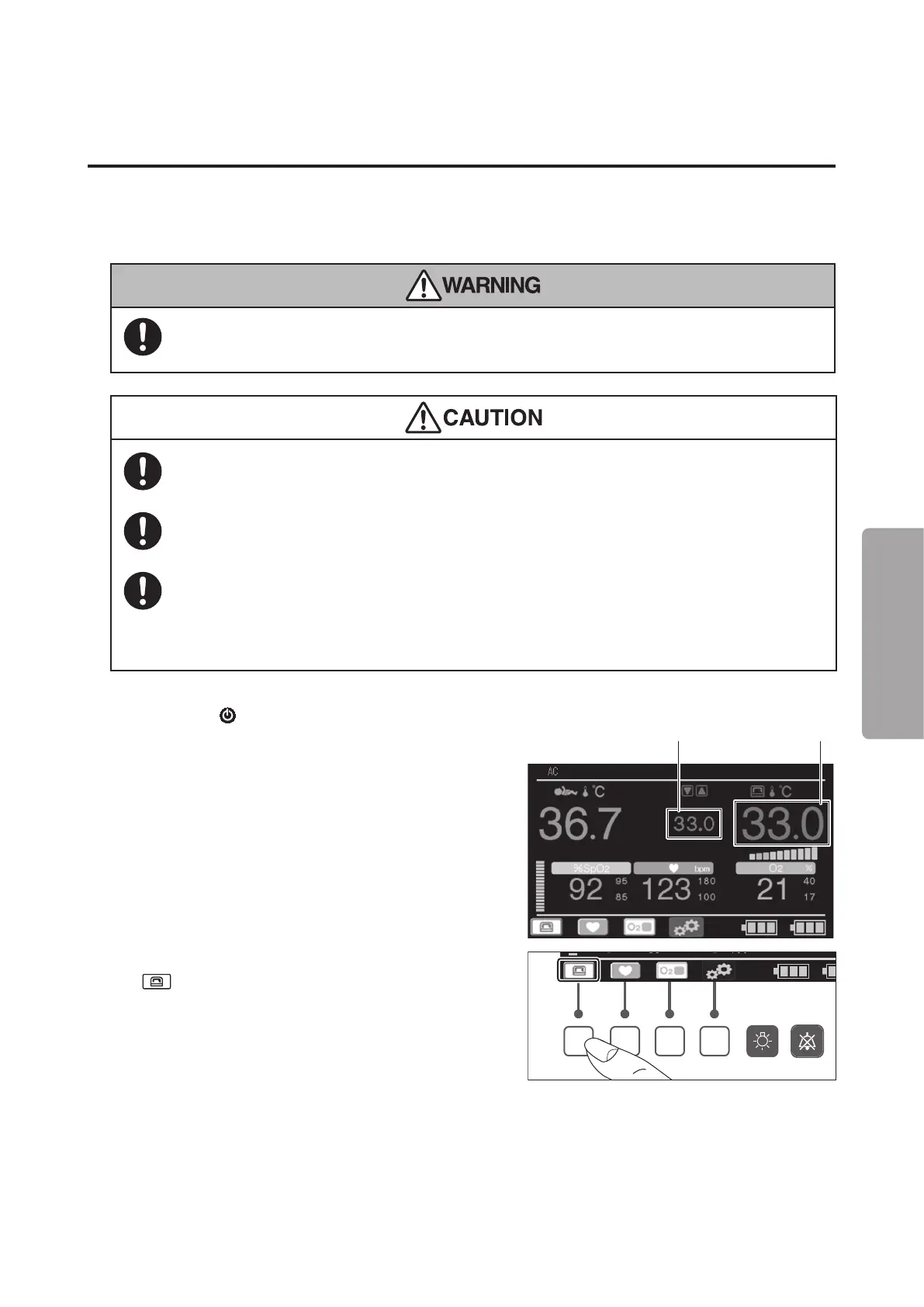
(1) Press the
switch to turn the power on and
check that the incubator temperature and set tem-
perature are displayed.
The incubator temperature is displayed in the
range of 20.0-42.0°C in 0.1°C increments. “LOW”
is displayed if it is below 20.0°C; “HIGH” is dis-
played if it is above 42.0°C.
The temperature can be set in the range of 23.0-
38.0°C in 0.1°C increments.
Set temperature
Incubator air
temperature
(2) To change the incubator temperature, press the
switch.
The control switch indication switches and the set
temperature is highlighted.



 To Next Page