PREPARATION
Power requirements
27
4-3.
Using the Built-in Battery Power Supply
If the unit is operated from the built-in battery power supply, the built-in batteries will be rapidly
degraded. The unit should be operated using the built-in batteries only when an AC source
(AC100-240V) or an external DC source (DC12V/24V) is not available. Operate the unit using
an AC source whenever possible.
The IncuArch is a transport infant incubator that can operate on built-in batteries. With fully
charged non-degraded batteries, the unit operates for approximately 180 minutes after the in-
cubator temperature has been stabilized under conditions in which the incubator temperature
is 36°C and ambient temperature is 15°C.
Periodically at least once a year check the built-in batteries for degradation. To check it, fully
charge the batteries (for 10 or more hours) and measure the operating hours. If the batteries
are not degraded, the unit operates for approximately 180 minutes. If hours of continuous oper-
ation is less than 90 minutes, be sure to replace. (The incubator temperture is set to 36°C, and
the ambient temperture is 15°C.)
After the unit has been operating from the built-in batteries,recharge them regardless of the
length of time the unit was operated. The built-in batteries do self-discharge when left unused
and stored for a long period of time even if they are fully charged. Recharge them on a regular
basis (about once every three months).
If the battery stays in a state of full charge for a long period of time, the battery may deteriorate
faster. Periodically (approximately once a year) operate the unit with the battery mode to con-
sume power until the low battery alarm occurs.
When two batteries are used for the unit, battery 2 may stay in the fully charged state and de-
teriorate faster depending on how the unit is operated. Switch the position of battery 1 and bat-
tery 2 during periodic inspections, or periodically (approximately once a year) operate the unit
with the battery mode to consume power until the low battery alarm occurs.
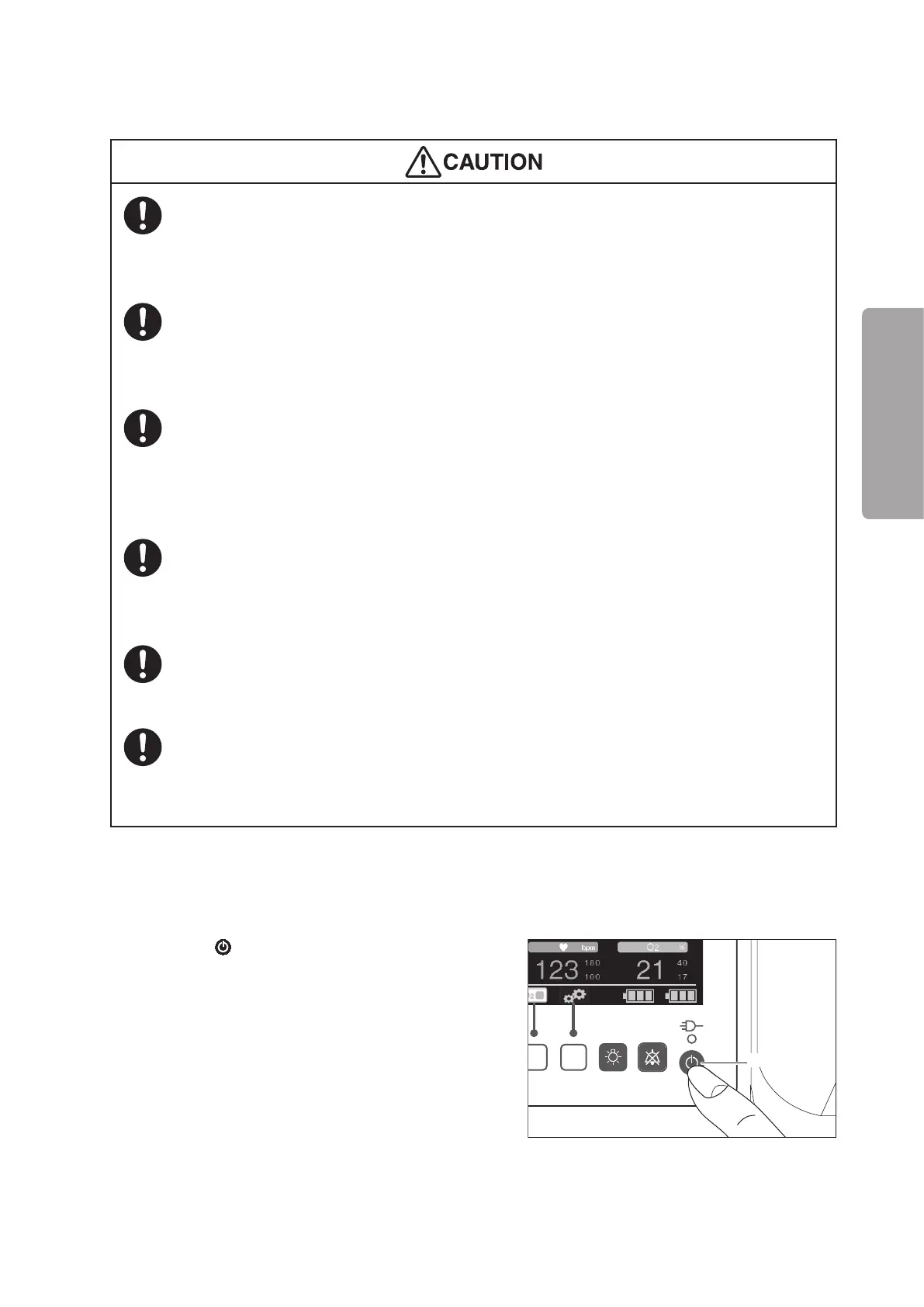
(1) Make sure that the unit is not connected to either
an AC power source or an external DC power
source (DC12 or 24V).
(2) Press the
switch on the control panel to turn
the power on. Power is supplied and the unit be-
gins operating.
Power switch



 To Next Page