OPERATION
Other Operation Procedures
61
9-1-2.
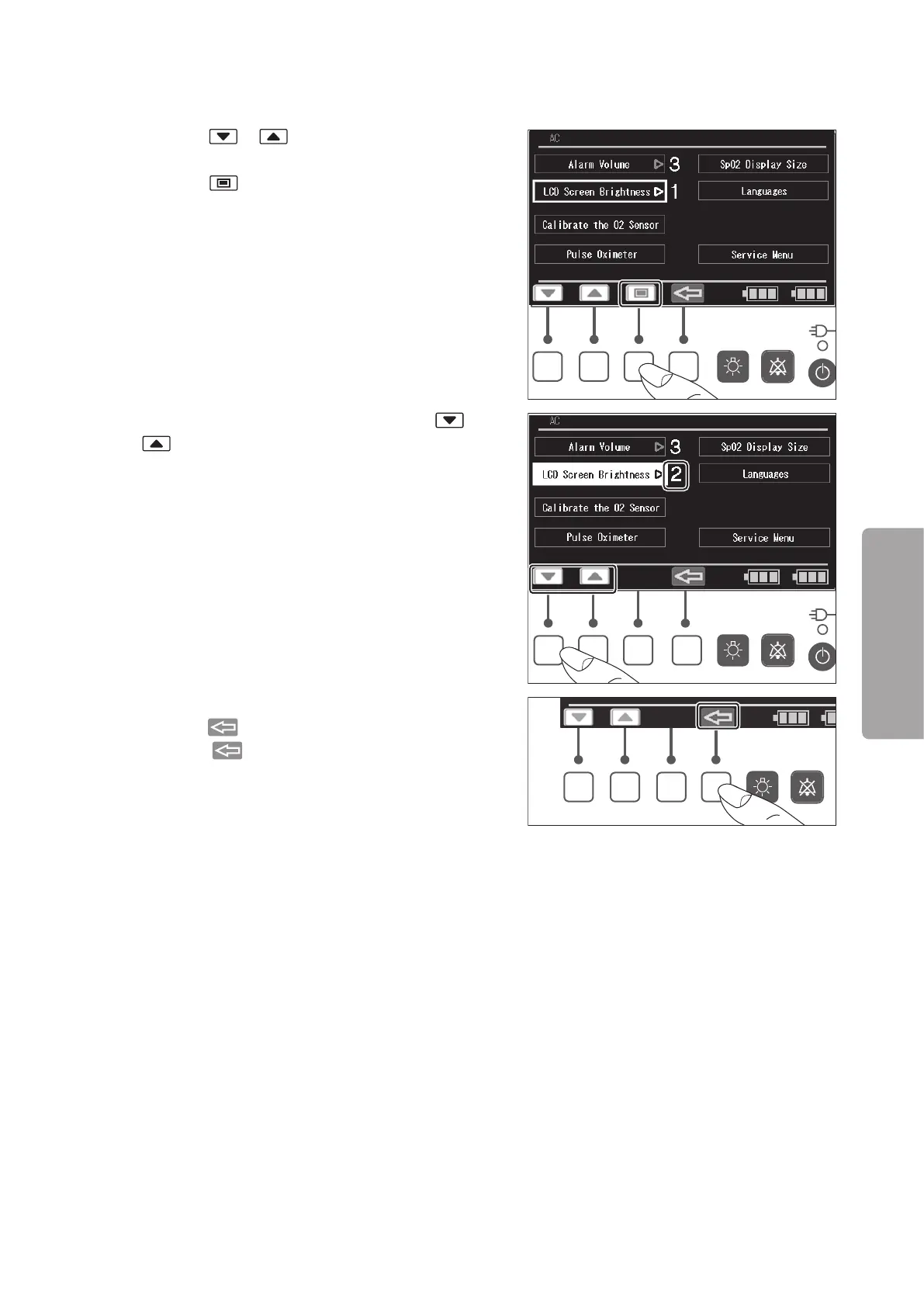
Setting the LCD Screen Brightness
(1) Press the or switch to place the cursor on
the [LCD Screen Brightness] menu, and then
press the switch. The menu is then highlight-
ed.
(2) While the menu is highlighted, press the or
switch to set the LCD screen brightness in the
range of 1-4. The larger the number, the brighter
the screen.
(3) The screen returns to the cursor control screen
when the switch is pressed.
Press the switch again to return to the main
screen.



 To Next Page