Other Operation Procedures
64
9-1-5.
Setting the Synchronizing Pulse Beep Volume
and
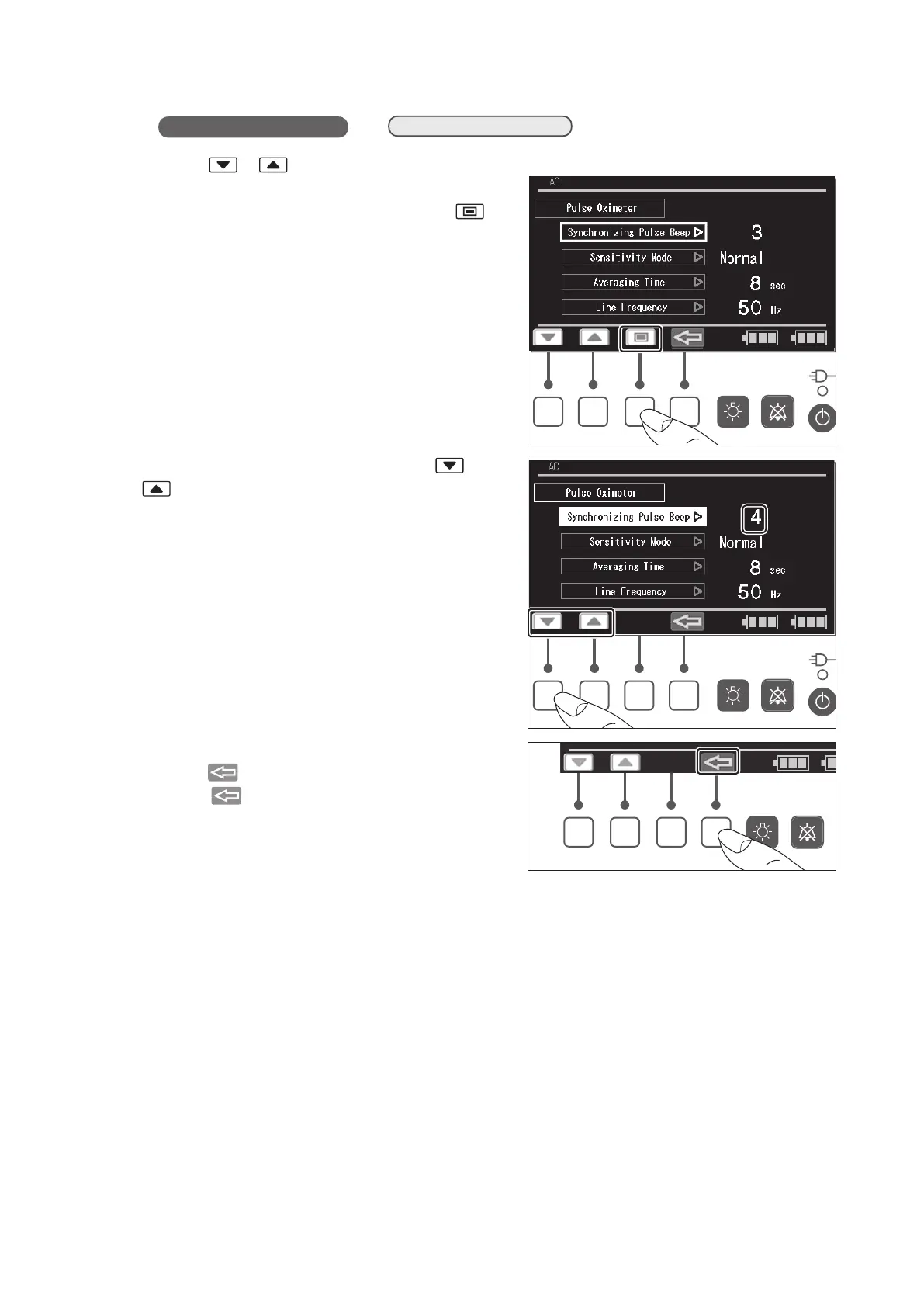
(1) Press the or switch on the pulse oximeter
setting screen to place the cursor on the [Synchro-
nizing Pulse Beep] menu, and then press the
switch. The menu is then highlighted.
✽
The screen is for a Masimo pulse oximeter.
(2) While the menu is highlighted, press the or
switch to set the synchronizing pulse beep
volume level in the range of 0 (OFF)-7. The larger
the number, the louder the sound.
✽ The pitch of the synchronizing pulse beep
changes as the SpO
2
value raise or fall.
(3) The screen returns to the cursor control screen
when the switch is pressed.
Press the switch again to return to the menu
screen.



 To Next Page