MAINTENANCE
Maintenance and Inspection
83
11-4.
Replacing the Oxygen Sensor
As part of a daily inspection routine, check the oxygen sensor for any signs of deterioration or
leaking liquid. If any cracks are found on the external surface, replace it immediately with a
new one.
The oxygen sensor is a sealed device containing a potassium hydroxide electrolyte. The elec-
trolyte may leak out if the sensor should be damaged when dropped, etc. If the electrolyte
should touch your skin or clothes, wash it away with copious amounts of water. If it should get
in your eye, wash your eye immediately with copious amounts of water and consult the doctor.
Dispose of a used oxygen sensor in accordance with the appropriate disposal procedure.
There are small holes in the bag containing the oxygen sensor. They are intended to prevent a
voltage defect which can occur during initial use if the oxygen sensor is contained in airtight
packaging. Thus there is no effect on the replacement period which Atom recommends for the
oxygen sensor.
If “Calibration Error” is displayed during 21% calibration, the oxygen sensor may be faulty. Re-
place it with a new one.
Wait at least one hour after attaching the oxygen sensor to the incubator before using it. The
electrolytes contained in the oxygen sensor are not equalized immediately after installation, so
sensor output is therefore unstable and an oxygen sensor alarm may occur.
Avoid direct sunlight and high temperature when storing the oxygen sensor.
Avoid imposing shocks on the oxygen sensors when replacing them.
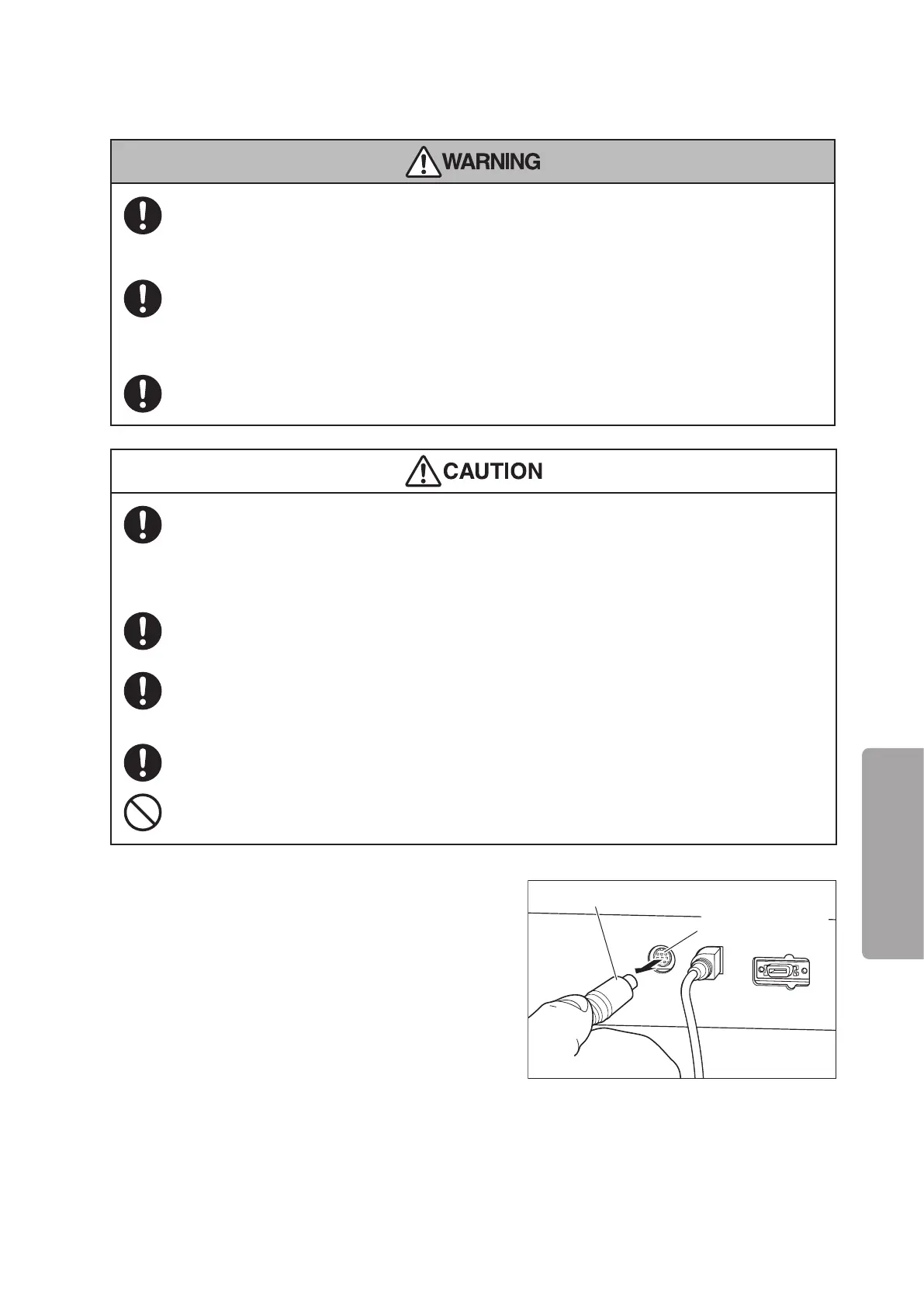
(1) Remove the plug of the oxygen sensor module ca-
ble from the oxygen sensor connection port on the
left side of the main body.
Oxygen sensor
connection port
Plug of oxygen sensor cable



 To Next Page