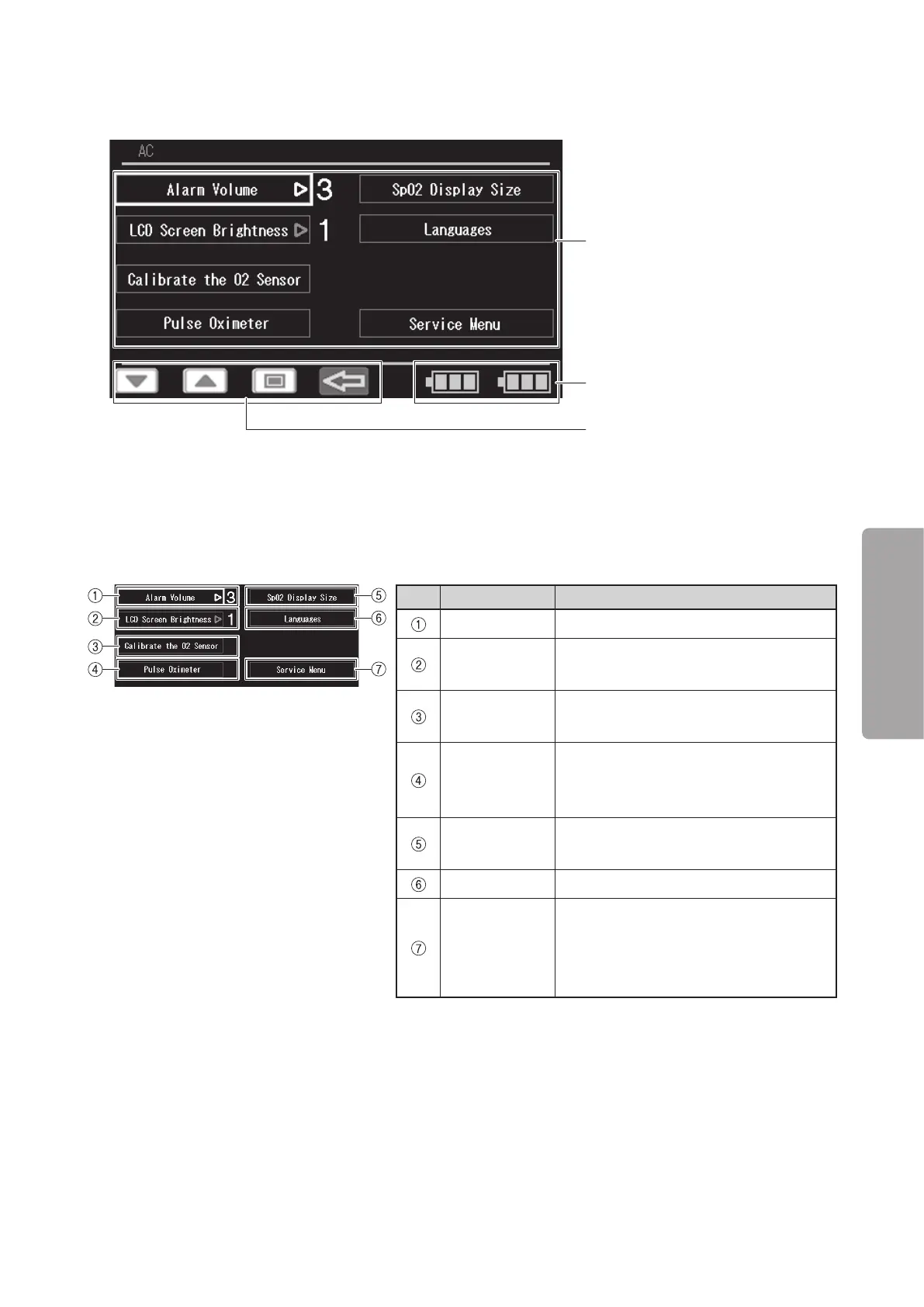
Display Screens
39
OPERATION
5-3.
Menu Screen
Menu area
(see p.39, 40)
Control switch display area
✽
(see p.37)
Battery status display area
✽
(see p.38)
✽ The battery status and control switch display areas are the same as those described in “5-2. Main
screen”. (Therefore the explanation is omitted.)
J
Menu area 1
This screen appears first when the menu screen is selected.
No. Menu Description
Alarm Volume Select this to set the alarm volume.
LCD Screen
Brightness
Select this to adjust the brightness of
the display.
Calibrate the
O
2
Sensor
Select this to proceed to the oxygen
sensor calibration procedure.
Pulse Oxim-
eter
Select this to change the view to menu
area 2 for advanced settings for the
pulse oximeter.
SpO
2
Display
Size
Select this to change the screen layout.
Languages Select this to change the language.
Service Menu
Select this to make further detailed set-
tings for the unit. For details of the op-
eration of this menu option, see the
Service Manual.



 To Next Page