Other Operation Procedures
60
9-1-1.
Setting the Alarm Volume
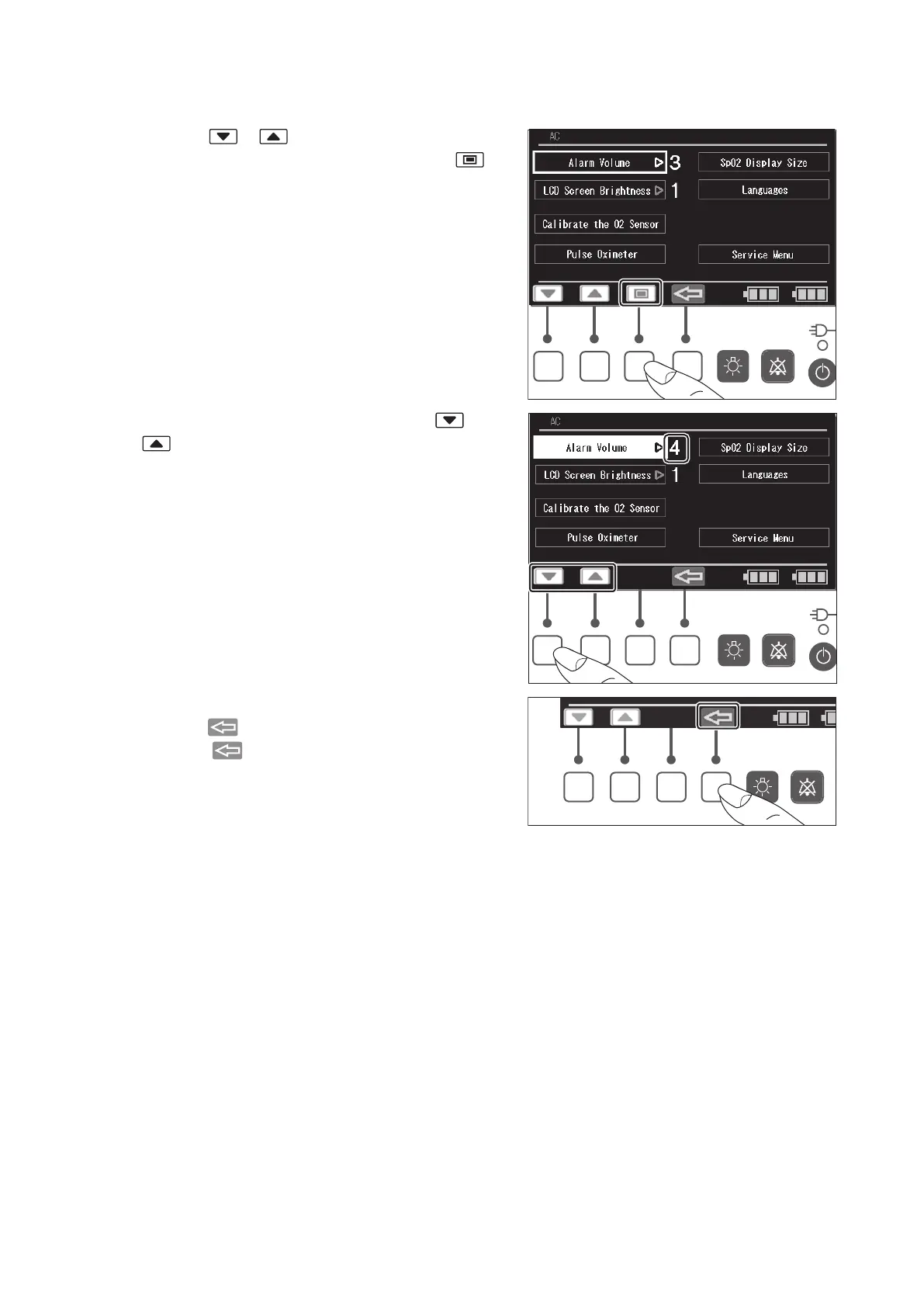
(1) Press the or switch to place the cursor on
the [Alarm Volume] menu, and then press the
switch. The menu is then highlighted.
(2) While the menu is highlighted, press the or
switch to set the alarm volume level in the
range of 1-7. The larger the number, the louder the
sound. (An alarm sound cannot be muted.)
The minimum alarm volume is 55-65dBA, and the
maximum alarm volume is 75-80dBA.
(3) The screen returns to the cursor control screen
when the switch is pressed.
Press the switch again to return to the main
screen.



 To Next Page