Pulse Oximeter
58
8-3-2.
Setting Pulse Rate Upper/Lower Alarm Limits
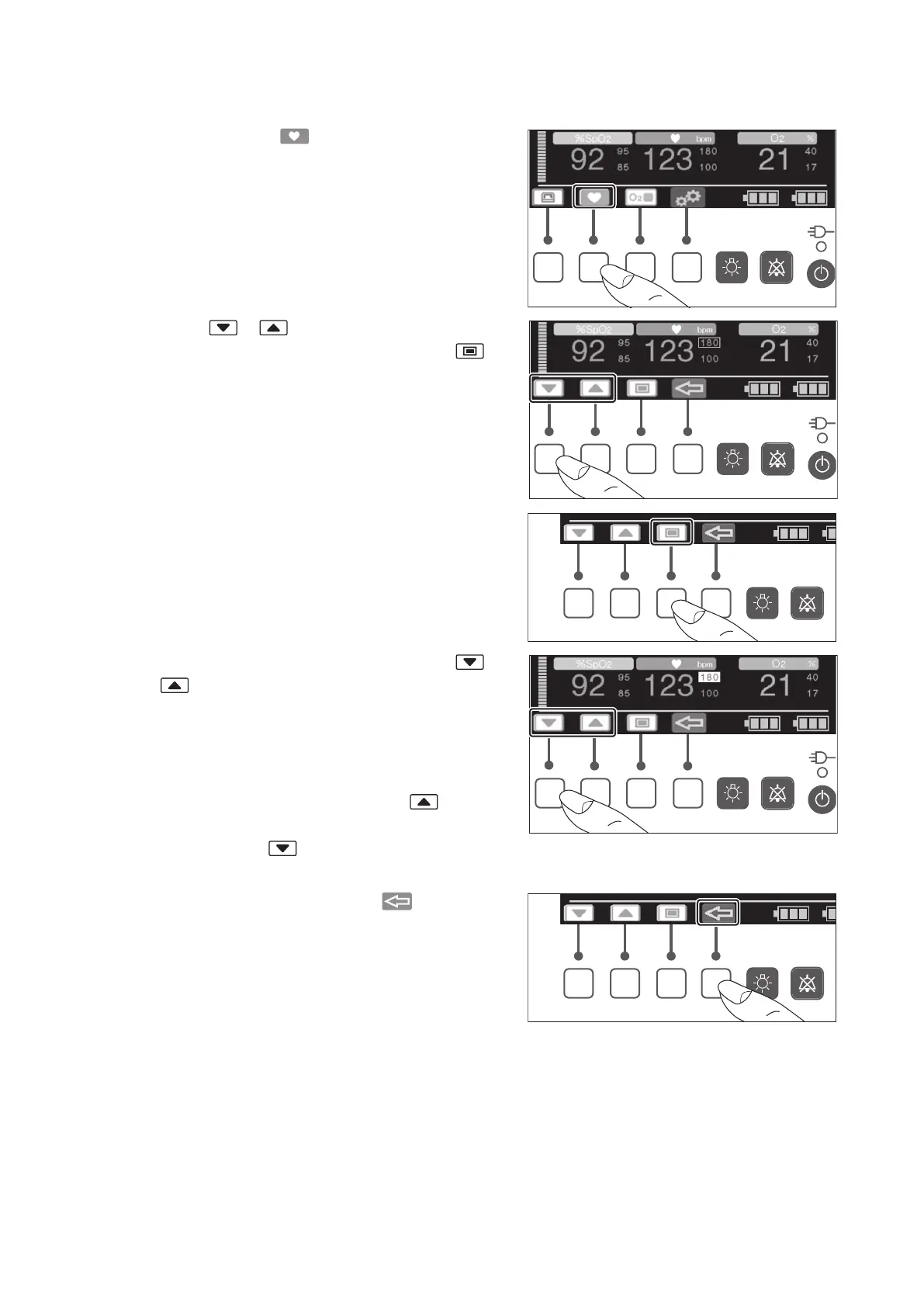
(1) When you press the switch, the cursor control
screen appears.
(2) Press the or switch to place the cursor on
the alarm limit you want to change. Press the
switch to highlight the selected alarm limit.
(3) While the alarm limit is highlighted, press the
or switch to change it to your desired value.
The upper alarm limit can be set in the range of 80-
235bpm in 5bpm increments. The lower alarm limit
can be set in the range of 35-180bpm in 5bpm in-
crements.
To set the upper alarm to OFF, press the switch
when 235bpm is displayed. To set the lower alarm
to OFF, press the switch when 35bpm is dis-
played. The setting will be displayed as “— — —”.
(4) The setup is finished when the switch is
pressed or a given period of time has elapsed.



 To Next Page