Oxygen Supply
50
The oxygen concentration in the incubator may be affected when the snap-open access ports
or admittance panels are opened. Any open gaps in the incubator hood may reduce the incu-
bator's internal oxygen level. Make sure that all access port packing and tube introduction slit
packing is correctly installed.
A contaminated filter will affect the oxygen concentration. Check the filter. If it is contaminated,
replace it.
When you use the oxygen flowmeter to supply oxygen, the supply flow rate must not exceed
10L/min.
If it exceeds 10L/min, the oxygen supply hose may come off.
Supplementing oxygen may increase the noise level for the infant in the incubator.
7- 1.
Supplying Oxygen
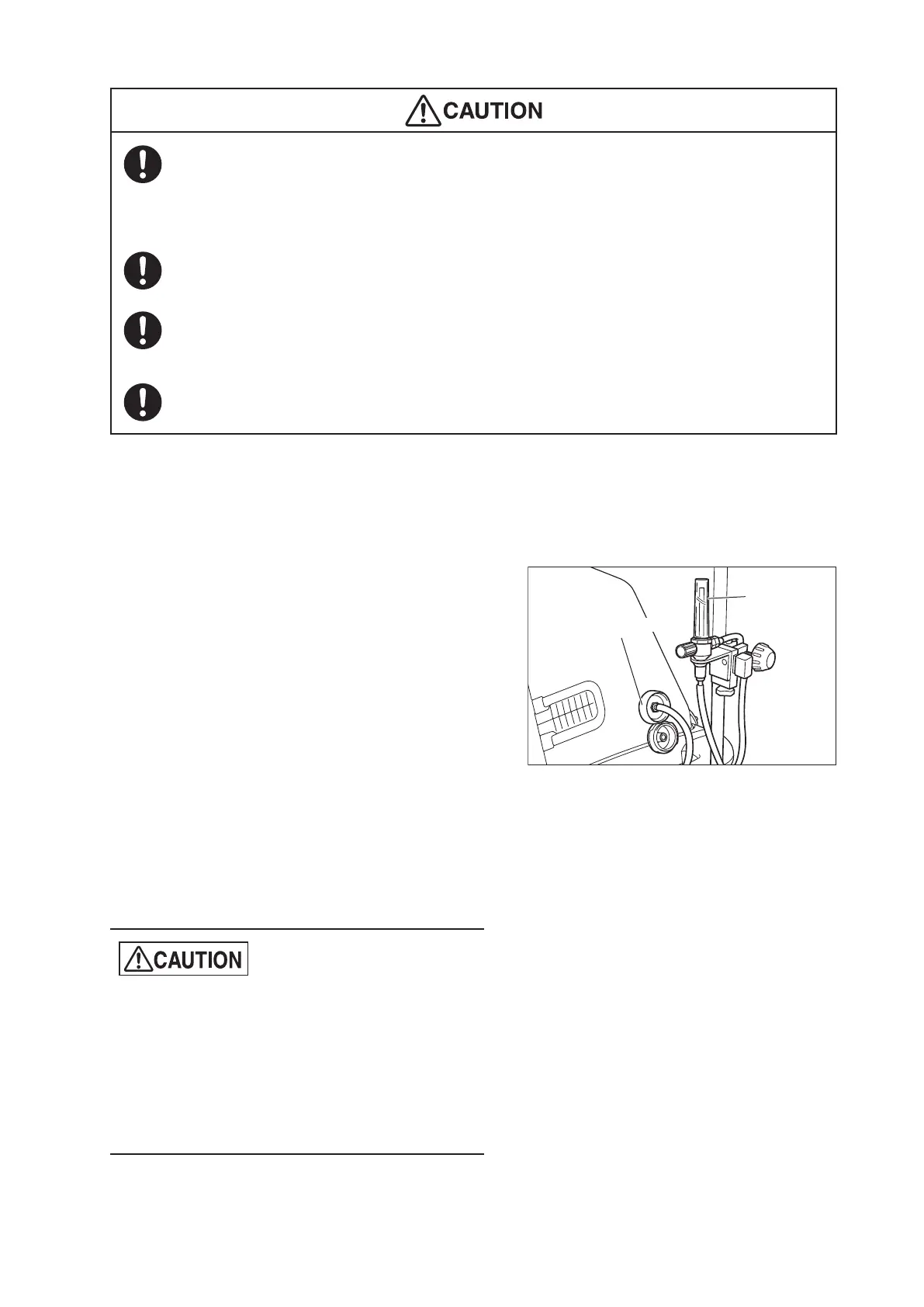
(1) Connect an oxygen supply source and the oxygen
flowmeter (option) and fit the oxygen supply hose
into the oxygen flowmeter hose fitting.
(2) Remove the cap from the oxygen supply port and
connect the oxygen tubing to the oxygen supply
port.
(3) Turn the knob on the oxygen flowmeter and adjust
the flow rate to a desired level.
The oxygen concentration in the incubator will sta-
bilize in approximately 30 minutes (at a flow rate of
10L/min). Increase the supply flow rate if the de-
tected oxygen concentration in the incubator is
lower than the desired level; reduce the supply
flow rate if the detected oxygen concentration in
the incubator is higher than the desired level.
z
Continuously measure the oxygen concentrations
in the incubator using an oxygen monitor until the
oxygen concentration inside the incubator has
stabilized. Pay particular attention to changes in
oxygen concentration.
z
Be sure to use the oxygen flowmeter (option) to
supply oxygen.
Oxygen supply port
Oxygen
flowmeter
(option)



 To Next Page