PREPARATION
Power requirements
25
4-2.
Using an AC Power Source (AC100-240V)
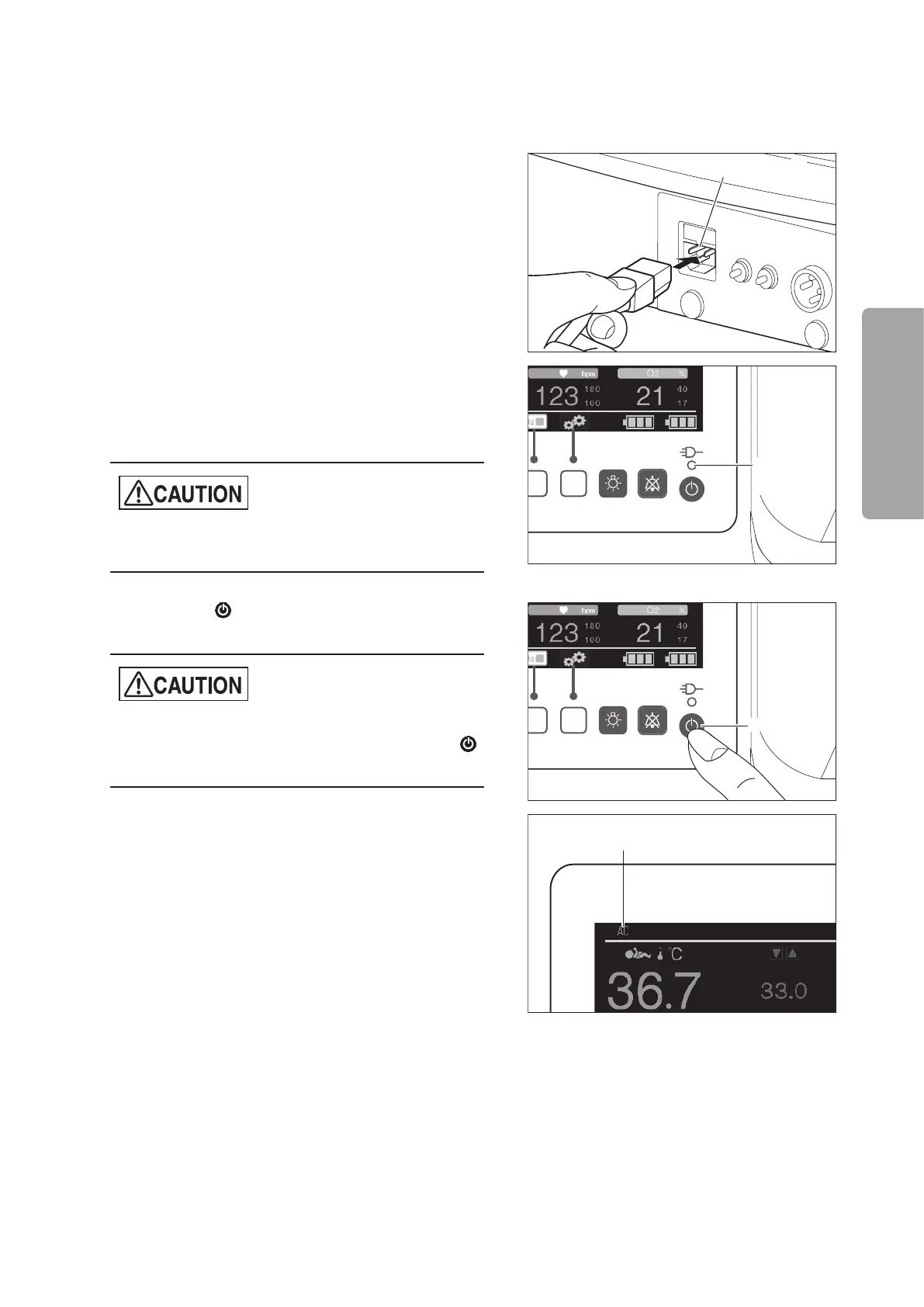
(1) Connect the power cord to the AC inlet on the
right side of the main body. Then connect the pow-
er plug on the other end of the power cord to a
power outlet.
AC inlet
The AC power indicator is lit and the in built bat-
teries will begin to automatically charge. After Bat-
tery 1 has been recharged, recharging of Battery 2
(option) starts automatically.
z
Recharging of Battery 2 (option) only starts auto-
matically when the power is turned on.
AC power
indicator
(2) Press the switch on the control panel to turn
the power on. The unit will begin to operate.
z
To turn the power off and then back on again, wait
for at least 5 seconds before pressing the
switch.
Power switch
(3) “AC” appears in the power supply display area on
the display.
Power supply display



 To Next Page