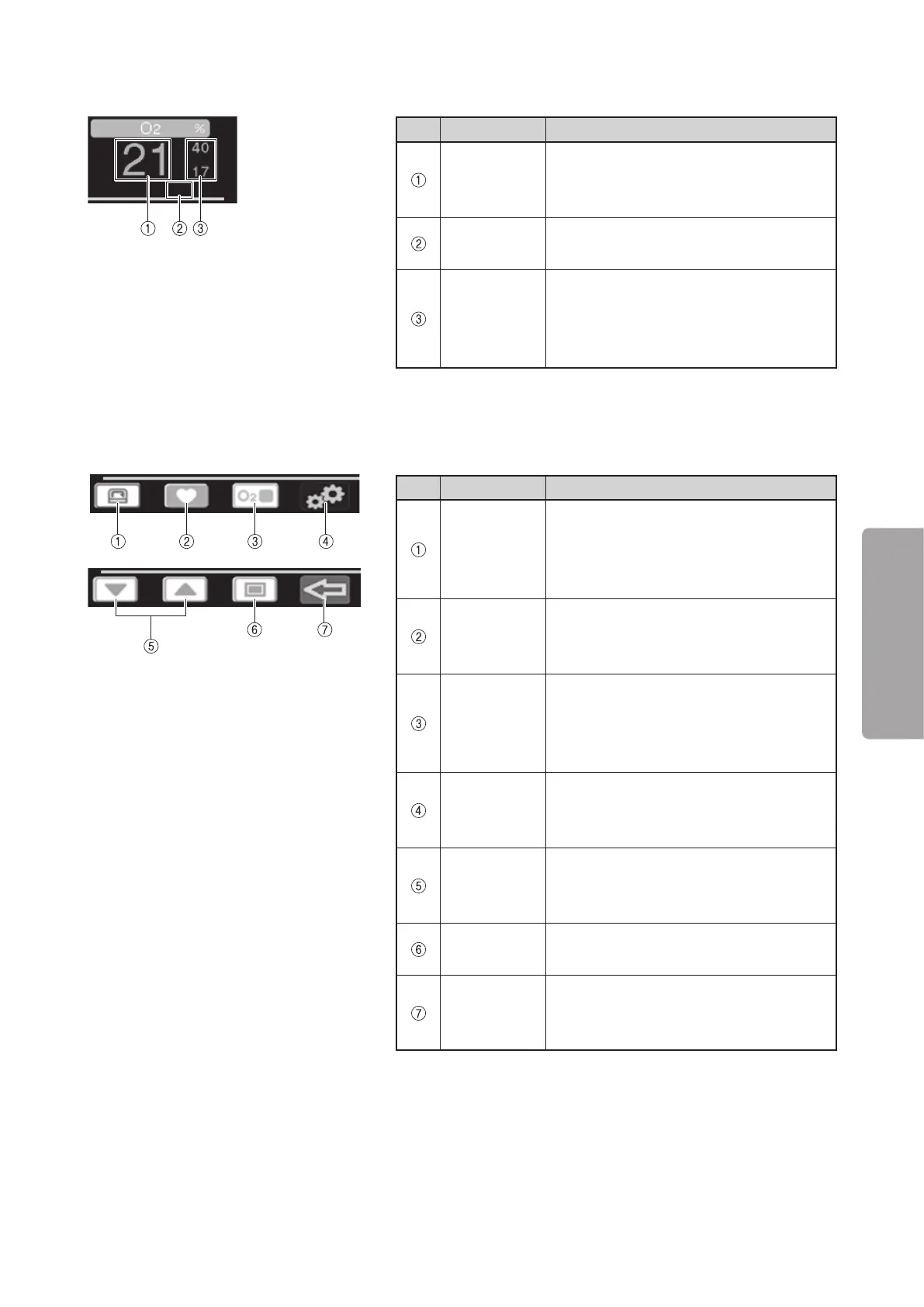
Display Screens
37
OPERATION
J
Oxygen area
No. Name Description
Oxygen
concentra-
tion display
Displays oxygen concentration in the in-
cubator digitally.
Status
indicator
Displays the status of oxygen sensor.
Oxygen level
alarm limits
display
Displays the oxygen level upper alarm
limit setting in the upper row and the ox-
ygen level lower alarm limit in the lower
row digitally.
J
Control switch display area
These indicators identify the functions of control switches. The control switch indicator switches to set the
settings.
No. Name Description
Change set
temperature
switch
indicator
This indicator identifies the switch used
to set the incubator air temperature.
SpO
2
alarm
setting switch
indicator
This indicator identifies the switch used
to set the SpO
2
upper and lower limits
and pulse rate upper and lower limits.
Oxygen level
alarm setting
switch
indicator
This indicator identifies the switch used
to set the oxygen level upper and lower
limits.
Menu screen
display switch
indicator
This indicator identifies the switch used
to display the menu screen.
Up/Down
Arrow switch
indicators
These switches are used to switch vari-
ous parameters or to change settings.
Select Switch
indicator
This switch is used to select various pa-
rameters or settings.
Return
Switch
indicator
This switch is used to return to the pre-
vious screen.



 To Next Page