Setting the Incubator Temperature and Placing the Infant in the Incubator
45
OPERATION
z
Check that the air inlets and outlets are not cov-
ered or blocked with obstacles such as diapers or
gauze.
Failure to do so will prevent correct control of the
incubator temperature and may affect the infant's
skin temperature or damage the main body.
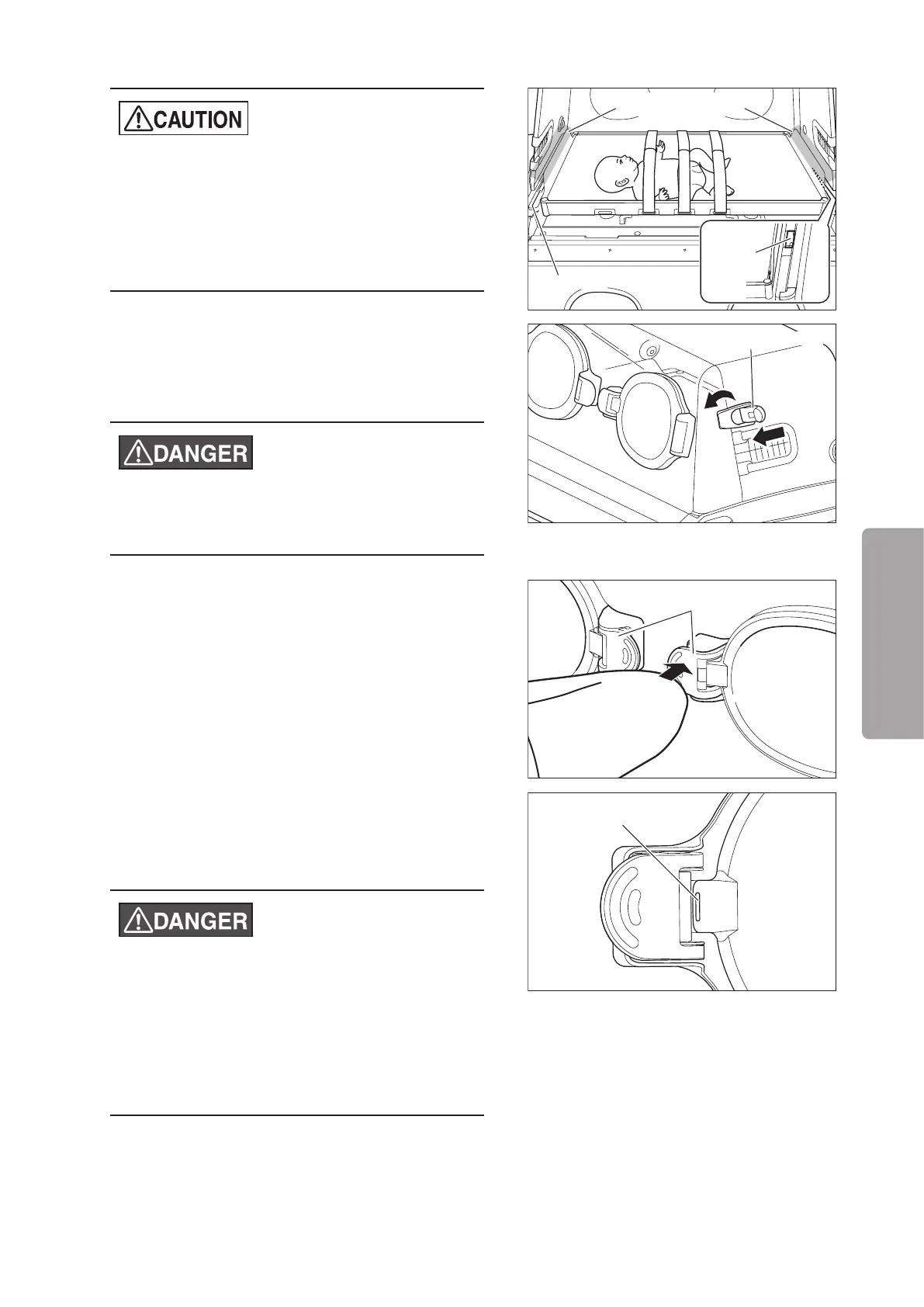
Air outlet
Air inlet
Do not cover or block
(7) After placing the infant into the incubator, close the
admittance panel. Put the latch hooks on both
sides of the admittance panel and flip down the le-
ver to lock.
z
After the infant is placed in the incubator, check
again that the admittance panels are closed se-
curely.
Admittance panel latch
(8) A gentle touch of the elbow on the press bar will
open a snap-open access port door via a spring ac-
tion. To close the doors, push them until they latch.
Press bar
(9) Make sure that the red marking on the snap-open
access port is not visible after it is closed. If the red
marking is visible, close the access port completely
again.
z
Always check that the admittance panel retainers
and the press bars of the snap-open access ports
function correctly. If an admittance panel or a
snap-open access port fails to close firmly, stop
using the unit immediately and request repairs.
z
Be sure to slowly open and close the access
ports. Avoid opening and closing them forcefully.
Red marking
J
Disposable safety bands
An disposable safety band can be used to secure an infant's head.
Four optional disposable safety bands can be attached to the mattress platform.



 To Next Page