Oxygen Supply
52
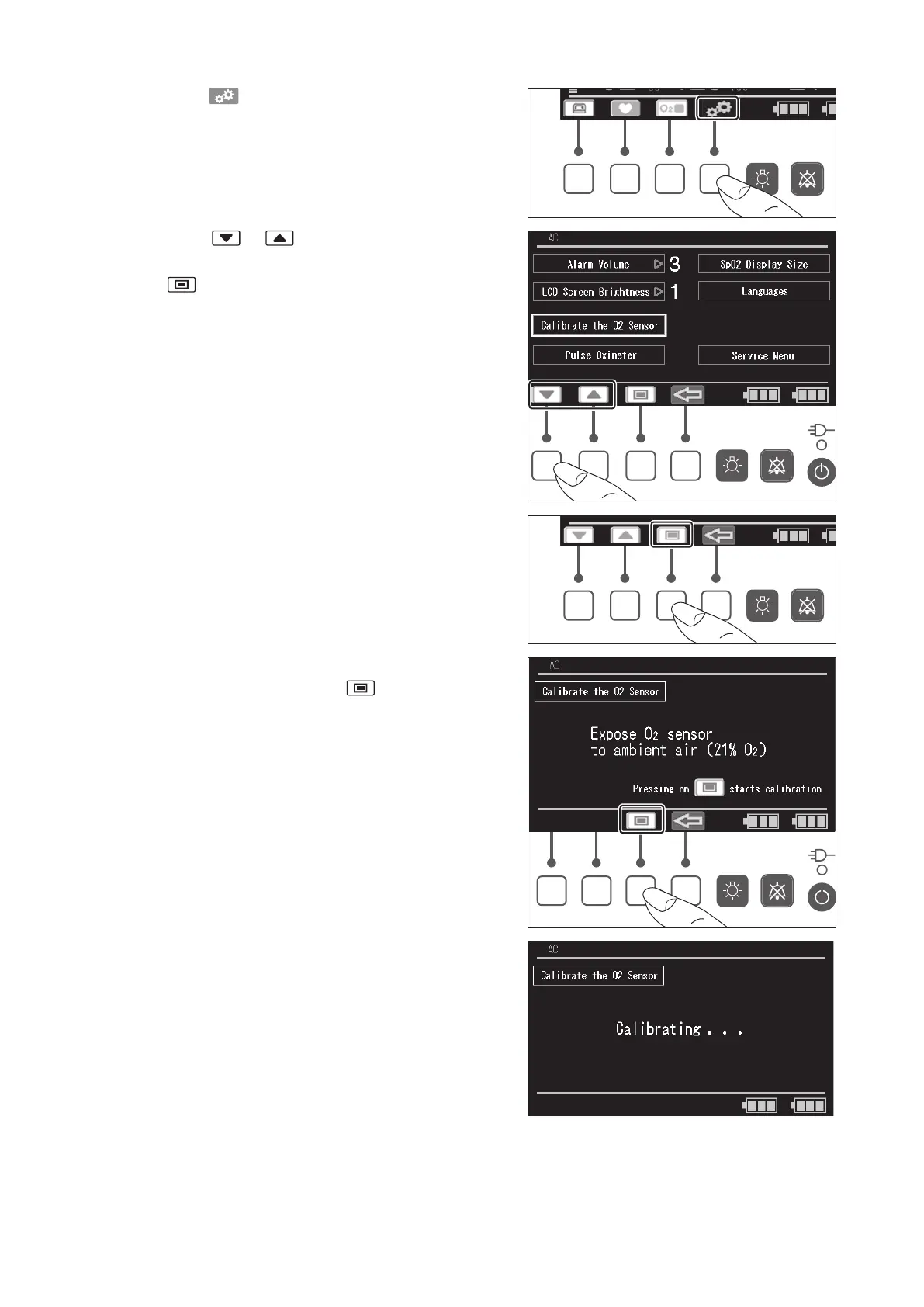
(3) Press the switch to display the menu screen.
(4) Press the or switch, place the cursor on
the [Calibrate the O
2
Sensor] menu, and then press
the switch
.
(5) The “Calibrate the O
2
sensor” message appears. To
start the calibration, press the switch.



 To Next Page