SETUP TOOLS
710-14888-00C EMX4i User Manual 37
Save & Load Procedure
1. Connect the external drive to the USB port.
2. Press
to open the menu then select Setup
Tools.
3. Scroll to USB Save & Load and press the button.
4. Scroll to the required function and press the
button.
USB Save & Load
Save Params and Logs
Save Master Params
5. At the confirmation prompt, select YES to confirm
or NO to cancel, then press
to proceed.
Save Params and Logs
No
When the action has been completed, the screen
will briefly display a confirmation message, then
return to the previous menu level.
File Locations and Formats
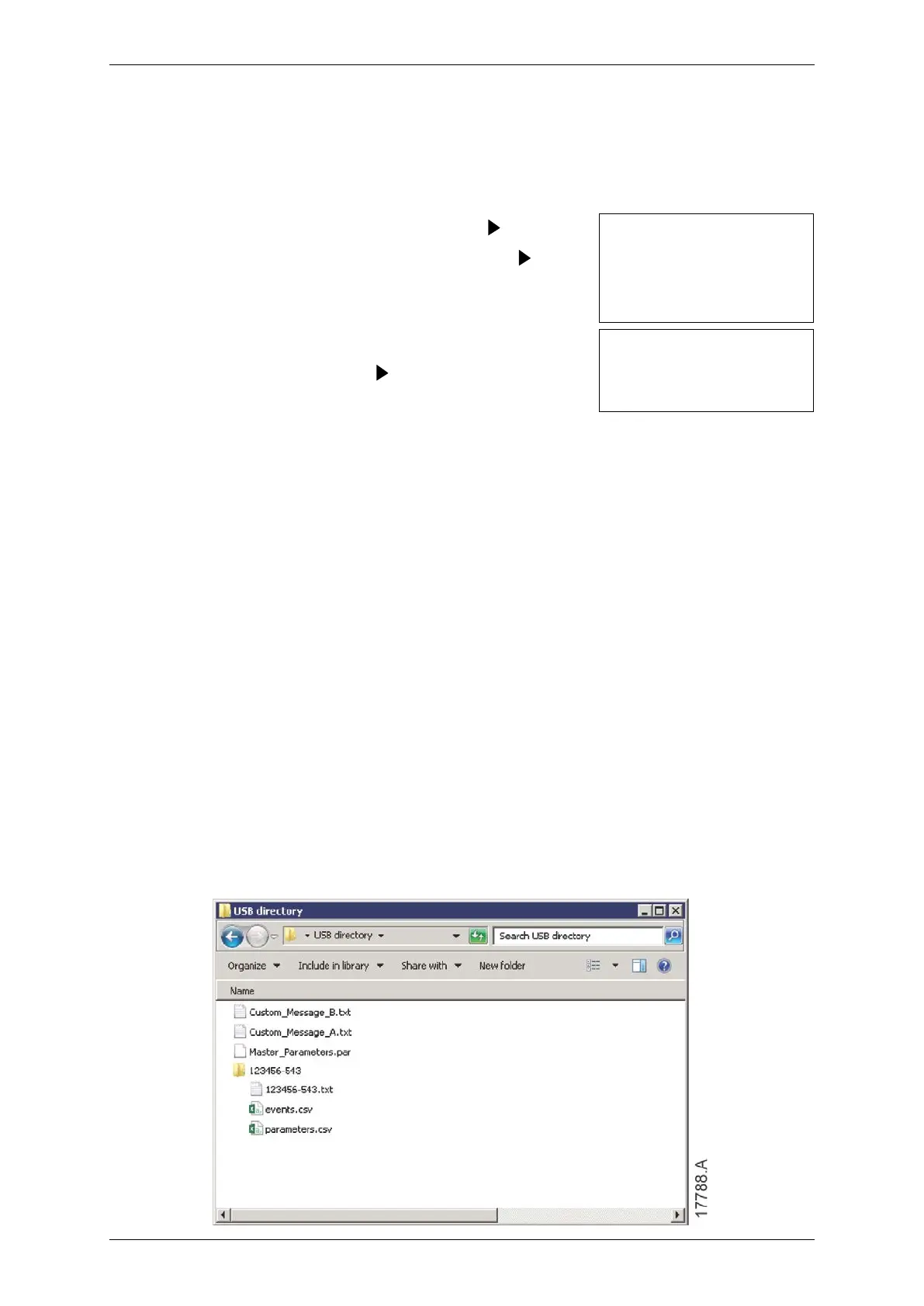
Save Parameters and Logs: The EMX4i will create a directory at the top level of the
USB drive, named with the soft starter's serial number. The event log and
parameter settings are saved as individual CSV files, and the soft starter's software
and system information are saved to a text file.
Save Master Parameters: The EMX4i will create a file called
Master_Parameters.par, in the top level of the USB drive.
Load Master Parameters: The EMX4i will load the file Master_Parameters.par from
the top level of the USB drive. This file can be created or edited using WinMaster
management software.
Load Custom Message: The EMX4i will load the files Custom_Message_A.txt and
Custom_Message_B.txt from the top level of the USB drive.



 To Next Page