KEYPAD AND FEEDBACK
42 EMX4i User Manual 710-14888-00C
7. Keypad and Feedback
7.1 The Keypad
Remote keypad (if installed)
Ready Run Trip Local
Menu
Store
Exit
Reset
1
2
3
17691.C
Start Stop Reset
LC
L
RMT
Menu
Store
Exit
Alt
Logs T
ools
17692.B
1
2
3
4
5
6
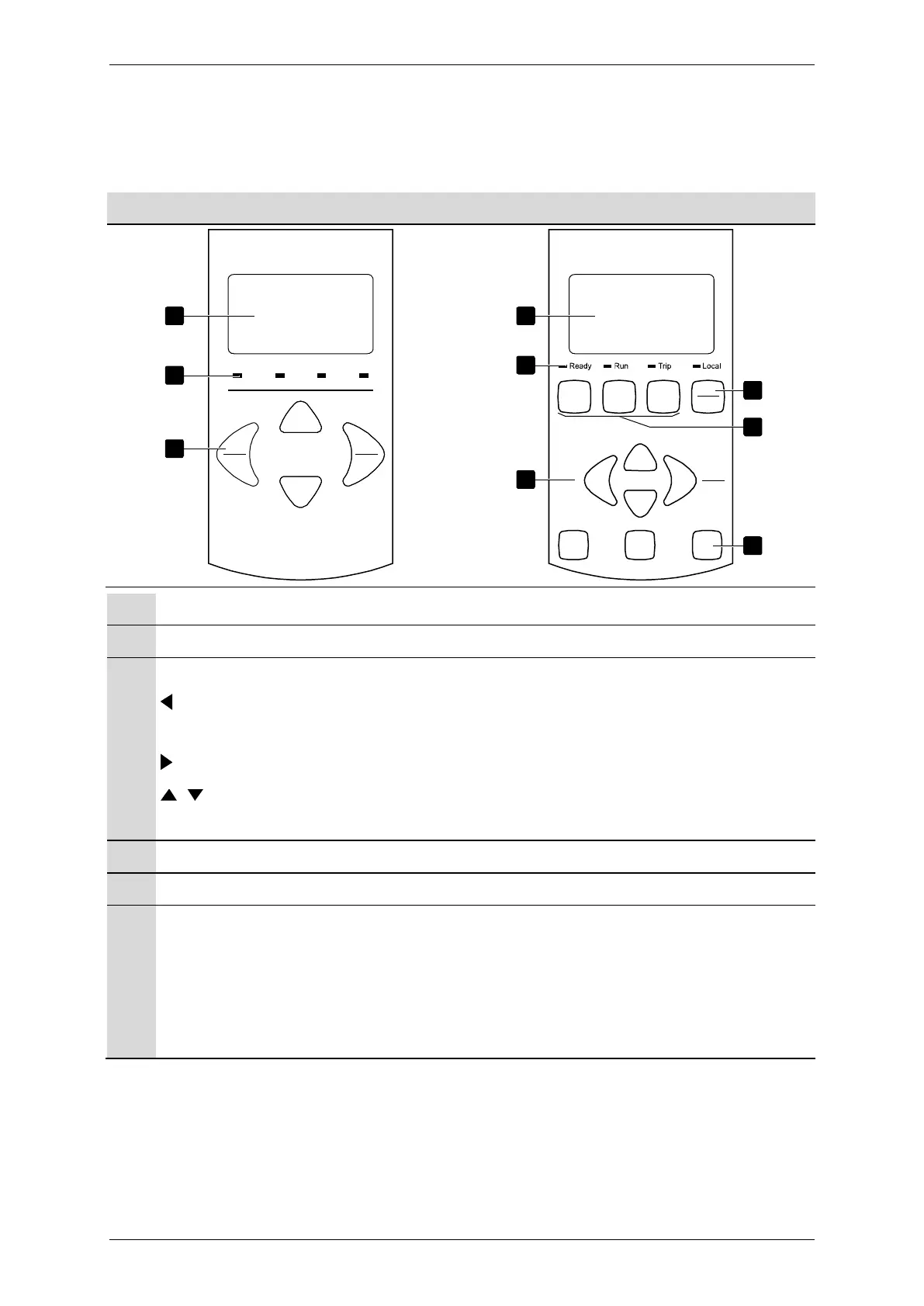
Four-line display for status and programming details.
Status LEDs
Menu navigation buttons:
: Exit the menu or parameter, or cancel a parameter change. On the local
keypad, this button also resets a trip.
: Enter a menu or parameter, or save a parameter change.
: Scroll to the next or previous menu or parameter, change the setting of
the current parameter or scroll through the status screens.
Shortcut to the command source menu in Setup Tools.
Soft starter local control buttons
Shortcut buttons for quick access to common tasks.
LOGS
: Open the Logs Menu.
: Select which graph to view, or pause/restart the graph (hold longer than
0.5 seconds)
: Open the Setup Tools.



 To Next Page