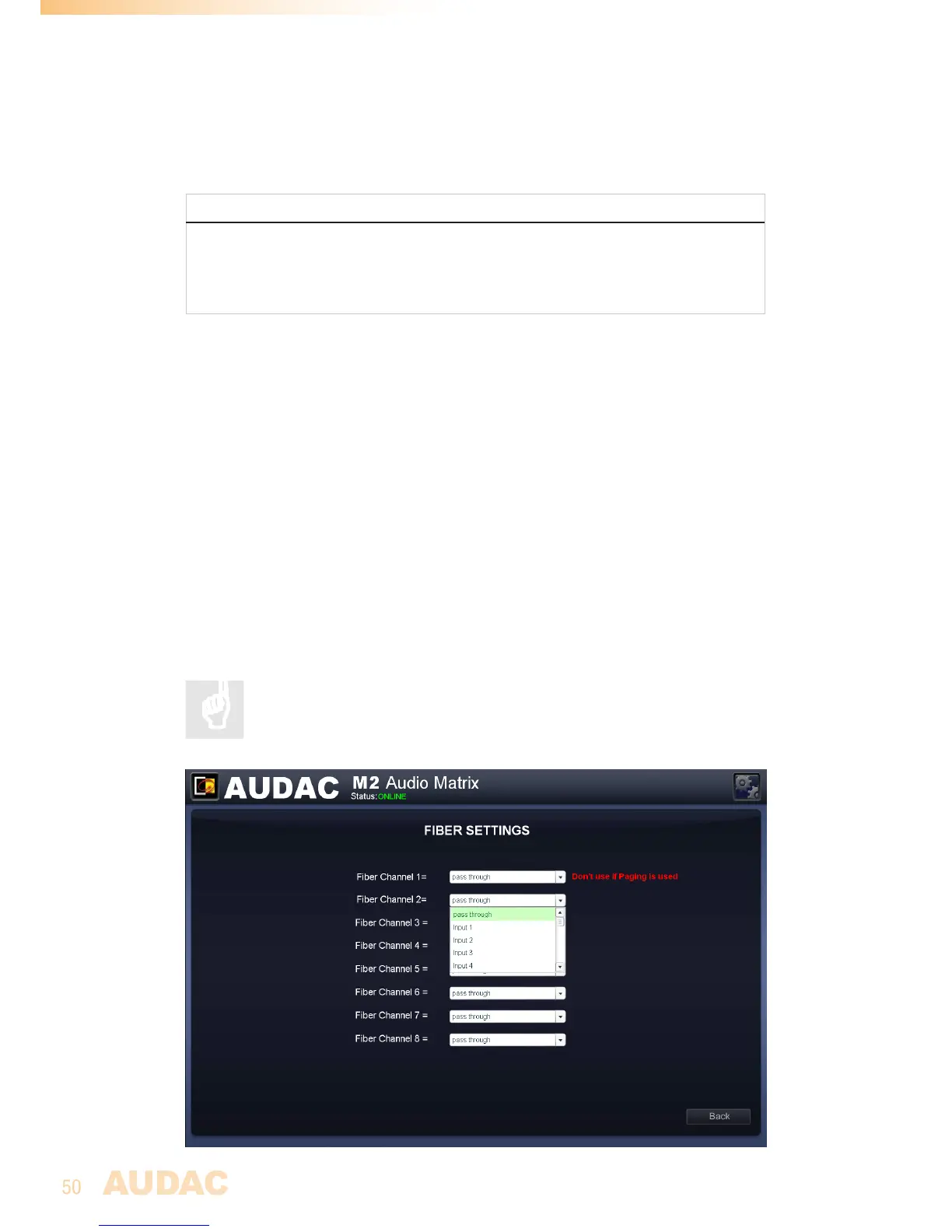
Settings >> Fiber Settings
Inthiswindowcanbeselectedwhichoftheaudioinputsignalsshouldbetransmittedusing
thefiberinterconnectioninterface.
NOTE
The fiber interconnection interface is an optional module (OPT2), which can be
usedtoexpandthesystemandtransmitaudiosignalsbetweendifferentdevices.
Thesettingsmadeinthiswindowwillonlyhaveeffectwhenthisoptionalinterfaceis
installed.
Upto8stereoaudiochannelscanbetransmittedbetweenseveraldevicesusingthefiber
interconnectioninterface.
This‘FiberSettings’windowgivesanoverviewof8dropdownlists,eachofthemrepresenting
oneofthesechannels,numberedfrom‘FiberChannel1’to‘FiberChannel8’.Inthedropdown
listscanbeselectedwhichoftheaudioinputsshouldbetransmittedoverthecorresponding
channelofthefiberbus.
AllDirectinputs,WallPanelinputs,Priorityinputs,DSPgeneratedsignalsandotherinputs
areincludedinthislist,makingallofthemtransferrableoverthefiberinterface.Simply
selectthedesiredinputinthedropdownlistandtheselectedsignalwillbetransferredover
thecorrespondingchannel.
‘FiberChannel1’willbeusedfortransferringpagingmessagesbetweenthedevices.If
pagingmicrophonesareusedintheapplication,‘FiberChannel1’shouldbereservedfor
pagingandmaynotbeusedforotherpurposes.
Formoreinformationaboutcascadingandthefiberinterconnection
interface,refertoChapter 8: Cascadingofthisusermanual.
M2 Fiber settings


 To Next Page