Automatic Level Control (ALC)
AllinputscontainthepossibilitytoenableAutomaticLevelControl(ALC).This
continuouslyadjuststheinputgain,ensuringaconstantoutputlevelwhiletheinputlevel
varies.Thegainadjustmentsaremadeinextremelysmallstepsizesensuringhigh-
qualityaudio,evenduringgainchanges.
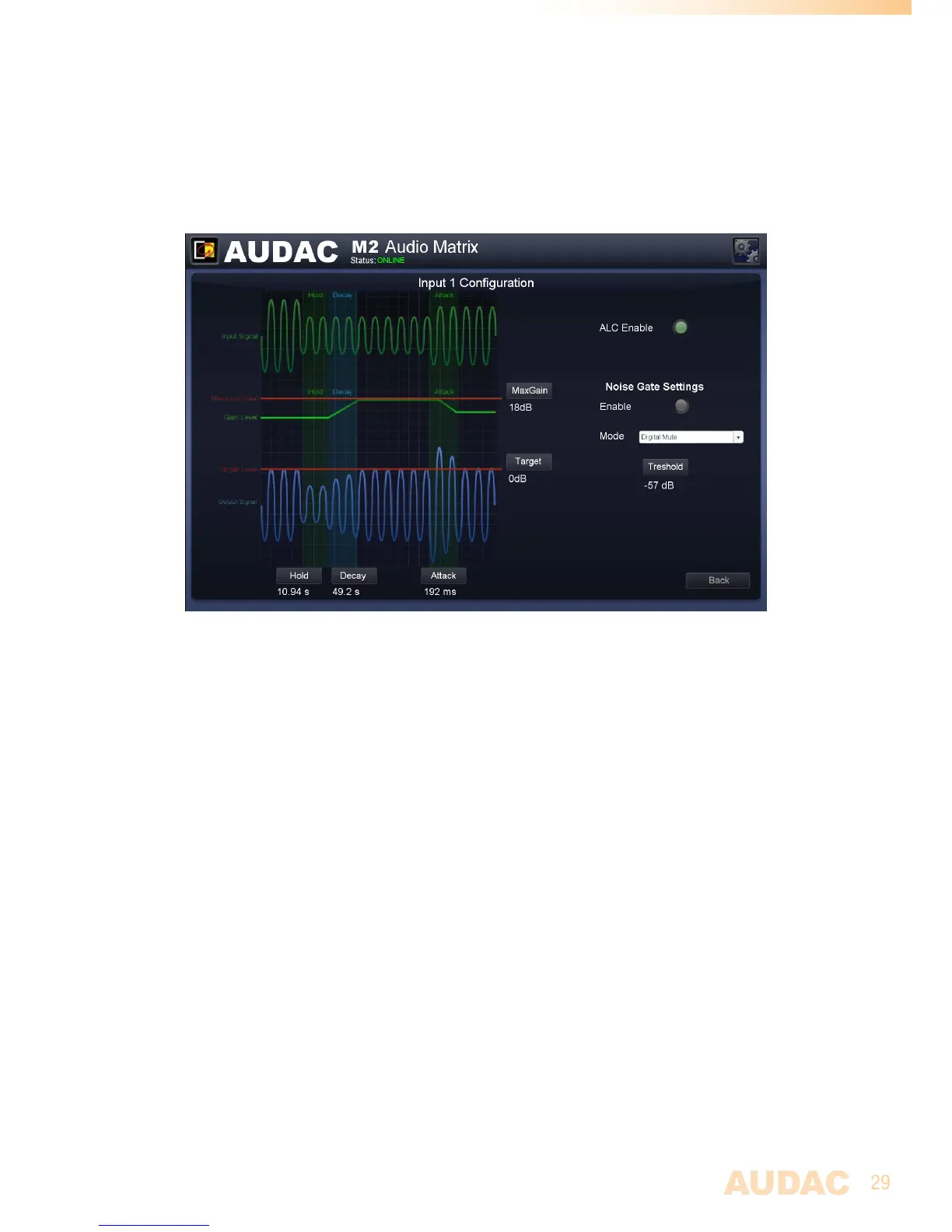
M2 ALC Settings
ALC Settings
ToensureproperfunctioningoftheALCindifferentsortsofconditionsandwithdifferent
typesofsignals,certainparameterscanbeadjustedinfunctionoftheappliedsignal.
WhentheinputsignalisselectedbetweenLineorMiclevel,presetswillbeloaded
ensuringaproperfunctioningformoststandardapplications,adaptabletoeachspecific
application.
TheTargetparameterspecifiesthetargetlevelofasignalbeforeitisenteredintothe
Matrix.Continuously,thesignalmatchingthelevelspecifiedbythetargetparameterwill
beattemptedtoadjust.
The MaxGainparameterspecifiesthemaximumgainadjustmentwhichcanbeachieved
betweentheinputlevelandthetargetlevel.Thiscanbeusedtopreventexcessivenoise
ormicrophonefeedbackwhenforexampleamicrophoneisnotbeingused.Notethatthis
settingmaypreventtheALCfromreachingthetargetlevel,butthisbehaviorisdesirable
toachievethebestoverallsound.
TheHoldparameterspecifiestheALCholdtimeduringwhichnoactionwillbetaken
whentheoutputlevelfallsbelowthetargetoutputlevel.Thisisusedtopreventthegain
frommodulatingonlowfrequencieswhichmaycausedistortion.Forlinesignalsitis
recommendedtospecifyalongholdtimetopreventtheALCfromadjustingthevolume
duringquietmusicpassages.


 To Next Page