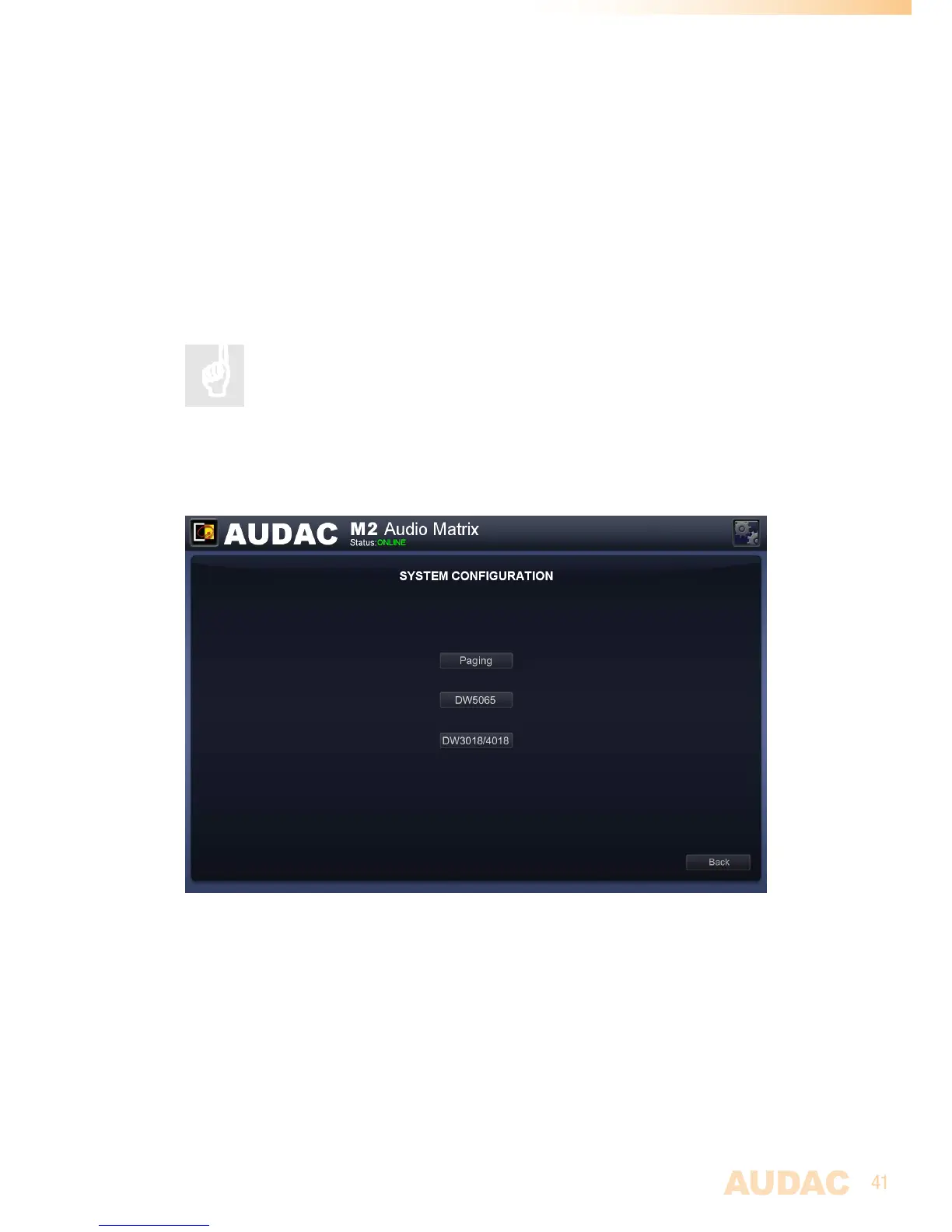
Settings >> Peripheral configuration
Inthiswindow,theconfigurationsettingsforexternalconnecteddevicessuchaswall
panelsandpagingconsolescanbemade.Itshowsthreebuttons,oneforDW3020/4020
wherebytheconfigurationsettingsforthesimplewallpanelcontrollercanbemade,one
forDW5065wherebytheconfigurationsettingsfortheAll-In-Onewallpanelcanbe
madeandoneforpagingwherebytheconfigurationsettingsforAPMpagingconsolescan
bemade.
Justclickthecorrespondingbuttontoproceedtothedesiredsettingsmenu.
Formoreinformationabouttheconnectionandconfigurationpossibilities
forexternalconnecteddevices,refertoChapter 6: Peripheral
Interfacesofthisusermanual.Thischapterextensivelydescribes
howtheconnectionandconfigurationforperipheralequipmentshouldbe
done.
Back
Clickthe‘Back’buttontogobacktotheconfigurationscreen.
M2 Peripheral Configuration


 To Next Page