Limits
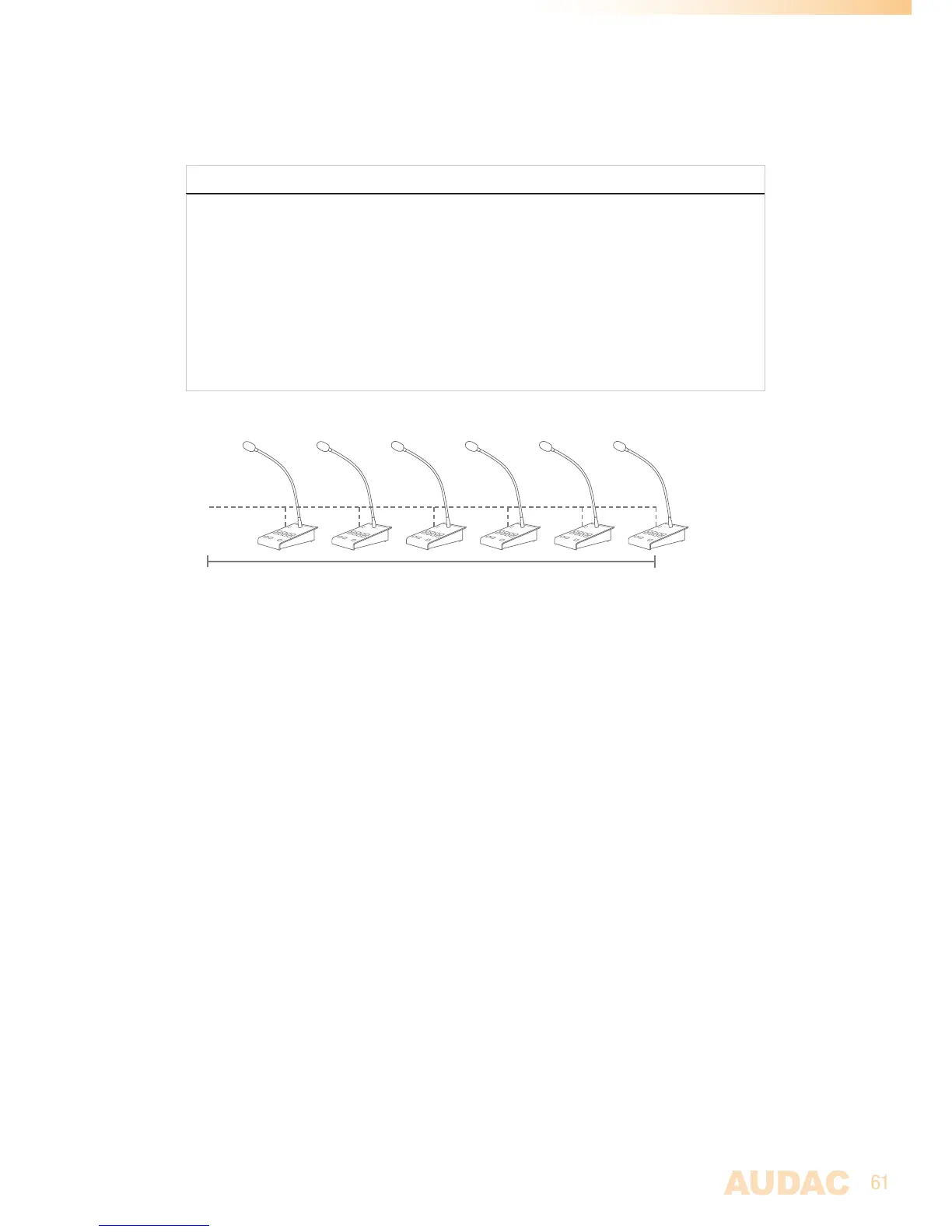
WhenmultipleAPM’sareconnectedononePIportusingabusstructure,amaximumof6
APM’scanbeconnectedtoonePIport,withamaximumcabledistanceof300metersfor
thetotalAPMbus.
PAGING CONNECTION LIMITS
-Maximum6APM’sononePIport
-AlwaysuseUTP/FTPCAT6(orbetter)cabling
-Maximum300meterstotalbuslength
In case a longer cable length is desirable, the maximum cable length can be
increased (up to 600 meters) by using CP43/45ARP Repeaters.
-AlwaysuseARJ03PjunctionboxeswithexternalpowersupplywhenmultipleAPM’s
areconnectedusingBusstructure.
-UseARJ03PwithexternalpowersupplywhenthecablelengthforoneAPMexceeds
133meters.
Bus
Max300meters
Configuration
Tomakethepagingsystemfunctionaccordingtotherequirementsforyourspecific
project,theconfigurationprocedureshouldbefollowed.
Paging volume
Therequiredpagingvolumeforeveryoutputcanbedifferent,andshouldbeconfigured.
Thisconfigurationcanbedoneinthe‘PagingVolume’window,whichcanbefoundinthe
‘Settings’menuoverview.Thepagingvolumecanbesetinstepsof-1dB,startingby0
dB,goingto-∞.Whenthevolumeissetto0dB,announcementsforthecorresponding
outputswillbemadeonmaximumvolume.
Besidesthepagingvolumeselection,a‘SwitchRelay’buttonisprovidedforeveryoutput.
Withthisbuttonyoucanbeselectwhethertherelayforthecorrespondingoutputshould
switchautomaticallyincaseapagingannouncementismadeonthisoutput.Thiscanbe
usefulforbypassingexternal100Vvolumecontrollers,activatingemergencylights,...


 To Next Page