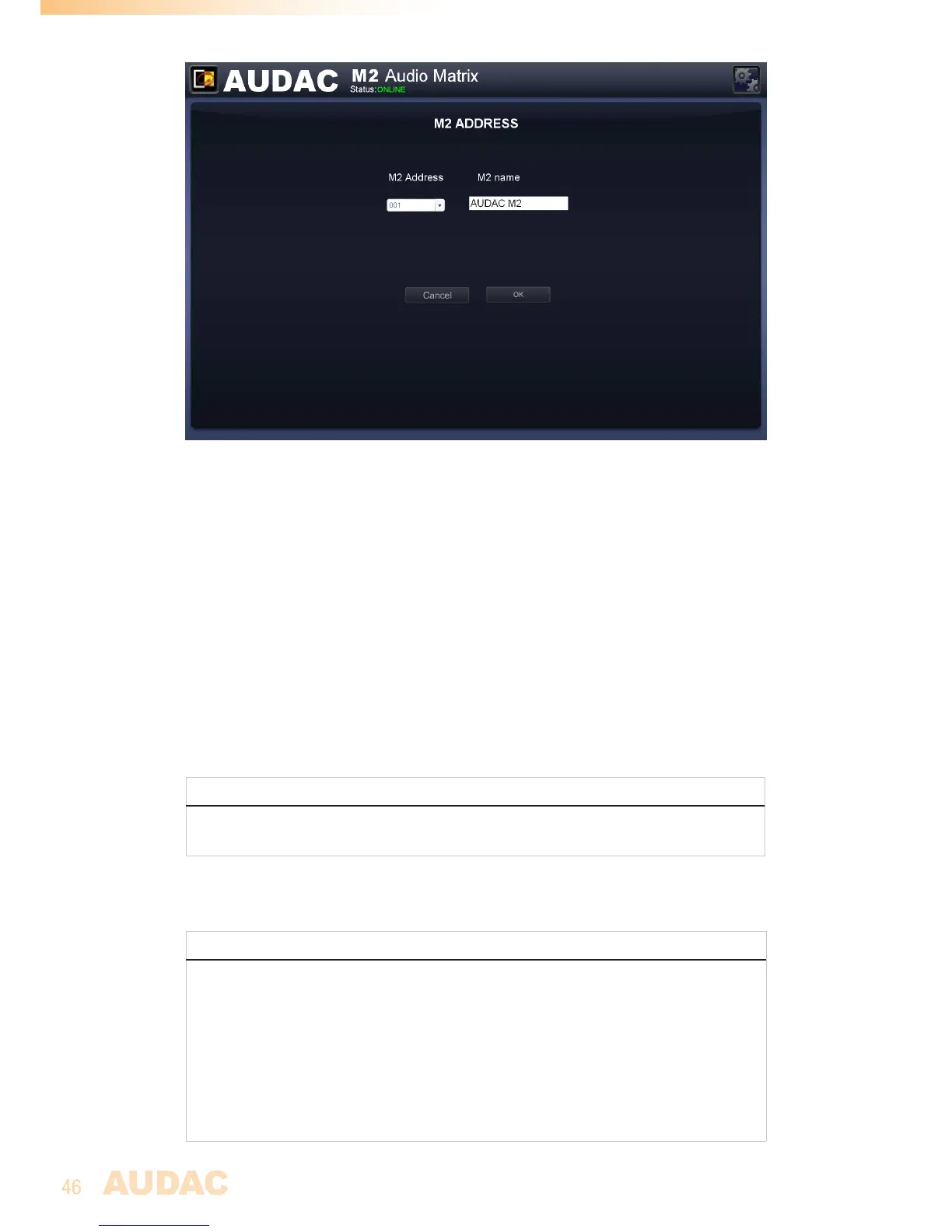
M2 Address settings
Settings >> System >> Factory settings
Inthefactorysettingsmenu,allsettingsoftheM2canbesettofactorydefault.Itdoes
notrecallthepreviouslysavedsettings,butwillrecalltheoriginalfactorysettingsandall
previouslymadesettingswillbelost.
Whenclickingthe‘FactorySettings’button,awarningwindowwillappear.Ifyouproceed
byclickingthe‘OK’button,allsettingswillbereturnedtofactorydefaultvalues.
Acheckboxinthewarningwindowallowsyoutoresetthenetworksettingstogetherwith
allothersettings.Whencheckingthischeckbox,thenetworksettingssuchasIPaddress
willalsobesettofactorydefaultvalues.
ATTENTION
BE CAREFULLtopressthisbutton.Alloriginalfactorysettingswillberecalledandall
customsettingswillbelost.
Thefollowingsettingswillbereturnedbacktotheirdefaultvalue:
(Defaultvaluealsoshownbelow)
STANDARD FACTORY SETTINGS
Device Address: M001
Adminstrator password: ’M2’
User password: ’user’
IP Address: 192.168.0.190
Subnetmask: 255.255.255.0
Main volume: All off
Selected input: All off
Mixing: All Off
Priority: All Off


 To Next Page