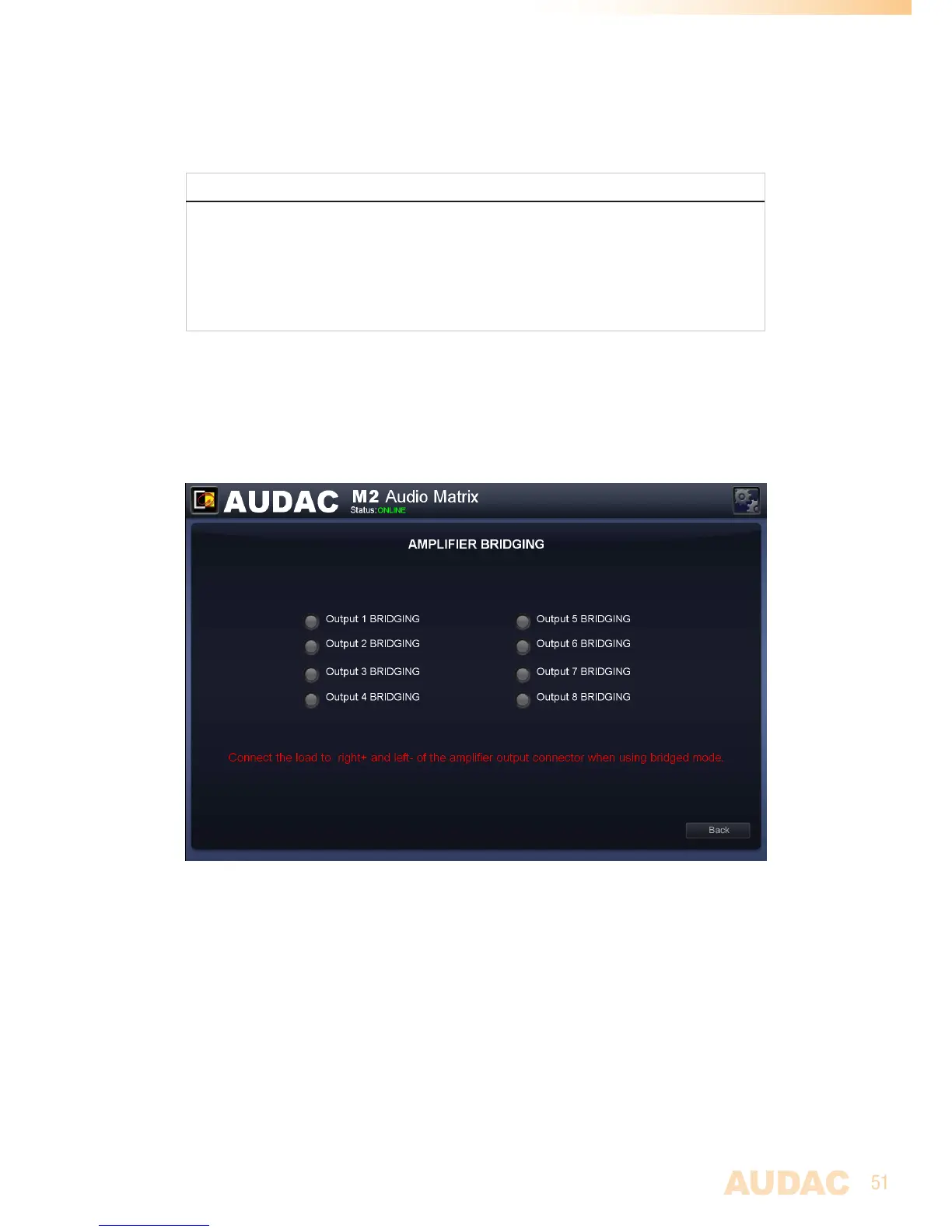
Settings >> Amplifier Bridging
Inthiswindowtheamplifiedaudioinputscanbebridged.
NOTE
ThePowerAmplifierKitisanoptionalmodule(POW2)whichcanbeinternallyinstalled
insidetheM2.Thiscanbeusedforpoweringloudspeakers,beingdirectlyconnectedto
theM2withoutanyuseofanexternalpoweramplifier.
Thesettingsmadeinthiswindowwillonlyhaveeffectwhenthisoptionalpoweramplifier
kitisinstalled.
SimplyclickthebuttonforthecorrespondingoutputandbothLeftandRightchannelswill
bebridged,becomingonechannelwithmergedpowerofbothchannels.
Incasethebridgefunctionisturnedon,the‘LEFT’signalwillbeusedforbothleftandright
outputsignals.Theloudspeakershouldbeconnectedbetweenthe+terminaloftheright
channelandthe-terminaloftheleftchannel.
M2 Amplifier bridging


 To Next Page