User's Manual 106 Document #: LTRT-71405
MediaPack Series
6.5.2.7.7 Media Realm Table
The Media Realm Table page allows you to define a pool of up to 64 media interfaces,
termed Media Realms. Media Realms allow you to divide a Media-type interface, which is
configured in the Multiple Interface table, into several realms, where each realm is
specified by a UDP port range. You can also define the maximum number of sessions per
Media Realm. Once configured, Media Realms can be assigned to IP Groups (see
'Configuring IP Groups' on page ) or SRDs (see 'Configuring SRD Table' on page ).
Once you have configured a Media Realm, you can configure it with the following:
Quality of Experience parameters for reporting to AudioCodes SEM server used for
monitoring the quality of calls (see 'Configuring Quality of Experience Parameters per
Media Realm' below)
Bandwidth management (see 'Configuring Bandwidth Management per Media Realm'
below)
Notes:
• If different Media Realms are assigned to an IP Group and to an SRD,
the IP Group’s Media Realm takes precedence.
• For this setting to take effect, a device reset is required.
• The Media Realm table can also be configured using the table ini file
parameter, CpMediaRealm.
To define a Media Realm:
1. Open the Media Realm Table page (Configuration tab > VoIP menu > Media >
Media Realm Configuration).
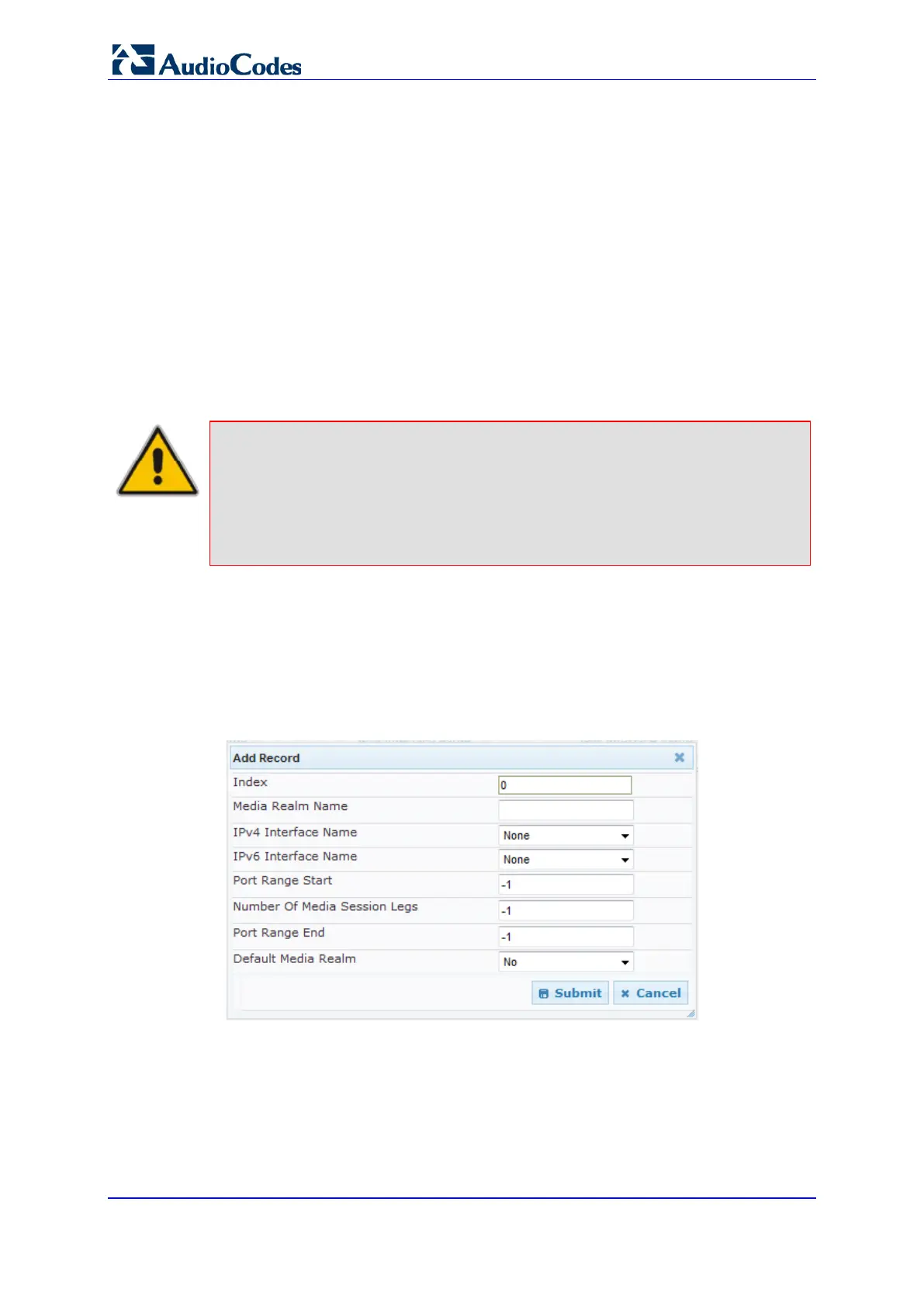
2. Click the Add button; the following appears:
Figure 68: Media Realm Page - Add Record Dialog Box
3. Configure the parameters as required. See the table below for a description of each
parameter.
4. Click Submit to apply your settings.
5. Reset the device to save the changes to flash memory (see Saving Configuration on
page 125).













 To Next Page