User's Manual 6. Configuration Using the Web Interface
Version 6.6 117 MediaPack Series
6.5.2.9.2 Control Interface Settings
Control Interface Settings enable the user to configure several gateway parameters with
the option to partition a physical gateway into several virtual gateways. If only one gateway
configuration is present, the gateway operates without Virtual Gateway separation.
Note: At least one gateway must be configured. If none are configured, a default
configuration will be created on startup.
To configure Control Interface Settings:
1. Open the Virtual GW Config Table page (Configuration tab > VoIP menu > Call
Control > Control Interface Settings); the Virtual GW Config Table appears.
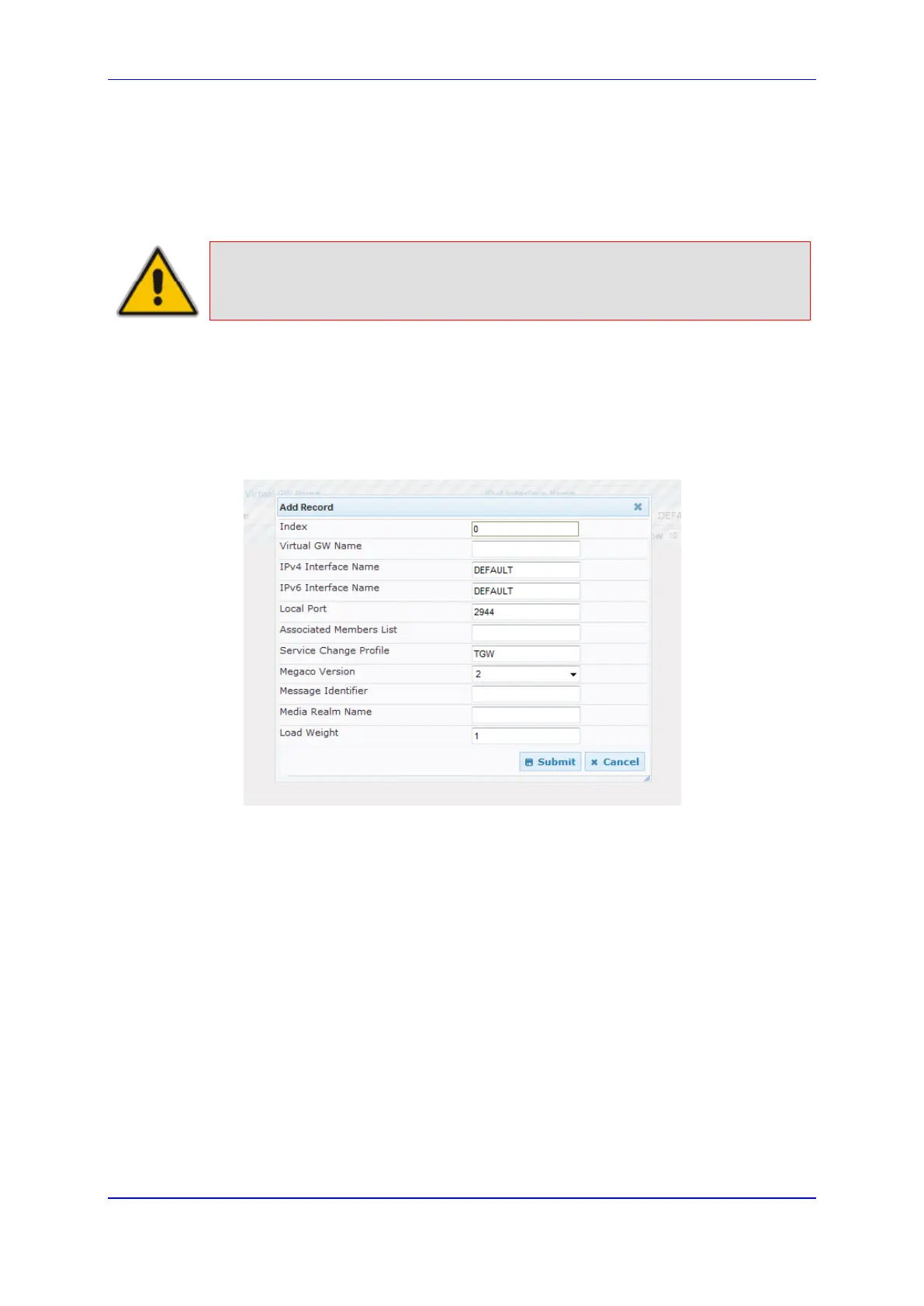
2. Click Add; the following screen appears:
Figure 74: MEGACO Control Interface Settings
3. Configure the gateway parameters for this virtual gateway.
4. Click Submit.













 To Next Page