USER’S MANUAL / bit Tune /
22
11.
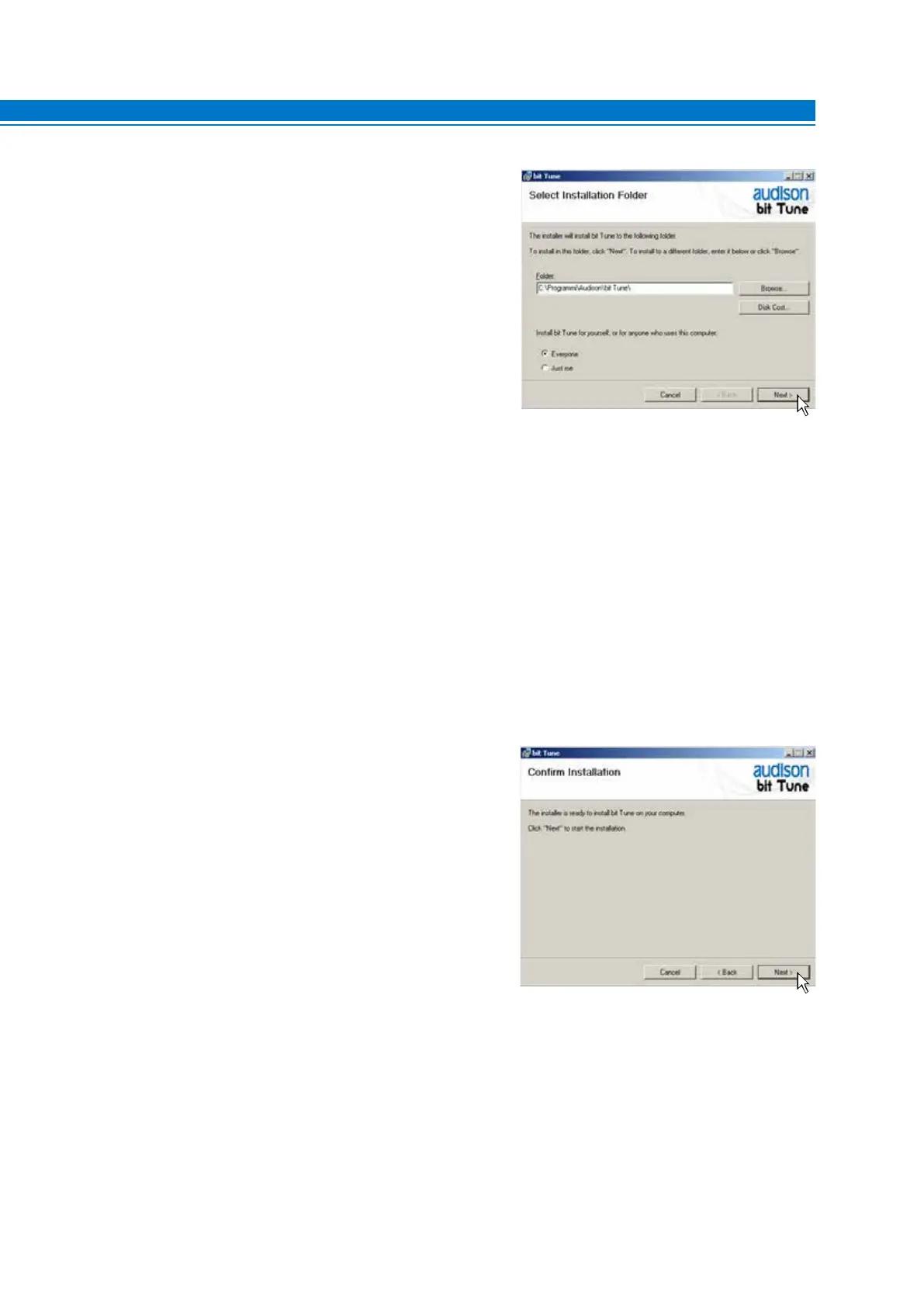
Windows XP: select
- Everyone if you have administration rights for the system,
so that the program, once installed, can be accessed by all
users of the PC.
- Just me if you want the program, once installed, to be
accessed by the current user only.
Then click NEXT.
Windows Vista: select
- Everyone sif you have administration rights for the system,
so that the program, once installed, can be accessed by all
users of the PC.
- Just me if you want the program, once installed, to be
accessed by the current user only.
Then click NEXT.
Windows 7: select
- Everyone if you have administration rights for the system,
so that the program, once installed, can be accessed by all
users of the PC.
- Just me if you want the program, once installed, to be
accessed by the current user only.
Then click NEXT.
Windows 8 / 10: select
- Everyone if you have administration rights for the system,
so that the program, once installed, can be accessed by all
users of the PC.
- Just me if you want the program, once installed, to be
accessed by the current user only.
Then click NEXT.
12.
Windows XP: Select NEXT to start the installation.
Windows Vista: Select NEXT to start the installation.
Windows 7: Select NEXT to start the installation.
Windows 8 / 10: Select NEXT to start the installation.
5



 To Next Page