USER’S MANUAL / bit Tune /
24
15.
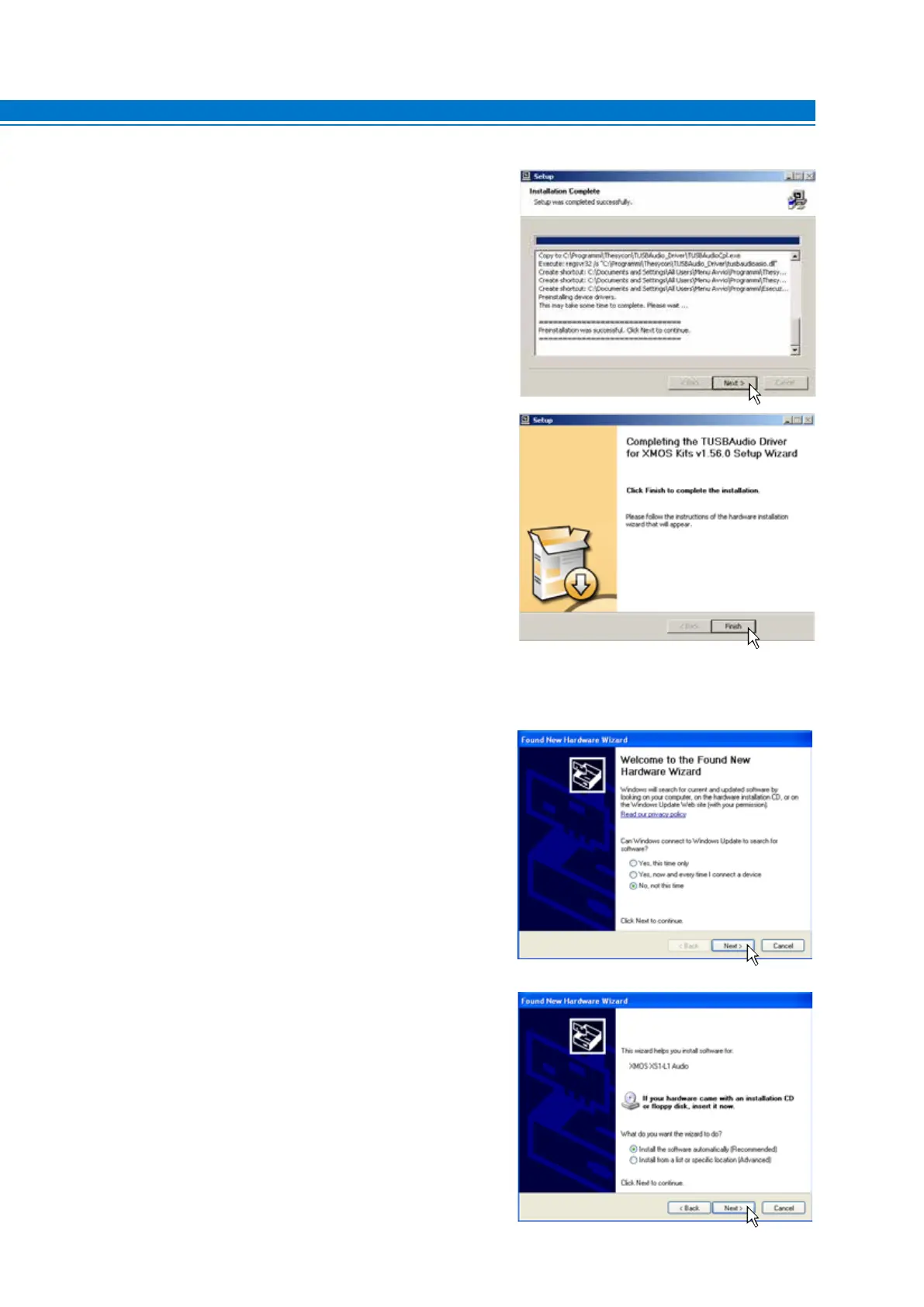
Windows XP: Select NEXT to complete the installation of
the audio driver and then select FINISH.
Windows Vista: Select NEXT to complete the installation
of the audio driver and then select FINISH.
Windows 7: Select NEXT to complete the installation of
the audio driver and then select FINISH.
Windows 8 / 10: Select NEXT to complete the installation of
the audio driver and then select FINISH.
16.
Windows XP: select “No, not now” and click “Next”;
Windows Vista: will not ask for confirmation; drivers will
be installed automatically;
Windows 7: will not ask for confirmation; drivers will be
installed automatically;
Windows 8 / 10: will not ask for confirmation; drivers will be
installed automatically;
17.
Windows XP: select “Install the software
automatically” and click “Next”;
Windows Vista: will not ask for confirmation; drivers
will be installed automatically;
Windows 7: will not ask for confirmation; drivers will
be installed automatically;
Windows 8 / 10: will not ask for confirmation; drivers will
be installed automatically;
5



 To Next Page