30 300-002547-00 rev7
Item Description
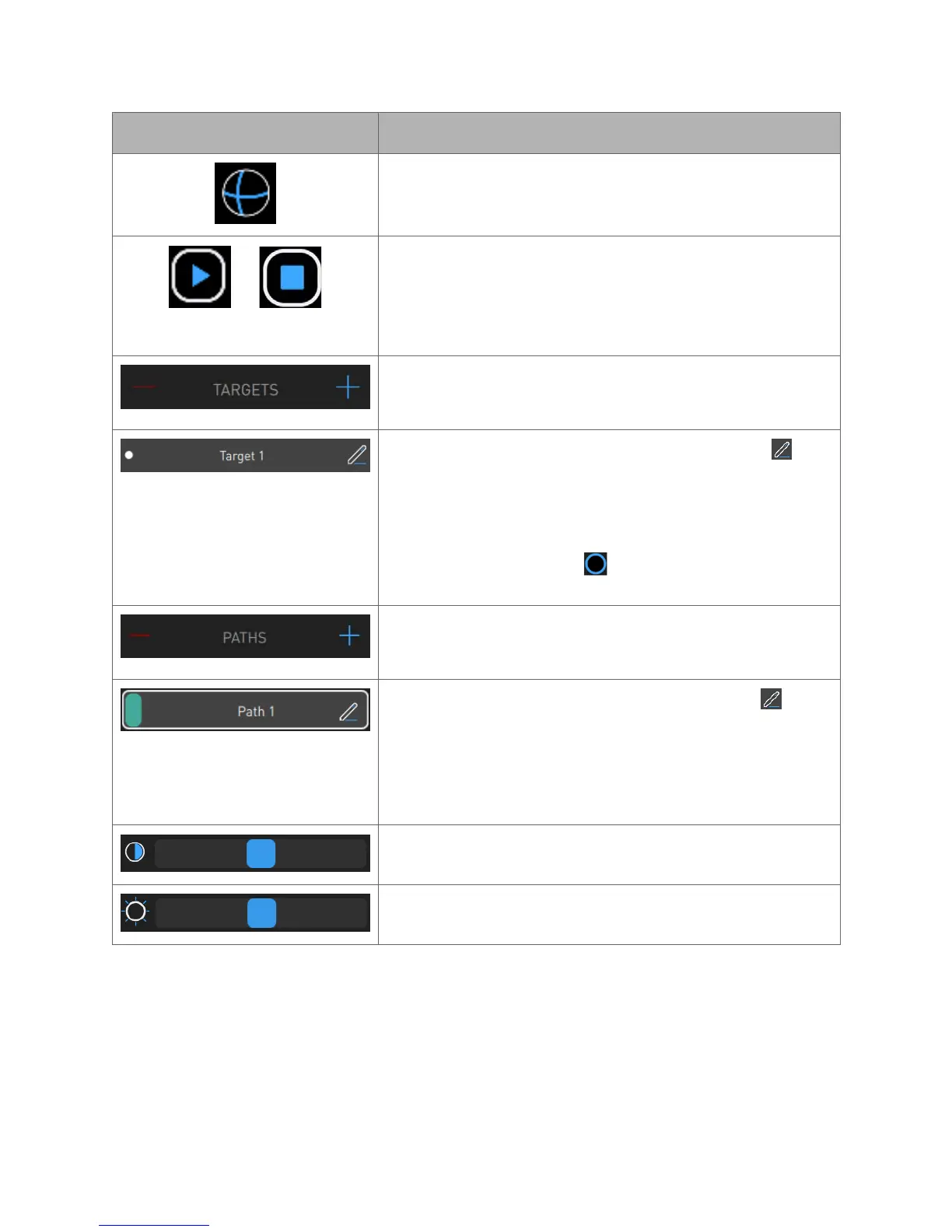
Click or tap to change the boundary box and highlighted
target anatomy to a sphere.
Click or tap to create a virtual “fly-through” video from the
trachea to the target along the path. While the video plays,
the play icon changes to a stop icon.
Click or tap the icon to stop the video.
Click or tap + to create a new target.
Click or tap – to delete a target.
To change the name of the new target, click or tap and
enter a new target name.
The white dot indicates that the target is the primary target
and is selected by default when starting a case.
The blue-ringed black dot indicates that the target is
non-primary.
Click or tap + to create a new path.
Click or tap - to delete a path.
To change the name of the new path, click or tap and
enter a new path name.
The number in the upper-left corner of the new path
segmentation represents the order of the path in relation to
the procedure.
Use the Contrast slider to adjust the image contrast.
Use the Brightness slider to adjust the image brightness.



 To Next Page