300-002547-00 rev7 67
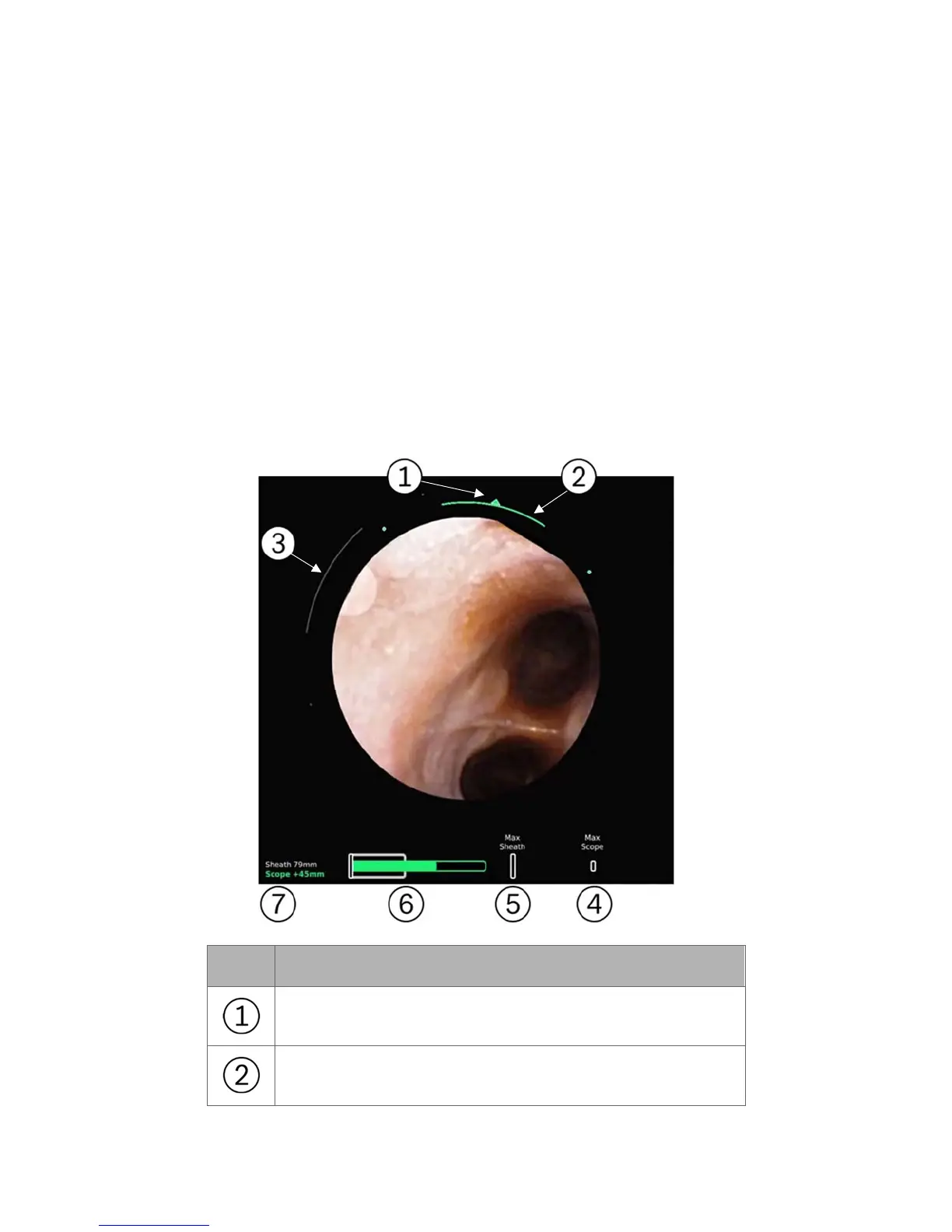
Insertion depth is at the bottom of the screen. The
gray bar (which turns blue when
the Sheath is selected)
indicates the sheath insertion. The green bar indicates the
insertion of the scope relative to the sheath. The green outline indicates the
remaining stroke length of the scope. The hash marks indicate max insertion of
the sheath and scope respectively. The numeric measurements are the relative
insertion of the sheath (from the point of navigation initialization) or the scope
(relative insertion from sheath). The selected device (scope or sheath) is in bold
and is colored. When both the scope and sheath are active together, the “Paired”
icon appears, indicating that the device tips are flush and insertion/articulation
will insert/articulate both scope and sheath together.
The design of the Live Bronchoscope view changes when positioned in the
Scrolling Area compared to the Primary Area. Scope and sheath insertions are
reduced to numbers are in this view in order to reduce visual clutter.
The Full Screen Mode adopts the Primary Area design.
Item Description
Direction of articulation
Magnitude of Bronchoscope articulation



 To Next Page